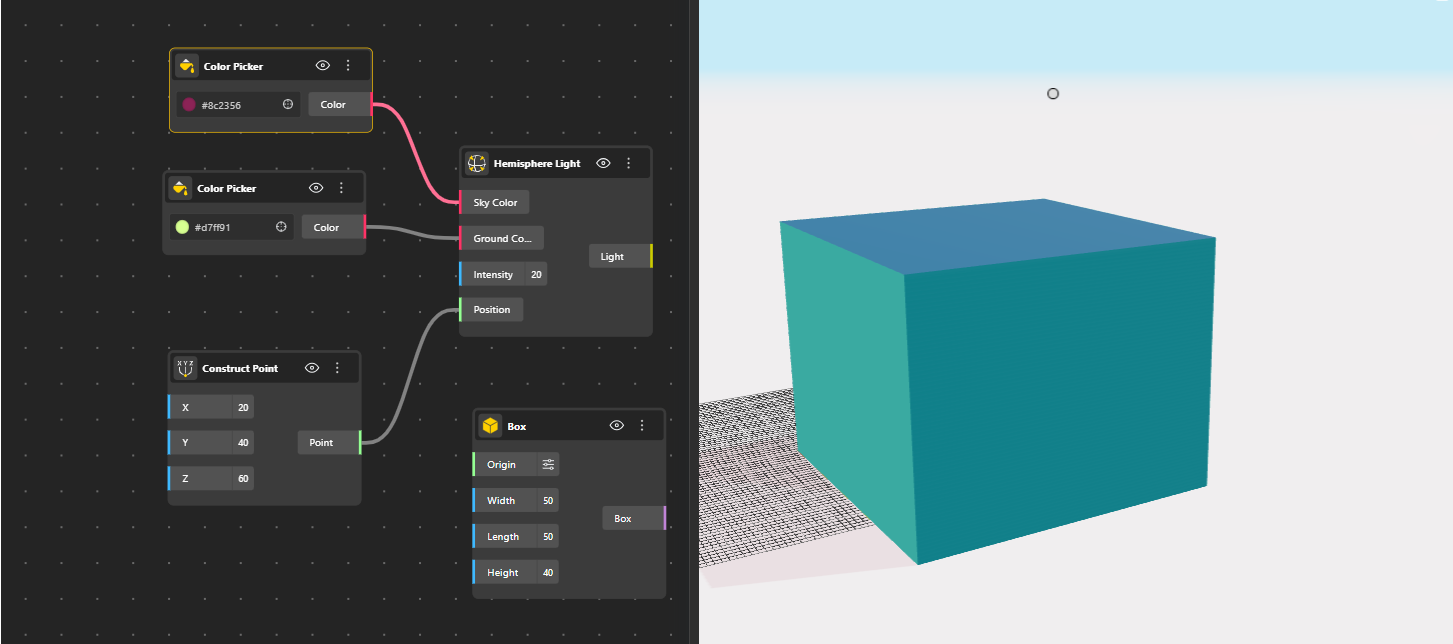
The BeeGraphy Lighting nodes allow you to add, control, and fine-tune lighting directly within parametric definitions. These nodes define how light behaves in a scene, enabling realistic visualization, clear form reading, and controlled illumination for design review and presentation.
Ambient Light
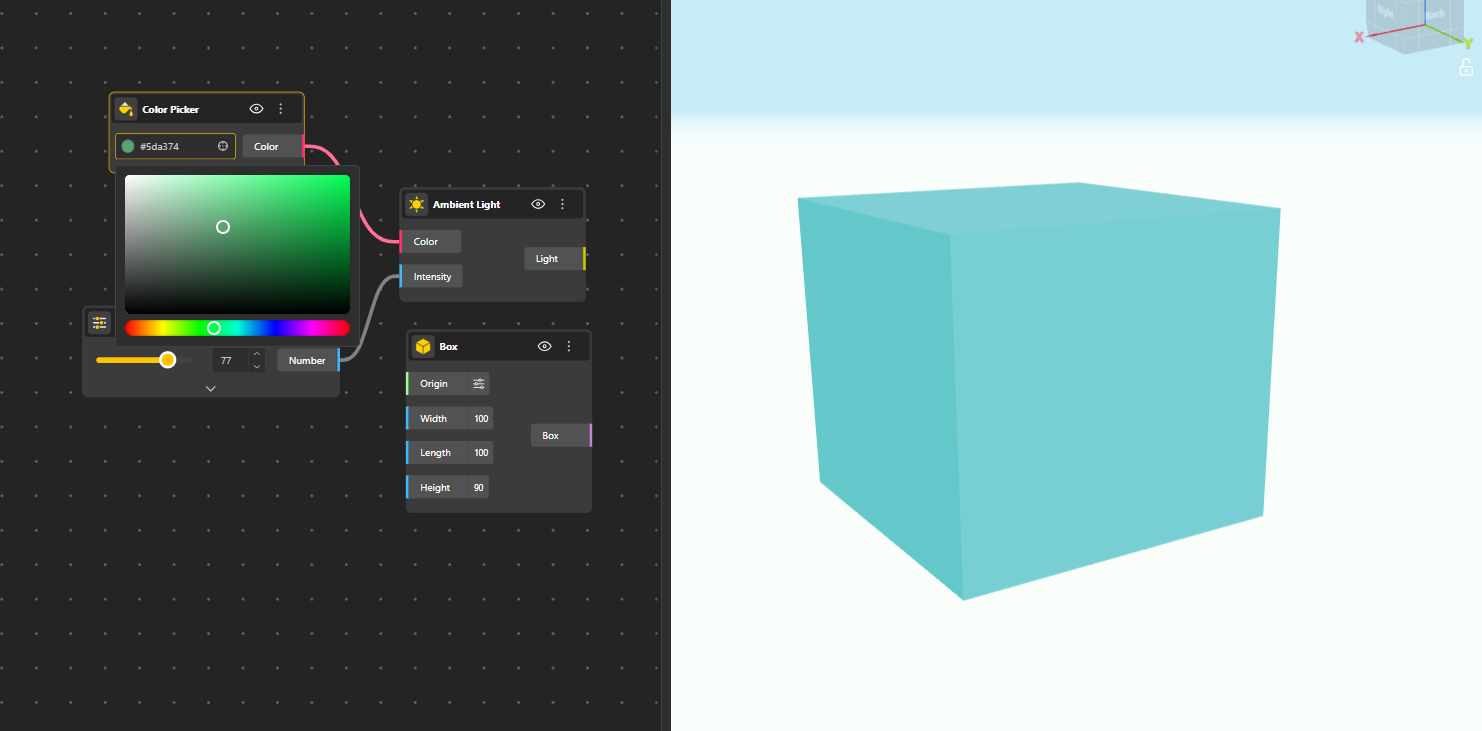
Ambient Light provides uniform illumination across the entire scene without direction or shadows. It does not originate from a specific point but instead adds a base level of light to all objects equally. This is commonly used to prevent completely dark areas and to soften overall contrast.
Best used for: base lighting, soft scene illumination, and reducing harsh shadow contrast.
Directional Light
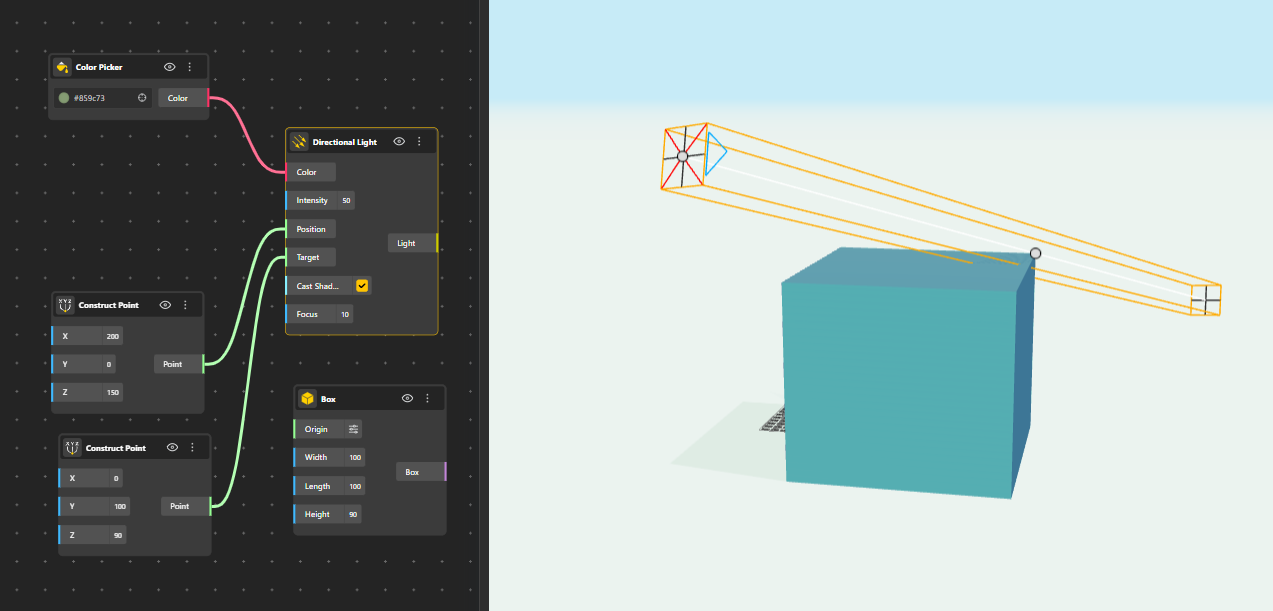
Directional Light simulates light coming from an infinite distance with parallel rays, similar to sunlight. The light direction is controlled using position and target inputs, and it can cast strong, well-defined shadows across geometry.
Best used for: exterior scenes, daylight simulation, architectural shadows, and emphasizing form direction.
Point Light
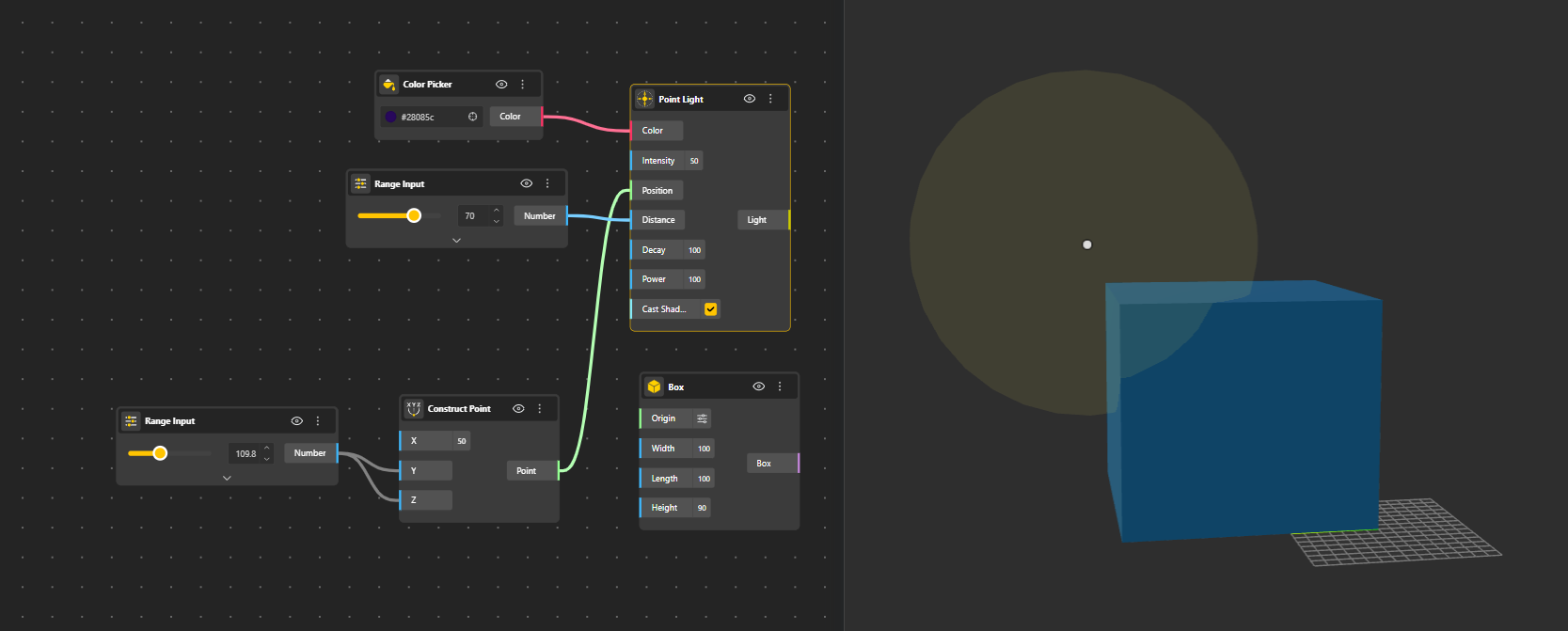
Point Light emits light equally in all directions from a single point in space. Its intensity decreases over distance, making it ideal for localized light sources such as bulbs or lamps.
Best used for: interior lighting, light fixtures, accent lights, and localized illumination.
Spot Light
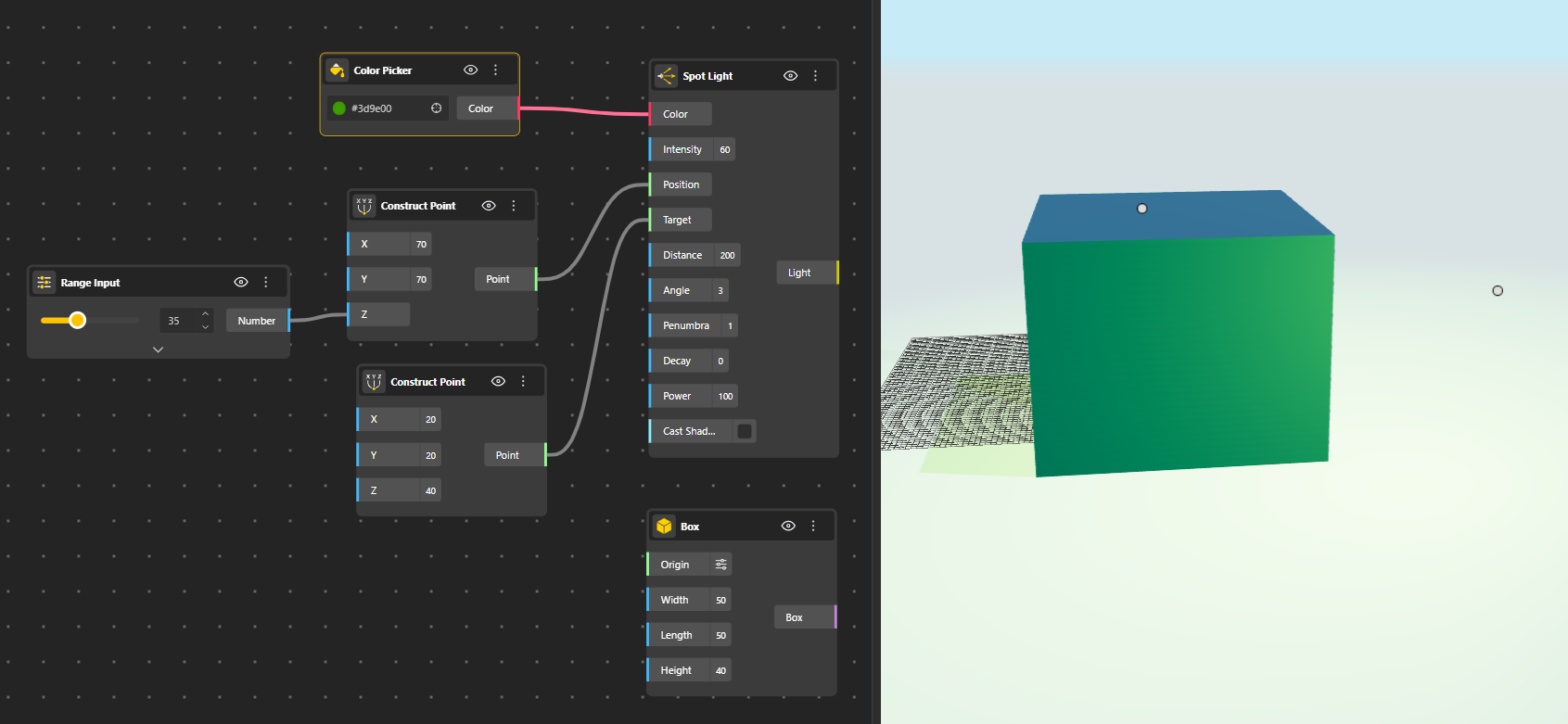
Spot Light emits light in a controlled cone, focusing illumination toward a specific target. The spread and falloff of the cone allow precise control over where light is concentrated.
Best used for: focused highlights, stage lighting, product visualization, and feature emphasis.
Hemisphere Light
Hemisphere Light simulates environmental lighting by blending two colors, one from above and one from below - representing sky and ground light. It helps create natural ambient lighting without sharp shadows.
Best used for: outdoor scenes, environmental lighting, and subtle global illumination effects.
Rect Area Light
Rect Area Light emits light from a rectangular surface rather than a single point. This produces softer, more realistic lighting and smoother shadow transitions, similar to studio softboxes or panel lights.
Best used for: studio setups, interior lighting, architectural visualization, and soft shadow generation.

Light Input Parameters
These input nodes control the behavior, appearance, and placement of lights within a scene.
Color: Defines the color of the light being emitted. Color can be used to simulate natural light, artificial lighting, or stylized effects.
Intensity: Controls how bright the light is. Higher intensity values produce stronger illumination, while lower values create softer lighting. Intensity directly influences contrast, visibility, and overall scene exposure.
Distance: Defines the maximum range of the light’s influence. Objects beyond this distance receive little to no illumination from the light. This is especially useful for limiting light spread in interior scenes and improving performance.
Position: Specifies the location of the light source in 3D space using X, Y, and Z coordinates. The position affects how light reaches objects and how shadows are cast, especially for point, spot, and area lights.
Target: Defines the point in space the light is directed toward. This is mainly used with directional, spot, and rect area lights to control orientation and ensure the light is aimed at a specific area or object.
Decay: Controls how light intensity decreases over distance from the source. Higher decay values cause light to fall off more quickly, creating more realistic and localized lighting effects.
Power: Represents the total energy emitted by the light source. Unlike intensity, which affects brightness perception, power relates to how strongly the light influences the surrounding scene overall.
Cast Shadow (Boolean): Controls whether the light produces shadows in the scene. When enabled, objects block the light and cast realistic shadows onto other geometry. When disabled, the light illuminates objects without generating shadows, which can improve performance or be useful for soft fill lighting.
Width (Rect Area Light only): Defines the horizontal size of a rectangular area light. Increasing the width spreads the light over a larger surface, producing softer shadows and more even illumination.
Length (Rect Area Light only): Defines the vertical size of a rectangular area light. Together with width, length controls the shape and coverage area of the light, affecting shadow softness and realism.
Angle (Spot Light only): Defines the spread of the spotlight’s cone. A smaller angle creates a narrow, focused beam, while a larger angle widens the light coverage area. This parameter determines how much of the scene the spotlight illuminates.
Penumbra (Spot Light only): Controls the softness of the edges of a spotlight’s cone. Lower values create sharp, hard edges, while higher values produce smoother, more gradual transitions between light and shadow.