
What are Scenes?
Scenes are predefined visual or spatial setups in your workspace that help you quickly switch between different environments, lighting conditions, or viewpoints. They allow you to present, analyze, and design your models with clarity by offering tailored visuals of your model.
You can find Scenes under the Assets tab in your workspace or through the Settings panel of your model.
To learn how to switch or apply a Scene, follow the steps below.
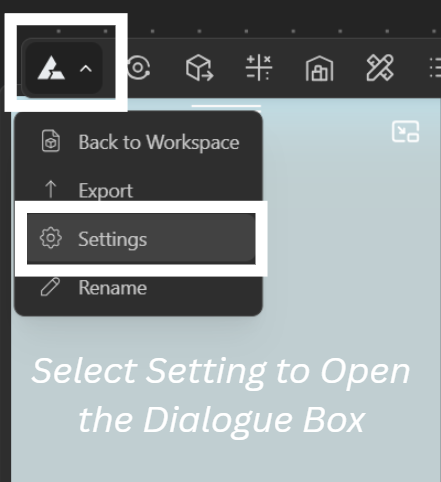
Click on the BeeGraphy icon in the top-left menu to open the dropdown/+.
Select Settings to open the dialogue box.
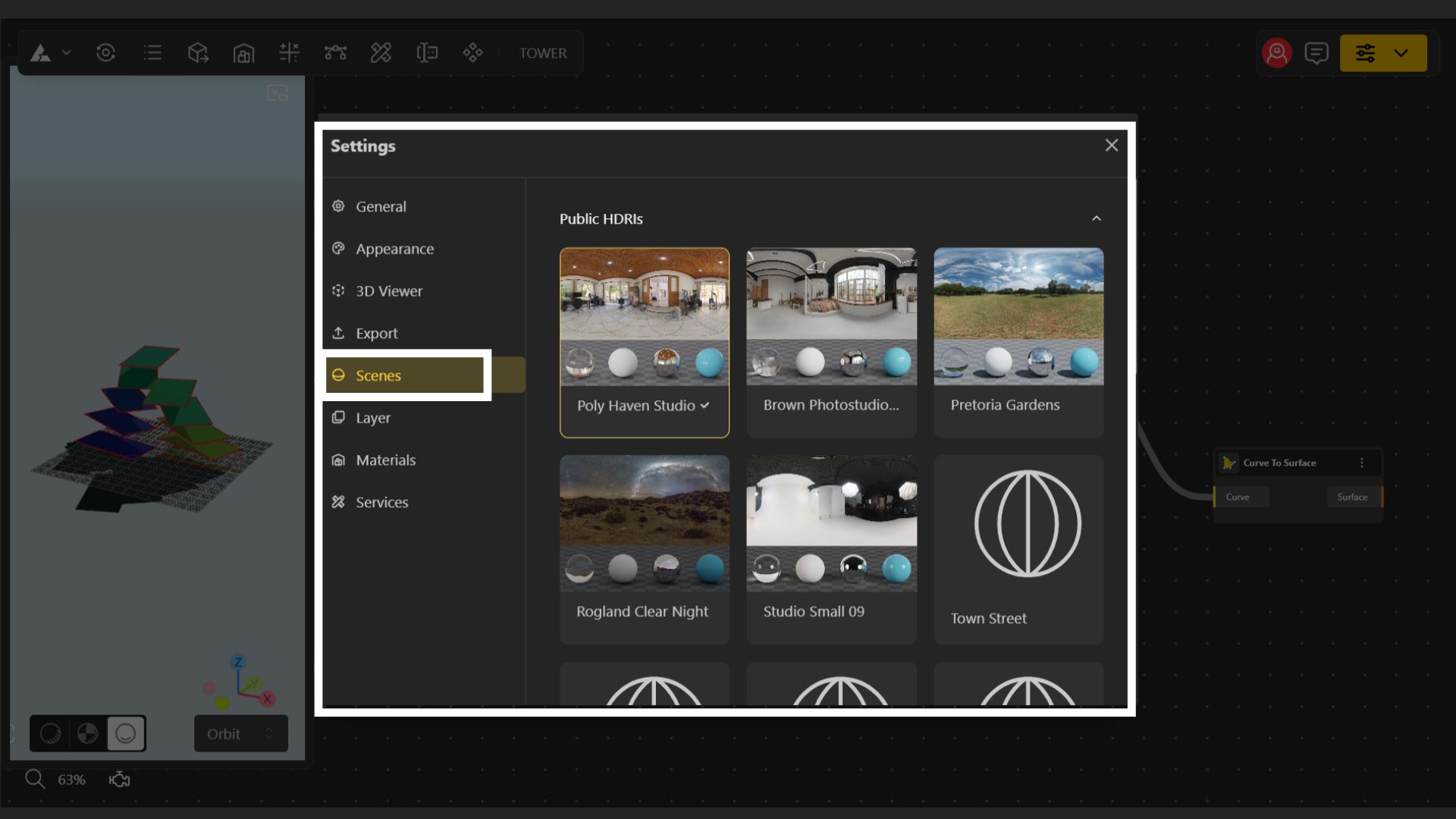
Navigate to the Scenes tab.
Browse through all the scenes available in your workspace and select the one that best fits your design requirements.
For a deeper understanding of Scenes and guidance explore the articles linked below.
What are Assets and its Use? How do I manage Assets?
Everything you need to know about Assets