
What Are Layers in BeeGraphy? How Do Layers work?
Layers in BeeGraphy help you organize geometry by assigning colors, operations, and rules to different parts of your model.
Each layer tells the system how that geometry is presented — for example, whether it is cut, engraved, marked etc.
Layers are especially useful when preparing models for laser cutting, engraving, CNC machining, or any workflow where color-coded rules matter.
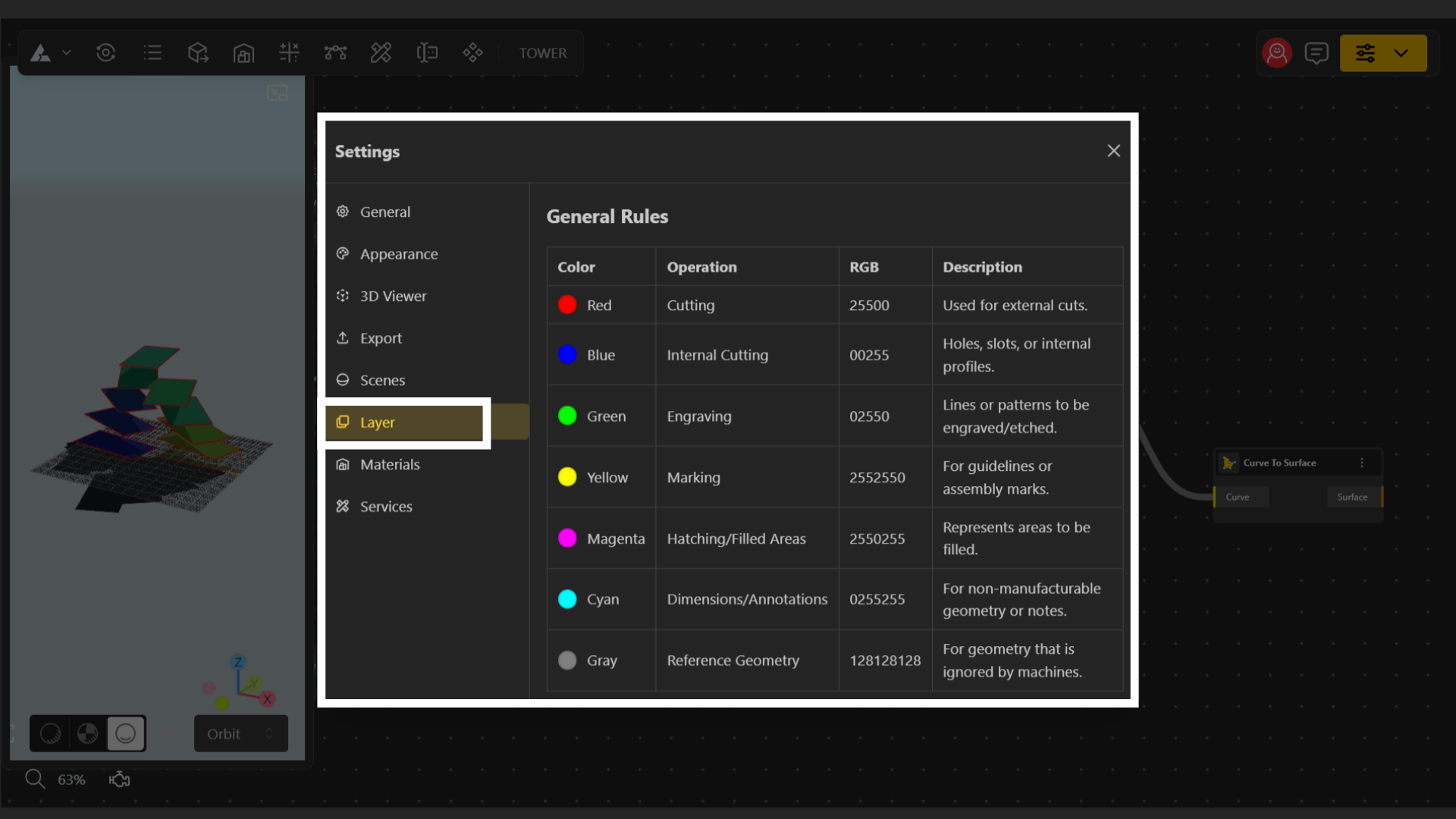
Attributes of a Layer
Color: This is the color assigned to the geometry in your model. Each color represents a different machining operation.
Operation: This defines what action the machine should perform on geometry with that color.
Examples include cutting, engraving, marking, etc.RGB: An RGB code (Red–Green–Blue value) that uniquely identifies the color used for the operation.