Open your model in BeeGraphy.
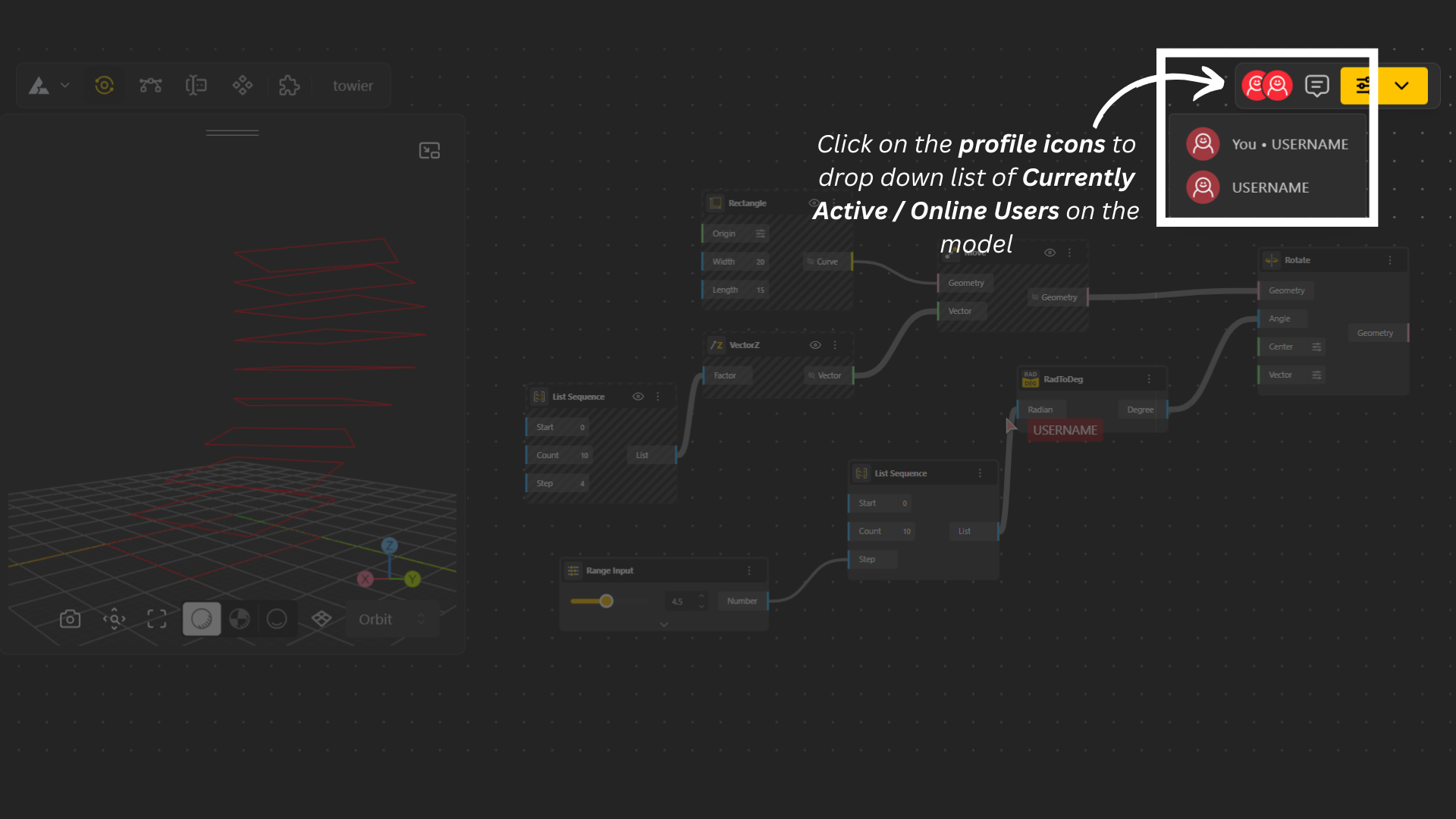
Click on the profile icon in the top-right corner to see the active or online users currently viewing your model.
This feature works both when you're collaborating in Teams and when you’re working inside Shared Models, making it easy to know who’s present and actively contributing.
A comment thread is a conversation attached to a specific part of your model, allowing you and your teammates to discuss ideas, share feedback, and resolve issues directly within the Beegraphy editor.
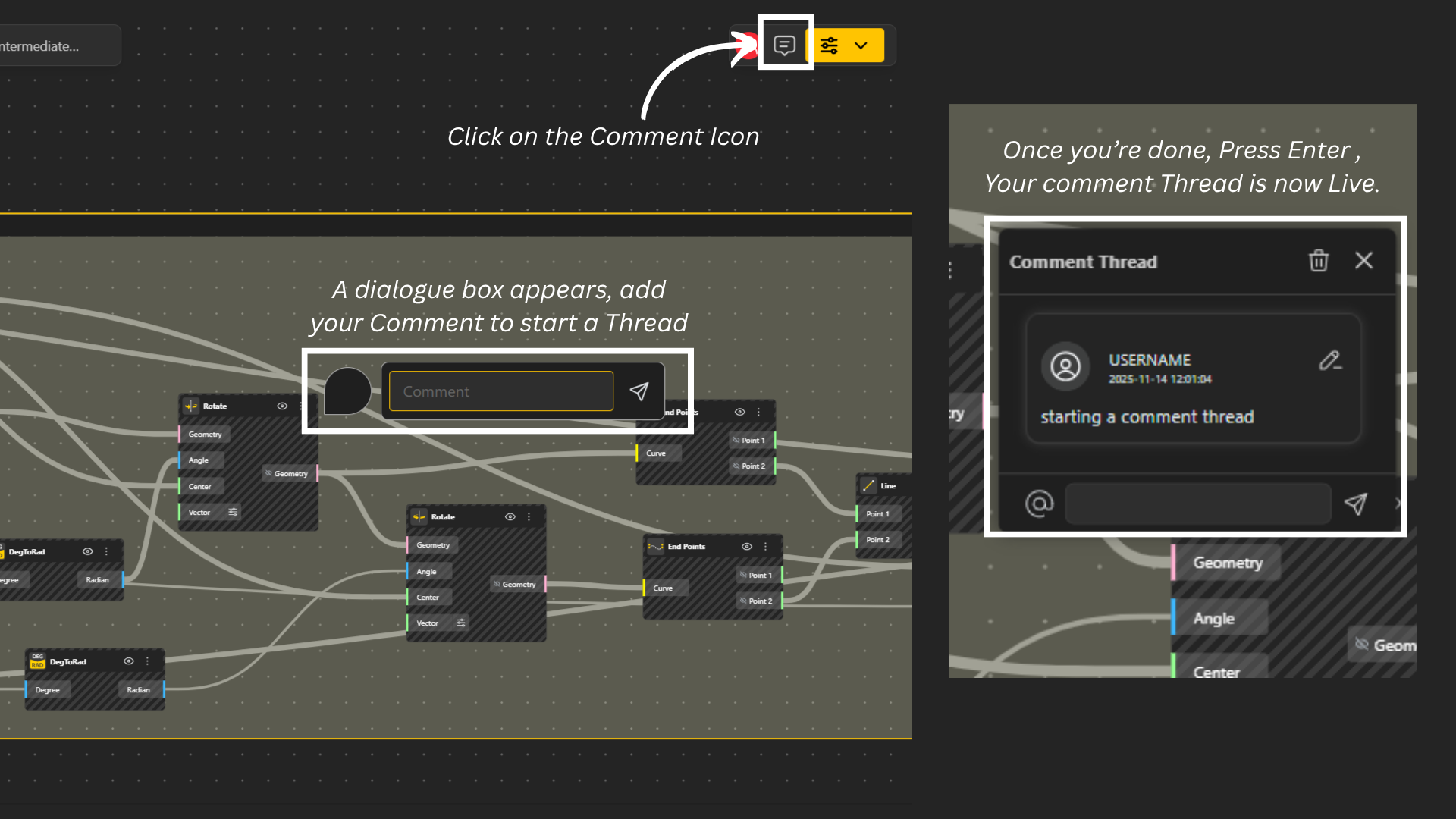
In your Beegraphy editor, go to the top-right menu and select the comment icon.
Click on the spot in your model where you want to leave a comment.
Type your message and press Enter.
Your comment is now live, and anyone who has access to the model can reply or interact with your thread.
You can edit or delete your comment at any point directly from the comment thread, giving you full control over your feedback.
Open the model.
Navigate to the comment you want to respond to.
Click on it, and simply type your reply.
Your response will appear in the same thread, keeping the conversation organized and easy to follow.
