
There are two ways to view your models in BeeGraphy: Configurator Mode and Demo Mode. Here’s what each mode means and how they help you present or test your designs.
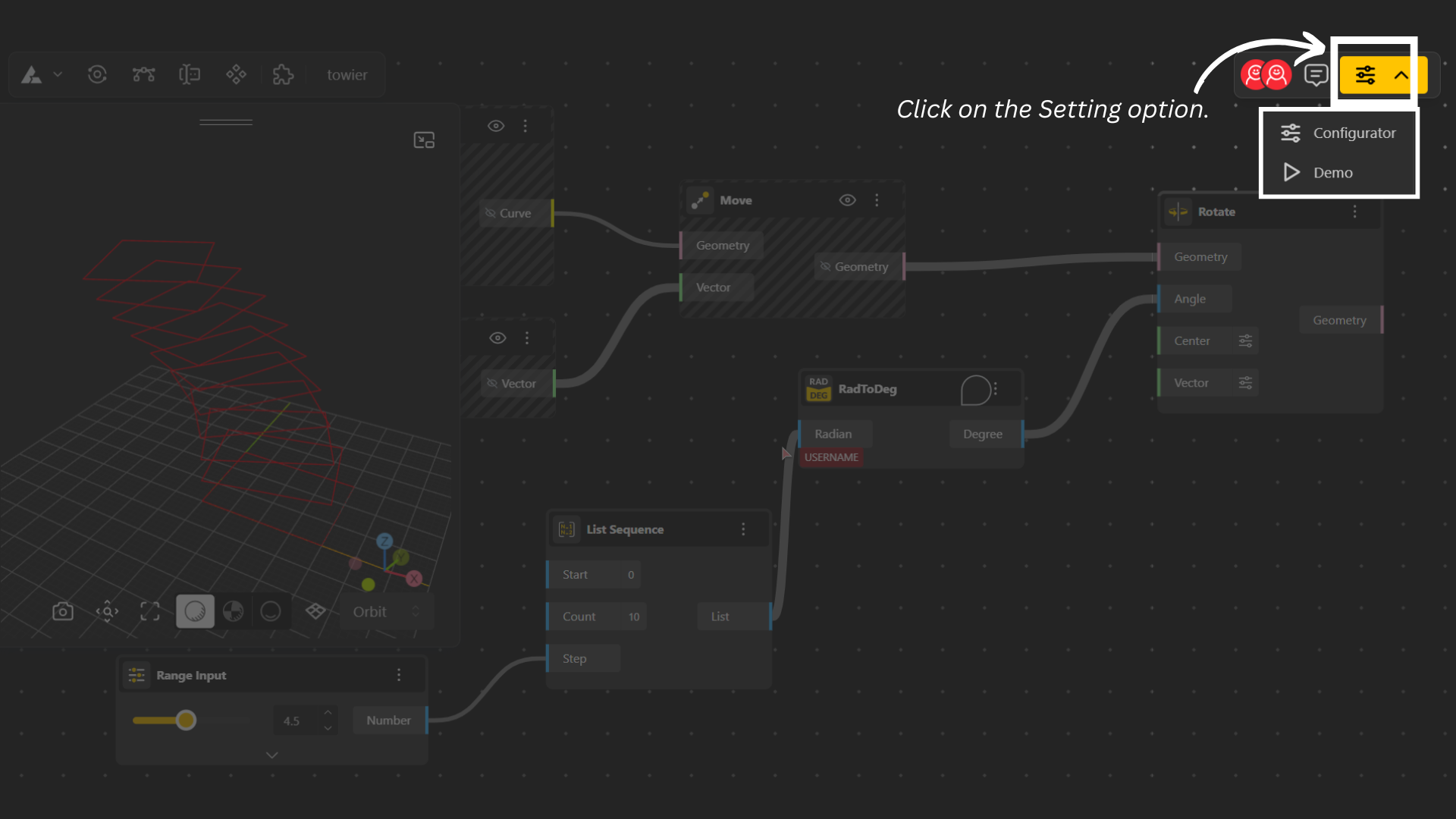
To open Configurator or Demo Mode, click on the rightmost settings icon and select your preferred mode from the dropdown menu.
Configurator Mode
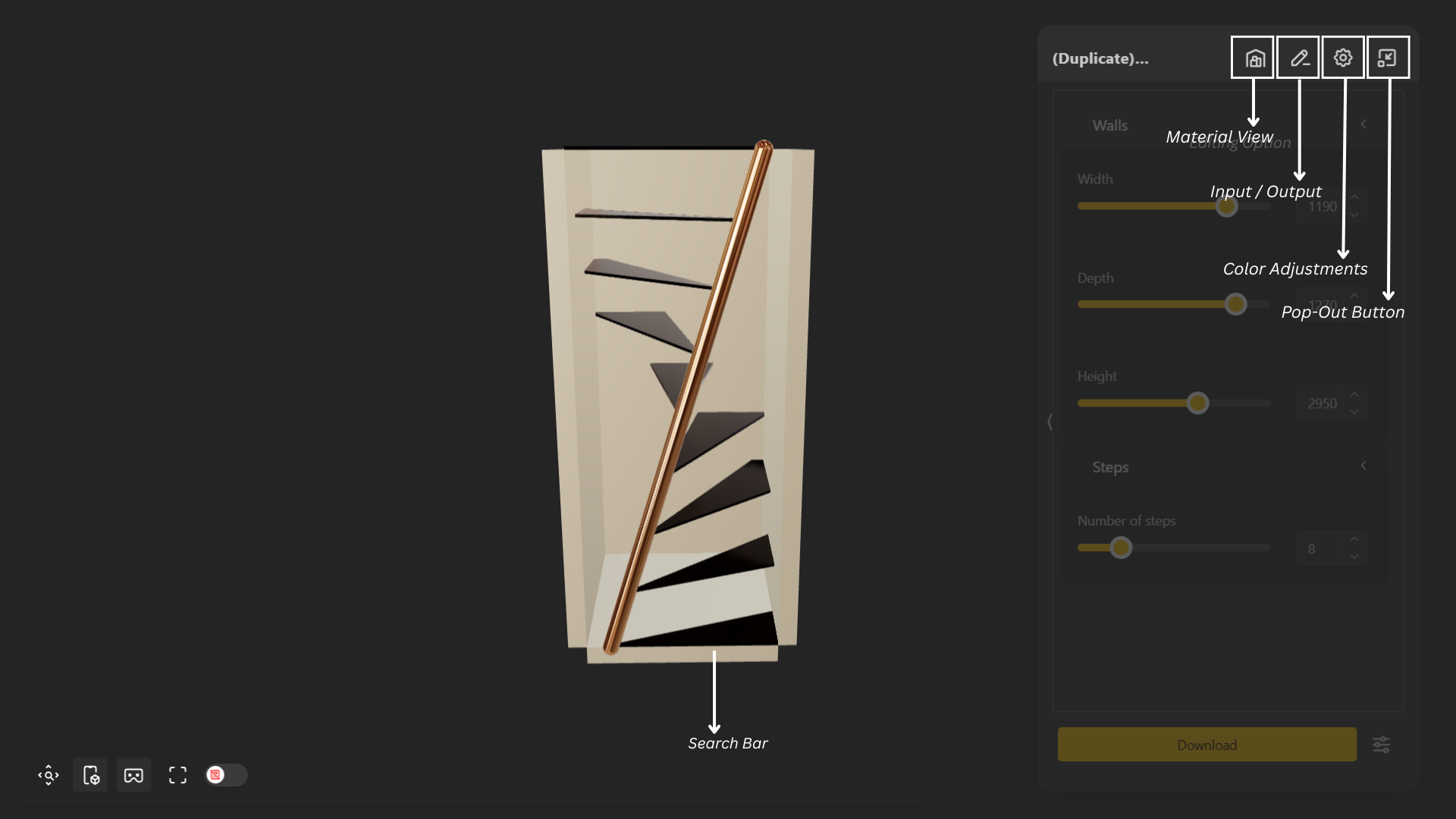
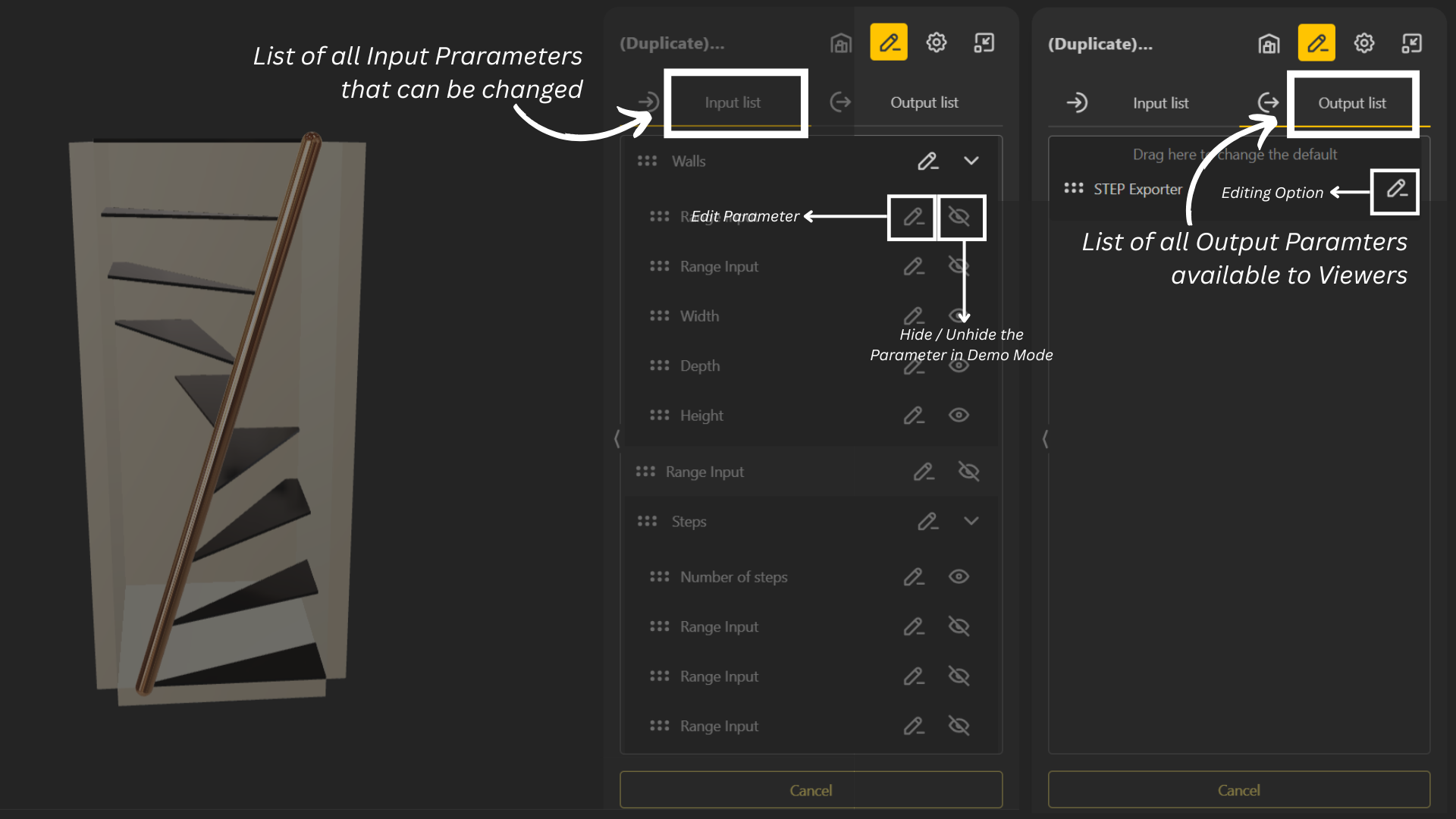
The Configurator Mode that lets you view and manage all parameters of your model. It allows you to define inputs and outputs, adjust values in real time, and control what elements are visible in the demo version. With the Configurator, you can fine-tune your model’s behavior while customizing how it’s presented to others.
Demo Mode
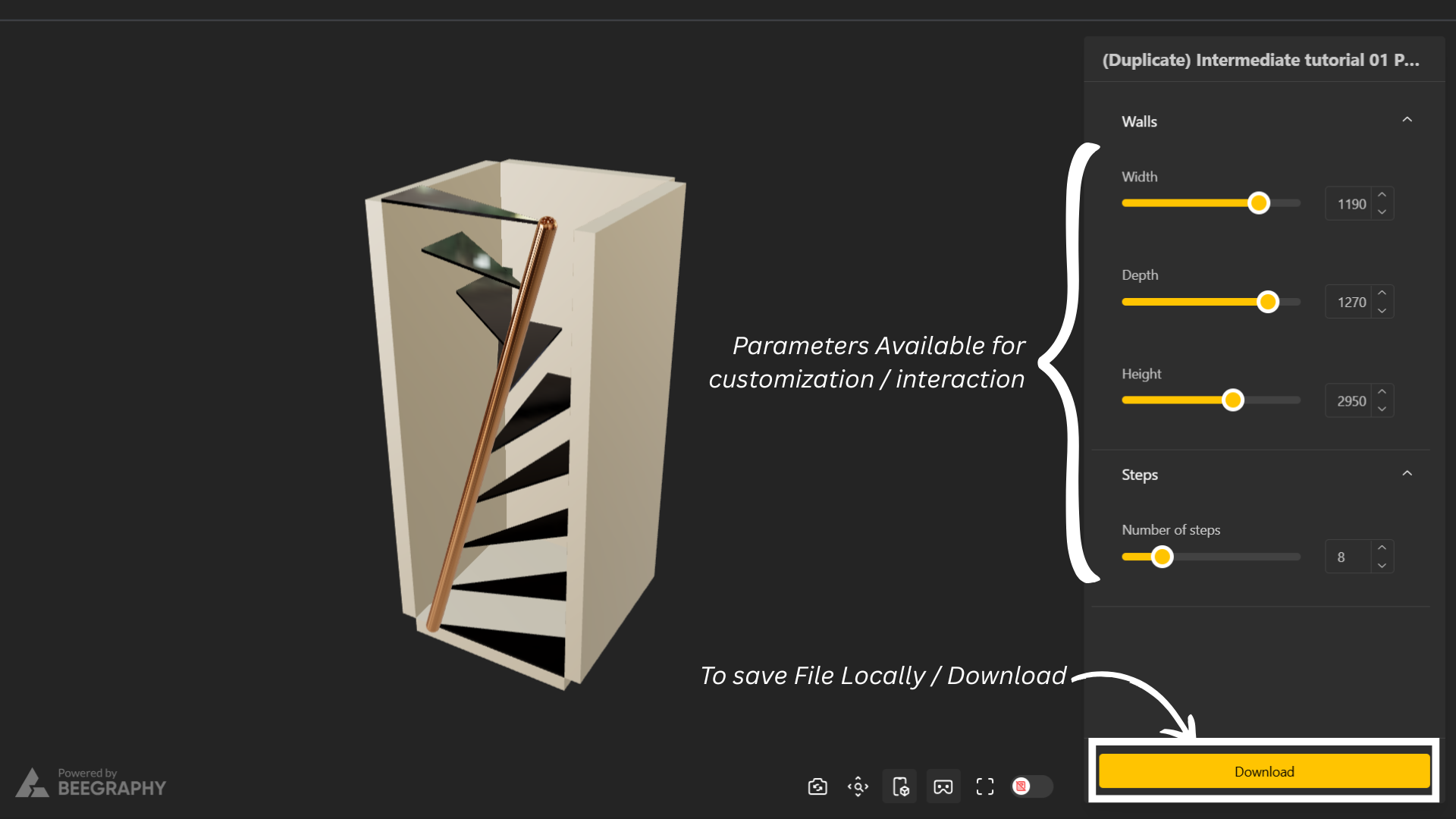
Demo Mode is designed for presentation and interaction. It allows users to view and experiment with model parameters without affecting the original file. This mode is ideal for showcasing your work or sharing models safely with others for exploration.
How do I switch viewing modes quickly after I’ve chosen one?
Once you’ve selected a viewing mode (Configurator or Demo), you can double-click the icon to quickly return to that mode.
To switch to a different viewing mode, simply open the dropdown next to the mode icon and choose the mode you want to work in.