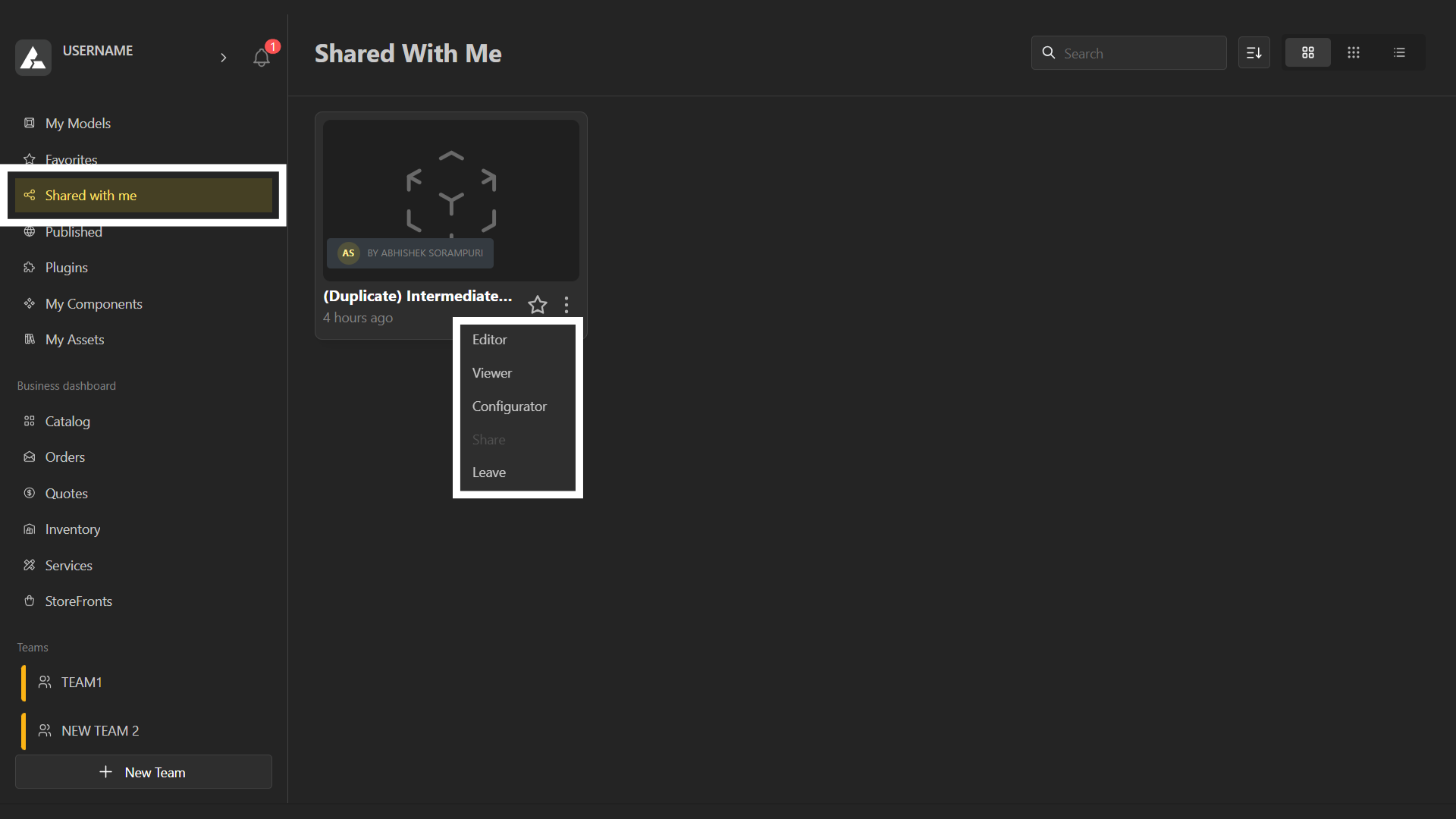
BeeGraphy offers a shared, collaborative environment where you can seamlessly share and access files across your team. All shared files appear under the “Shared with Me” tab and can be opened and worked on directly from there.
What are Shared Models?
Shared models are models that have been made accessible to other users for collaboration. When a model owner shares a project, selected team members or users gain permission to view, edit, or interact, depending on the access level granted.
Who can share models?
Only the model’s owner or creator has the ability to share it with others. They can invite team members, collaborators, or external users to participate in the project.
How to Share Models?
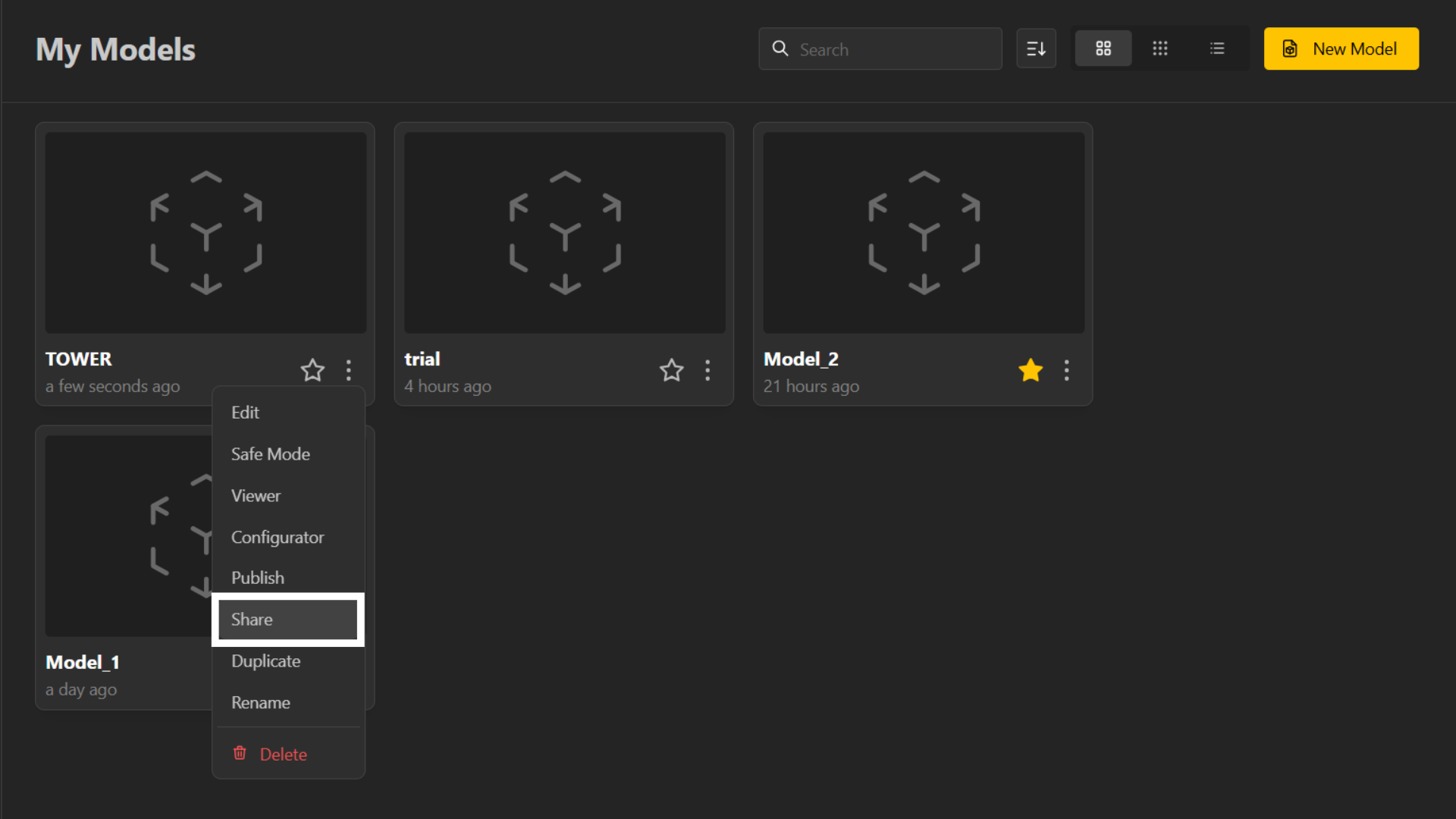
Open your model in BeeGraphy Editor.
Click on the Share option or Team Settings icon.
Add the email addresses or usernames of the people you want to invite.
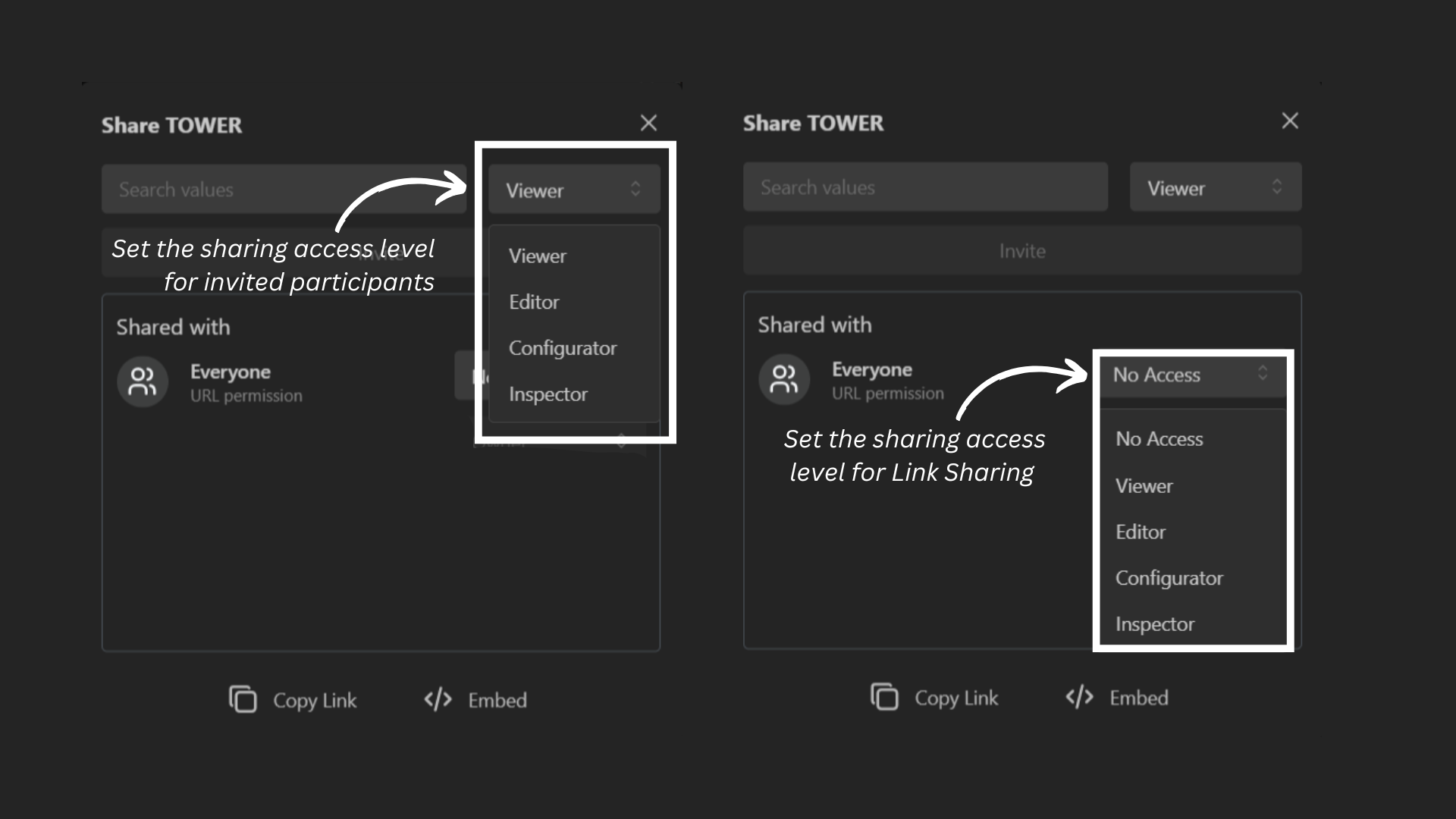
Set permissions: choose whether they can view, edit, or configure the model.
Confirm your selection to share the model.
When sharing a model, you can choose the access mode: Viewer, Configurator, Inspector, or Editor, depending on the level of interaction you want others to have with your model.
Viewer: Can only view the model and explore its demo version.
Configurator: Can interact with parameters and configurations without altering the original model.
Inspector: Opens a duplicate of the model, so the person can freely explore and inspect how it is built without affecting your original. Because they are working on their own copy, your model stays untouched no matter what they do.
Editor: Has full access to edit and modify the model directly.
Once shared, collaborators can access the project under the “Shared with Me” section and start working within their assigned roles.
Different Modes to View Shared Models
Editor – Open and edit the model using BeeGraphy’s full suite of design tools.
Configurator – View the model in configurator mode to dynamically interact with parameters and control inputs/outputs.
Demo – Preview the model and adjust parameters without making permanent changes.
Leave – Exit the model space and remove your access to the shared project.