
Connect, Disconnect, and Reroute Node Links for a Cleaner Graph Workflow.
Connecting Nodes
First, decide whether you want to use an input or output port on your node.
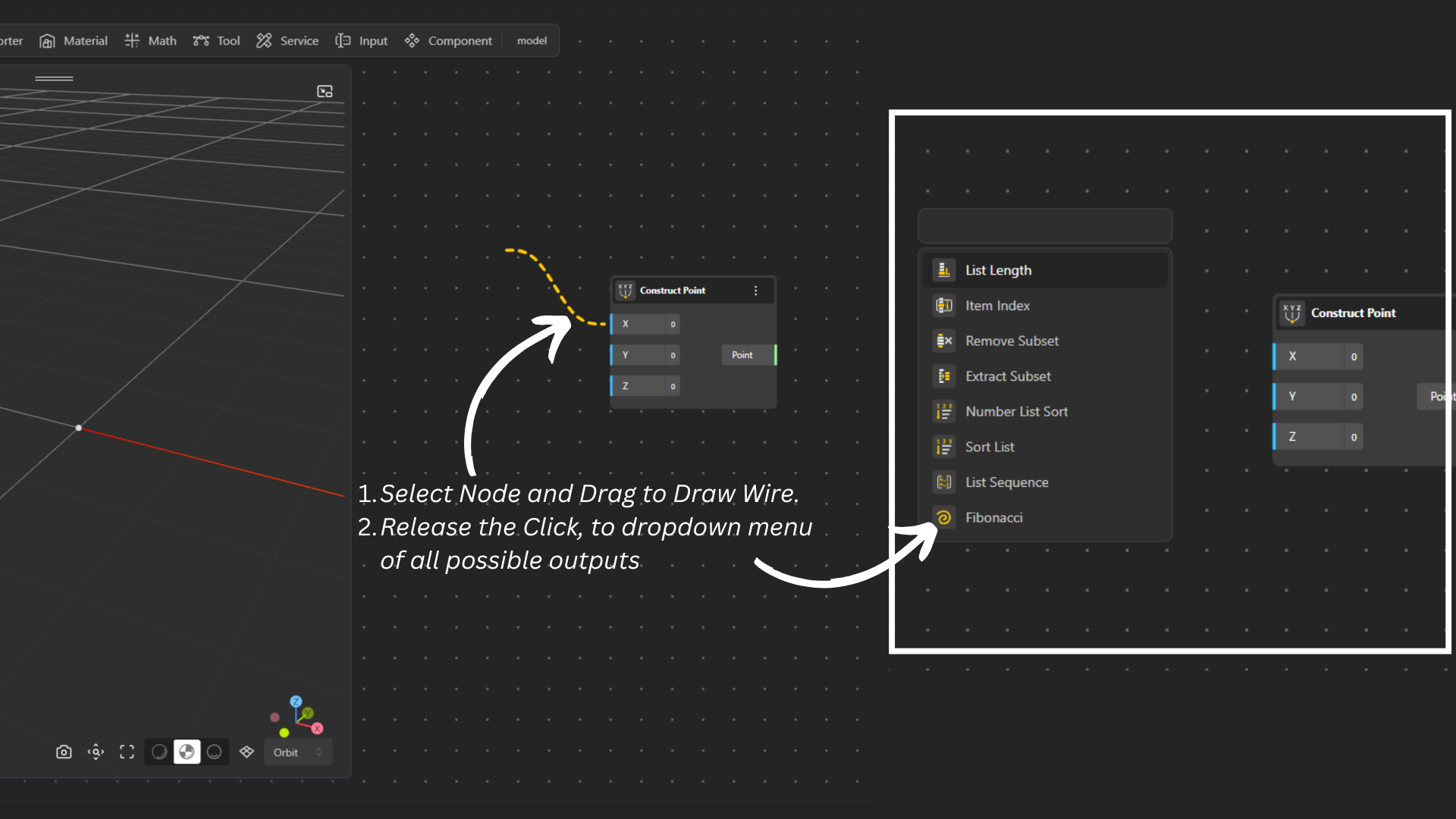
Click on the port on the correct side (input on the left, output on the right).
Select, Drag and Release it into the canvas, this will automatically open a dropdown showing all possible input types you can add.
You can search using the search bar or scroll and click on the node to add it to your Canvas.
Alternative method:
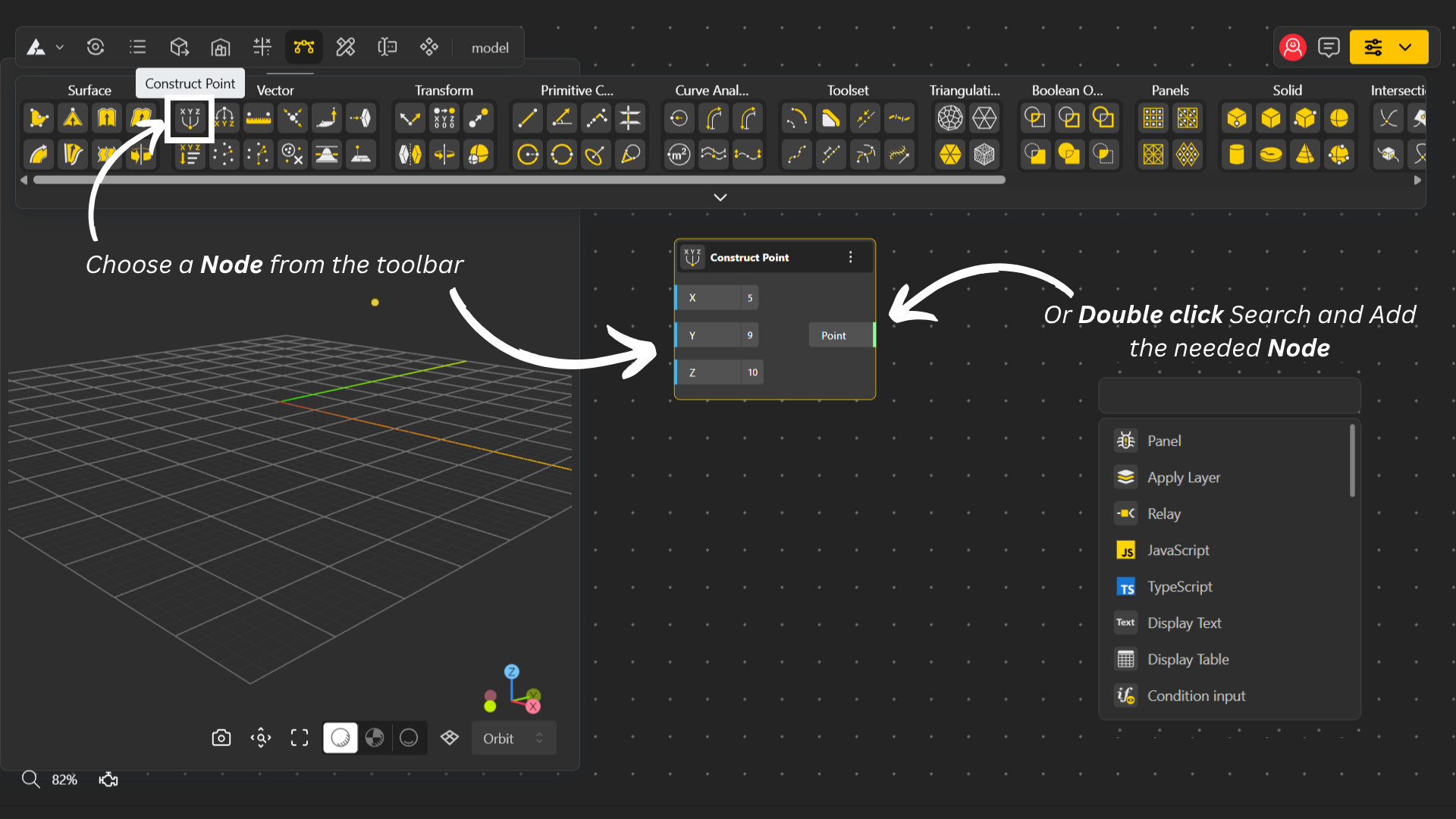
Double-click on the canvas to open the node menu.
Search or scroll to find the node you need and add it to the canvas.
Once the node is added, Draw a wire by dragging from the output of one node to the input of the other.
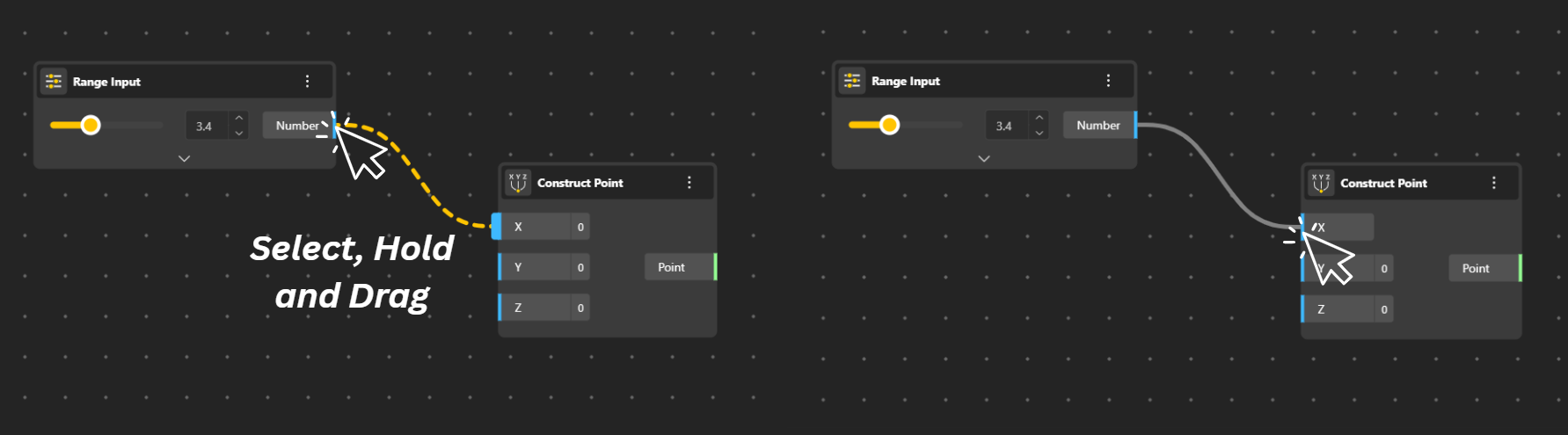
Example: To add a value into a point, drag a wire from the Range (output) and connect it to the Construct Point (input) or vice-versa.
Important: You can only connect nodes with the same data type. BeeGraphy color-codes ports to help you understand which connections are compatible.
Removing a Connection
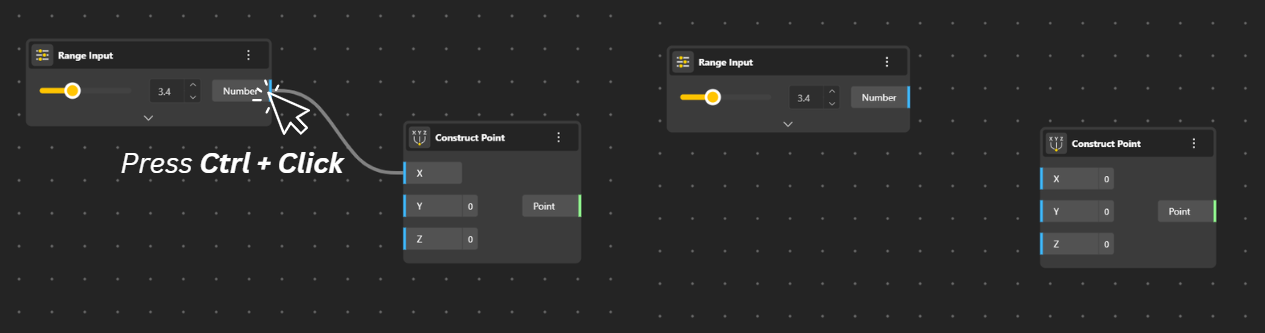
Select the input or output port of the node you want to disconnect.
Press the Ctrl key and click on the port, the connection will be removed automatically.
Rerouting a Connection
First, remove the existing connection using the steps above.
Then draw a new wire from the correct output to the correct input to reconnect the nodes properly.