
Learn how to select, manage, and group nodes to keep your workspace efficient, organized, and free from clutter.
Selecting Nodes
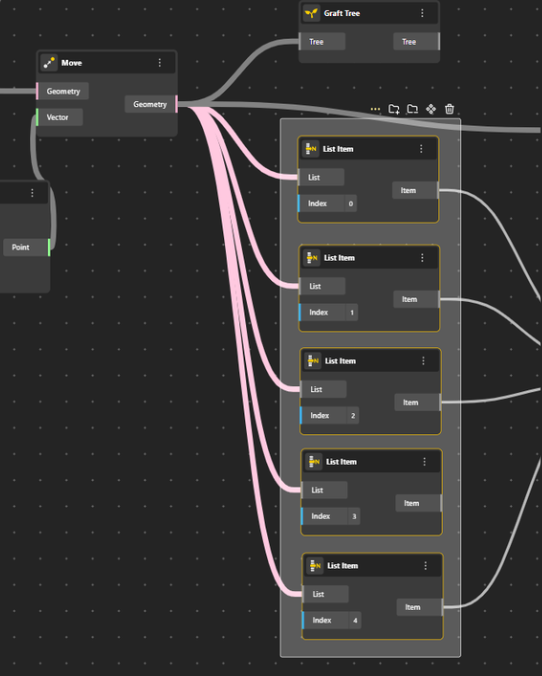
If your nodes are close together and you want to select them quickly, right-click and drag your mouse over the area — this will select all nodes inside the box.
If any nodes were not included, you can manually select them by holding the Shift key and clicking the remaining nodes.
If your nodes are far apart, press and hold Shift while manually selecting each node one by one.
Group Commands
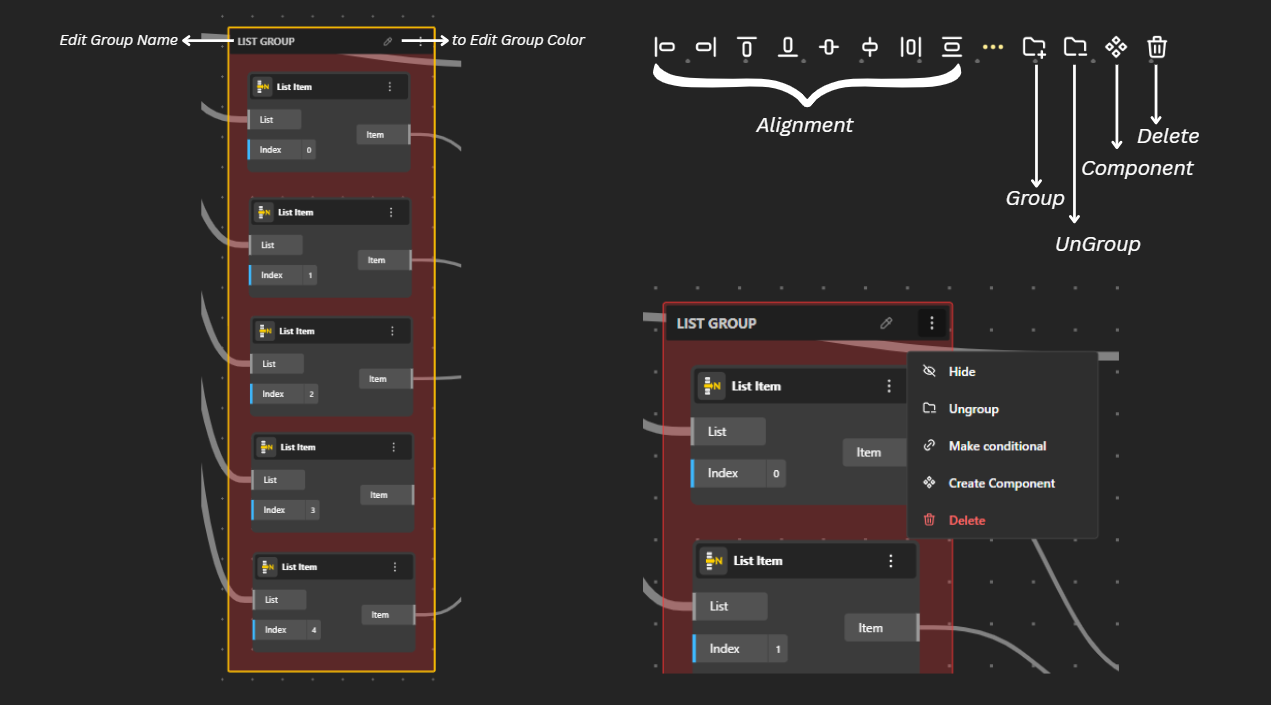
Group Commands in Nodes
Rename Group: Click on the group name to edit and rename it.
Color Picker: Use the color picker to customize the group’s color for better visual organization.
Alignment Options: Align your selected nodes in different ways to keep your workspace neat and efficient.
Group: Combines the selected nodes into a single group.
Ungroup: Breaks a grouped set of nodes back into individual nodes.
Convert to Component: Turns the selected nodes into a reusable component.
Delete: Deletes the selected nodes or the group from your workspace.
More Options (Three-Dot Menu)
Click the three dots on the group to open additional settings:
Hide – Temporarily hides the entire group from the workspace.
Make Conditional – Turns the group into a conditional block so it only runs when specific conditions are met.
Create Component – Converts the selected group of nodes into a reusable component that you can drag into any workspace.
Delete Group – Removes the entire selected group (including all nodes inside it) from your workspace.