Log in to your workspace.
Select the node you want to duplicate.
Press Ctrl + C to copy it.
Click on the canvas and press Ctrl + V to paste it.
Important: Duplicating a node also duplicates all of its current connections.
Select the node you want to remove.
Press the Delete (Del) key on your keyboard.
OR
Click the three vertical dots to open the settings menu.
Choose Delete Node to remove it.
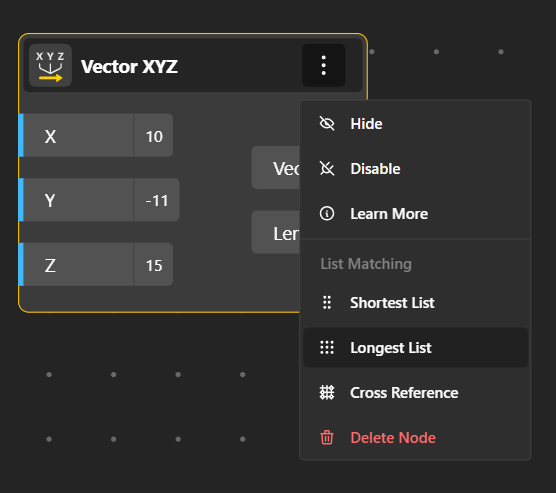
Select the node in your workspace.
Click the three vertical dots to open the dropdown menu.
From here, you can choose:
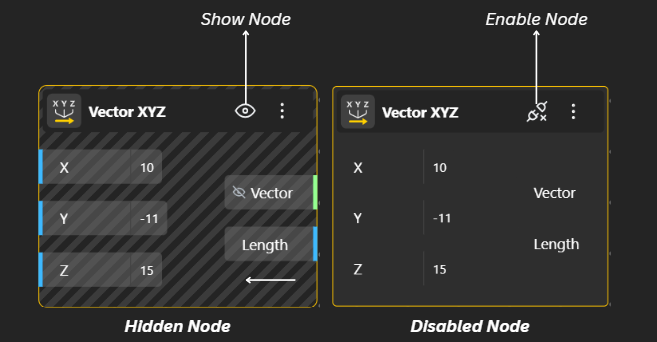
Hide: Temporarily makes the node invisible in the workspace. The node still exists and works—it's just hidden from view.
Disable: Turns the node off. It will not run or affect the model until you enable it again.
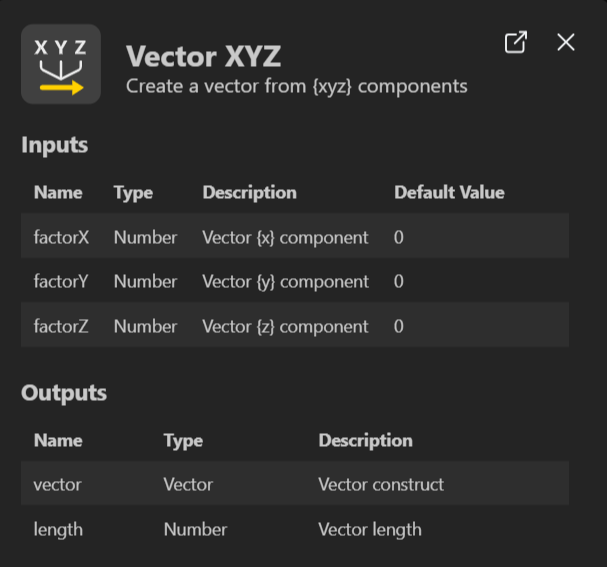
Learn More: Opens detailed information about the node, including what it does and how to use it.
Shortest List: When connecting lists, this option forces the node to process only up to the shortest list length.
Longest List: Processes data based on the longest list available; shorter lists repeat values to match.
Cross Reference: Combines all items from connected lists in every possible pairing (like a grid). Useful for generating multiple variations.
