
To filter tags and make any modifications to your search results, follow the steps below for an easy, guided process.
For Filtering Prices
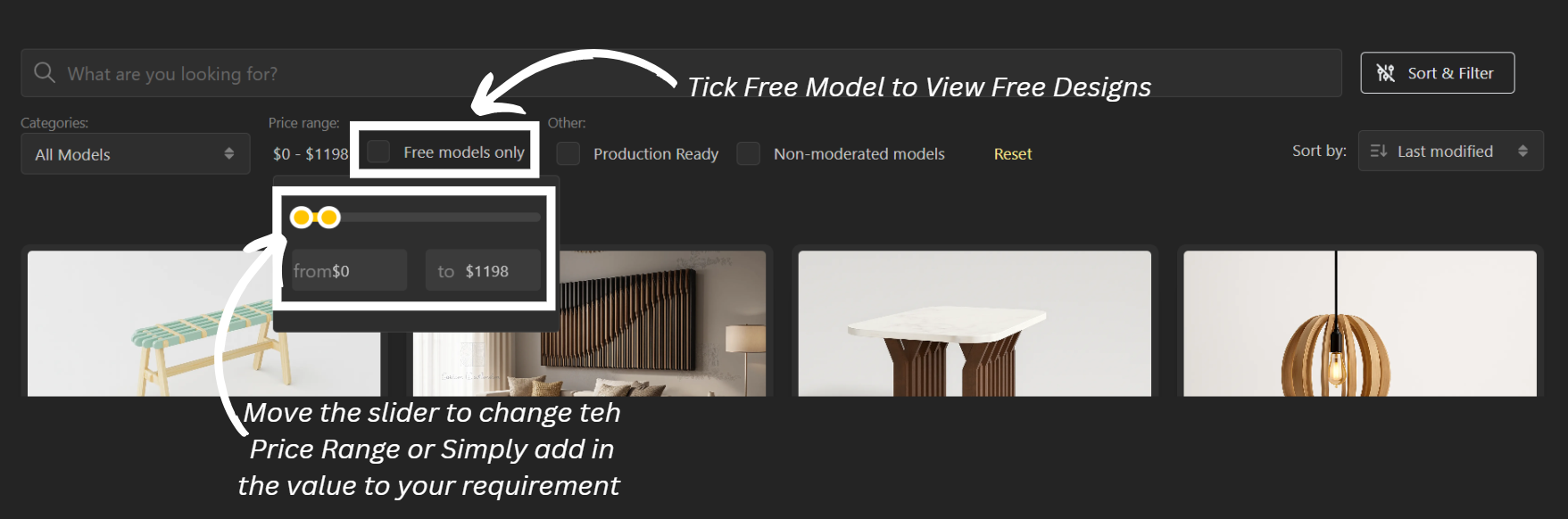
To change the price range, go to Markets or visit beegraphy.com/market.
Click on Sort & Filter Button.
Now select the Price Range option that says Unspecified.
Drop it down to open the slider and choose your desired range.For free models, simply tick the Free Model Only checkbox.
For more filters, the following options are available:
Production Ready – shows models that are ready for manufacturing
Non-Moderated Models – displays models that haven’t been reviewed
Reset Button – resets all applied filters
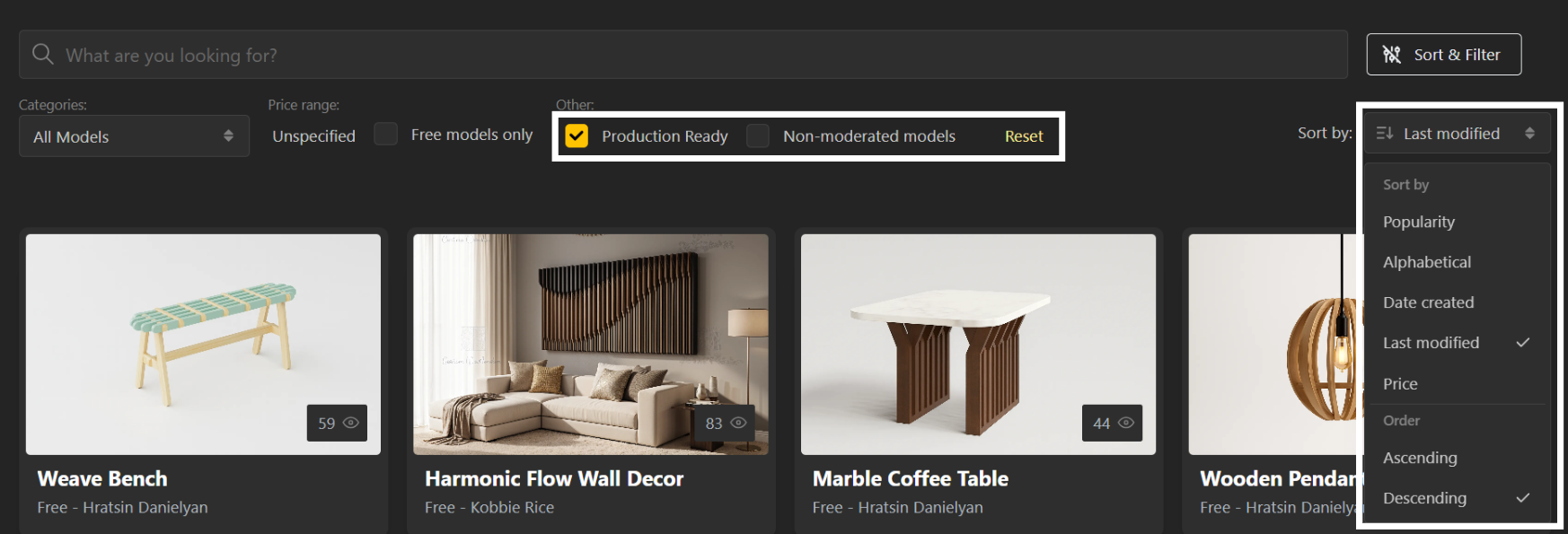
You can also sort the results by:
Popularity
Alphabetical
Last Ordered
Last Modified
Price
You can further choose to view the results in ascending or descending order using the sort toggle.