The Market in BeeGraphy allows you to preview and customize any model before purchasing or downloading it. It’s an interactive space where you can adjust parameters, change views, and personalize the model so it fits your needs perfectly.
To preview or demo a model — and customize it to your preferences:
Log in to the Market, or visit beegraphy.com/market.
Select the model you want to preview or demo.
You will be redirected to the preview/demo mode.
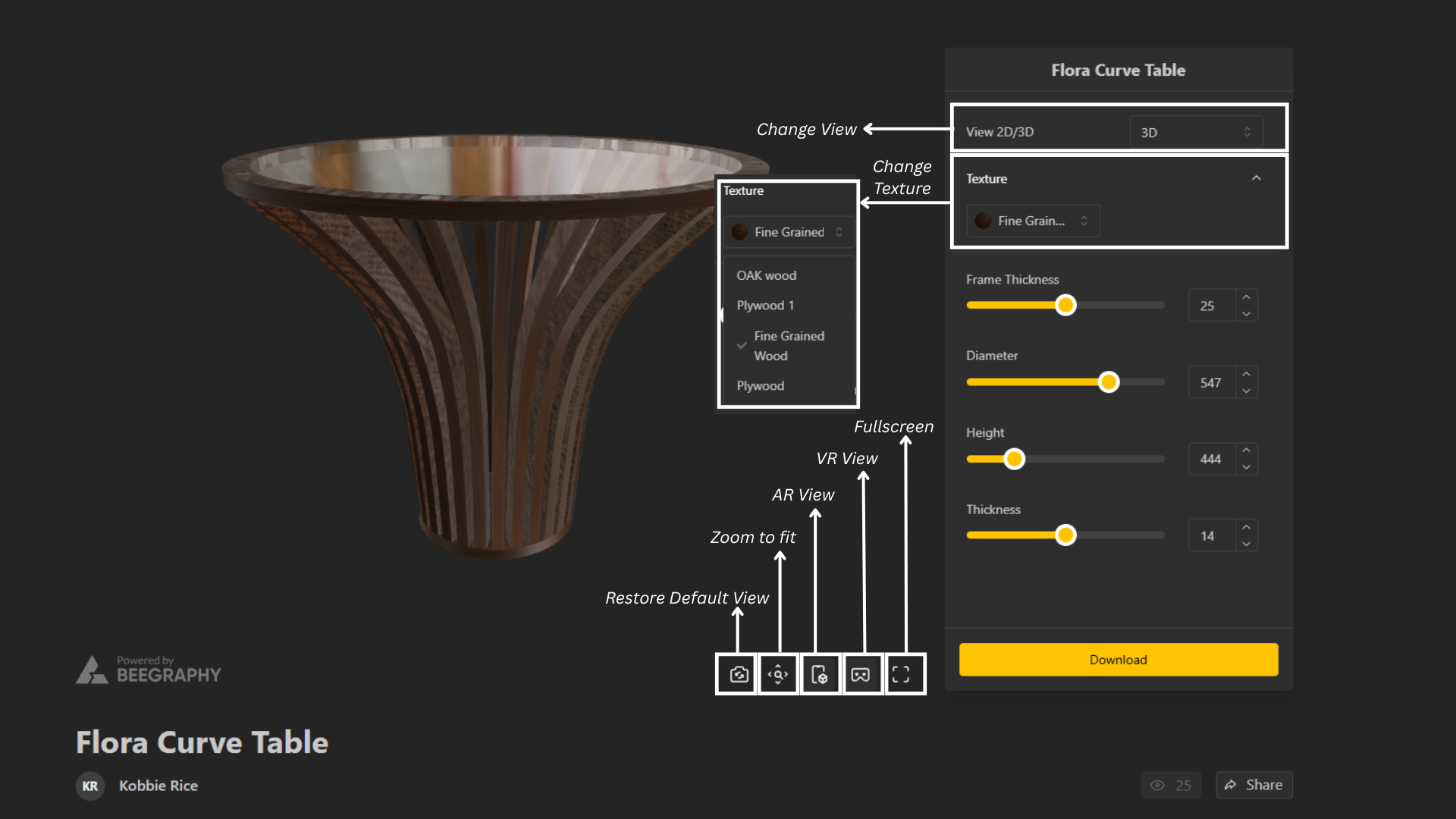
All customization parameters appear on the right side with adjustable sliders.
Switch between 2D and 3D views as needed.
You can Edit the texture to match your preference in from Texture Button
Use the bottom menu bar to:
Restore to original View
Zoom to Fit
Enable/Disable AR view
Enable/Disable VR view
View in fullscreen
When you scroll down, you’ll find:
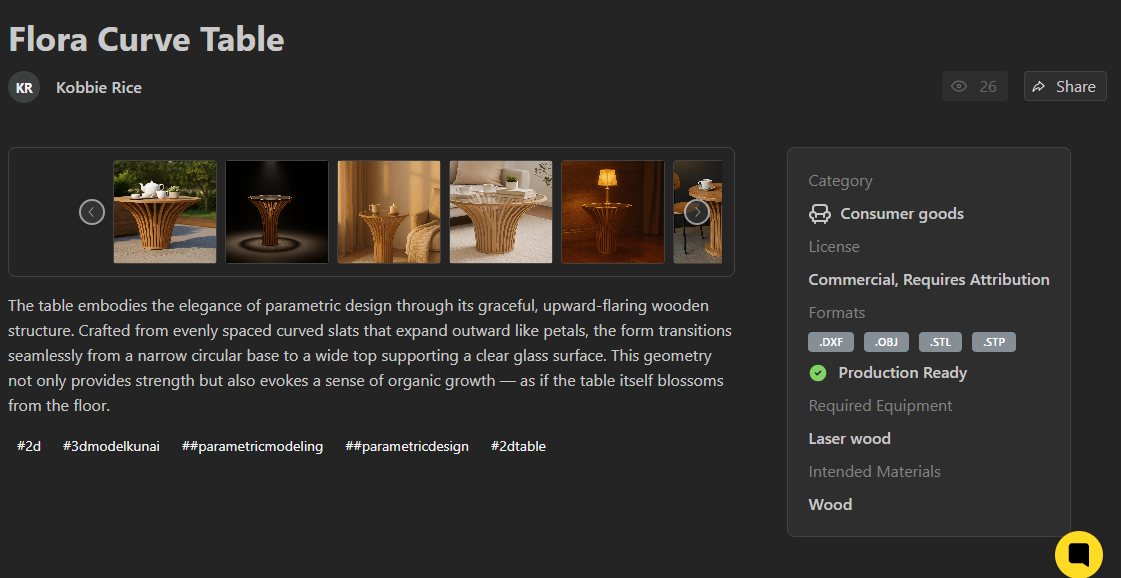
Creator’s Name – Click on the creator’s name to view more designs made by the same creator
Product Description – what the model is about
Required Equipment – the machines or tools needed
Recommended Materials – what materials are suitable for making the design
File Formats – which formats the model can be downloaded in
License Information – what you are allowed to do with the model
You can export your chosen product in the format you prefer. BeeGraphy offers the following file extensions:
.DXF (Drawing Exchange Format)
A CAD file format used for 2D and 3D drawings. It stores lines, polylines, curves, layers, and basic geometry. Commonly used for laser cutting, CNC, and transferring drawings between different CAD software.
.IGES / .IGS (Initial Graphics Exchange Specification)
A neutral CAD exchange format that stores complex 3D geometry, surfaces, curves, and engineering data. Often used in mechanical design and high-precision modeling because it preserves NURBS surfaces.
.OBJ
A widely-used 3D model format that stores polygonal geometry (vertices, faces) and sometimes UV maps and materials. Perfect for rendering, gaming, 3D printing (after conversion), and visualization.
.STL (Stereolithography)
A 3D mesh format used mainly for 3D printing. It stores only triangle facets—no color, no materials, no NURBS. Very lightweight and universally supported by slicers.
.STP (Standard for the Exchange of Product Data)
A high-precision 3D CAD format used for solid models. It preserves exact geometry, assemblies, product structure, and manufacturing details. Ideal for mechanical engineering, CNC, and industrial design.