Welcome to BeeGraphy Catalogues
This is where you can create a catalogue of all the items you want to sell. You can add your own products as well as list designs from other creators you collaborate with, making it easy to showcase a complete collection in one place.
The Catalogue page gives you tools to organize, manage, and present your products the way you prefer. Below, you’ll find steps for preparing your catalogue and viewing any product in Configurator Mode to make it fully sellable.
Steps to Create Your Catalogue
Log in to your Beegraphy account and go to Business > Catalog.
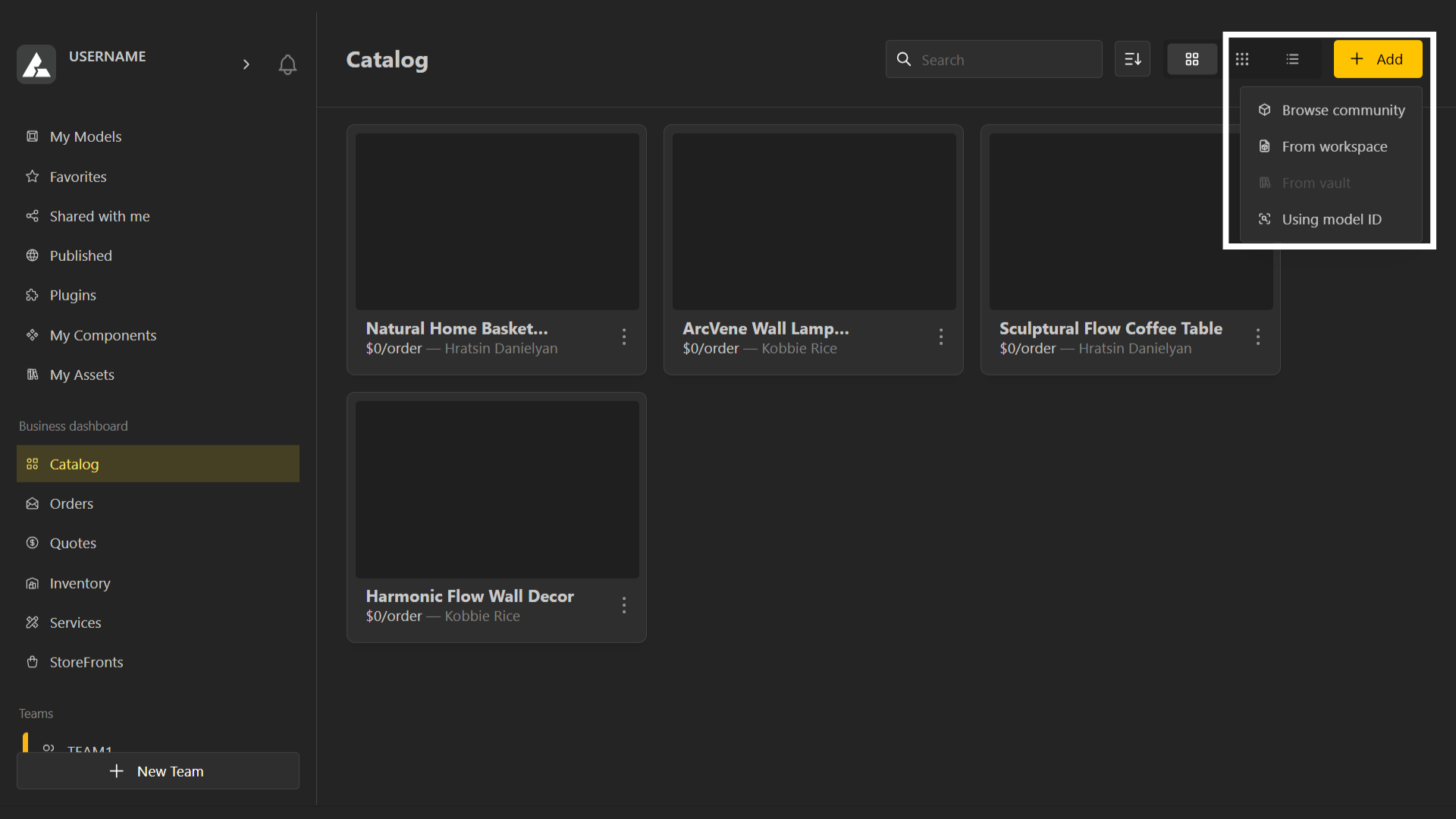
On the top-right corner, click Add.
Choose where you want to import the model from:
Your Workspace – Add any model you’ve created.
Market – Only production-ready models can be selected.
Vault – Add any of your previously purchased paid models.
Model ID – Directly enter a model ID to pull it in.
Viewing Your Product in the Configurator
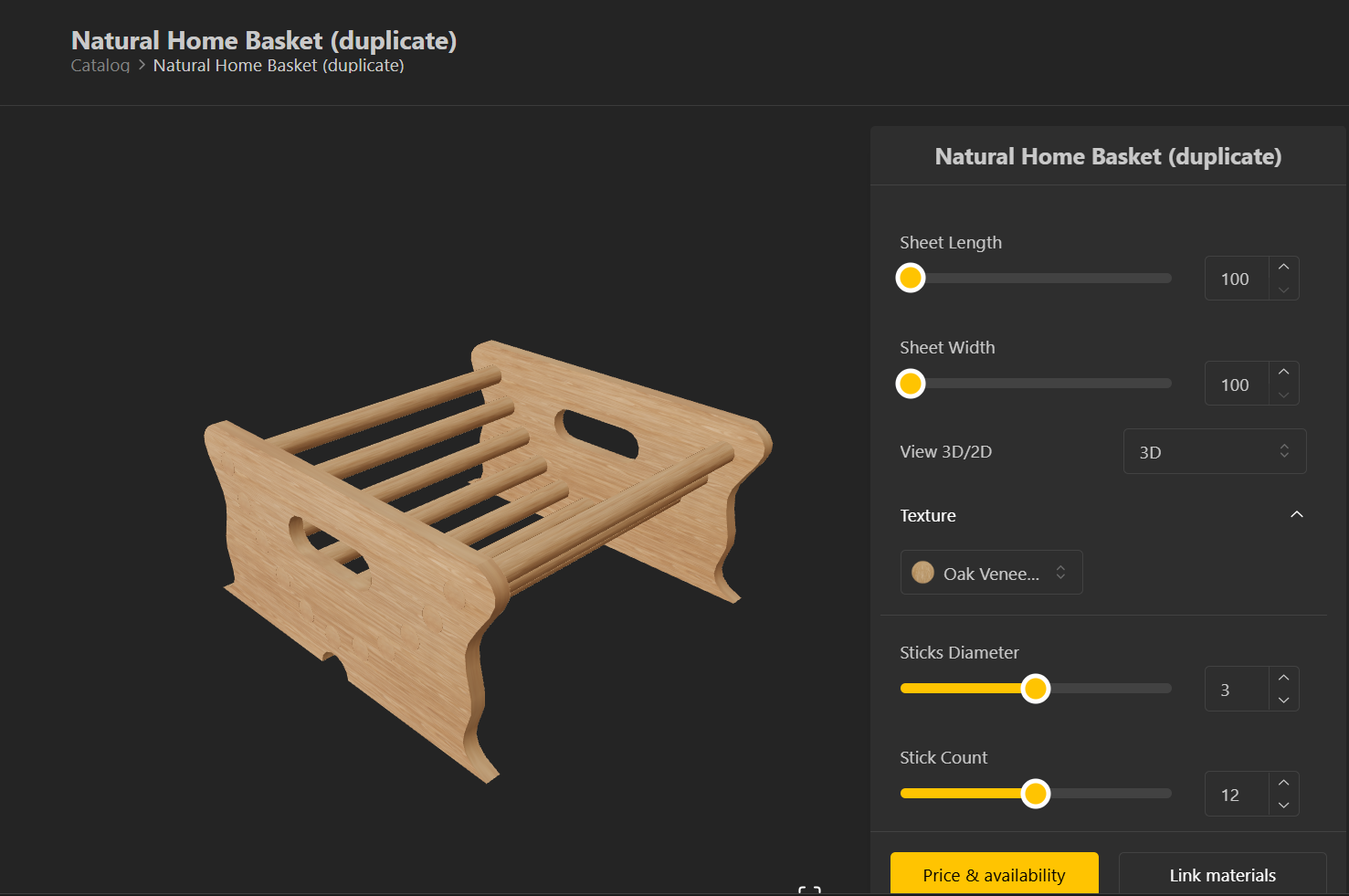
Once you’ve added a product, you’re all set to start selling it. Click on the desired product to open its Configurator Mode, where you can customize and preview it. This is the same view your customers will use when configuring the product on their end.