
To manage all details for your configurable products, follow these steps:
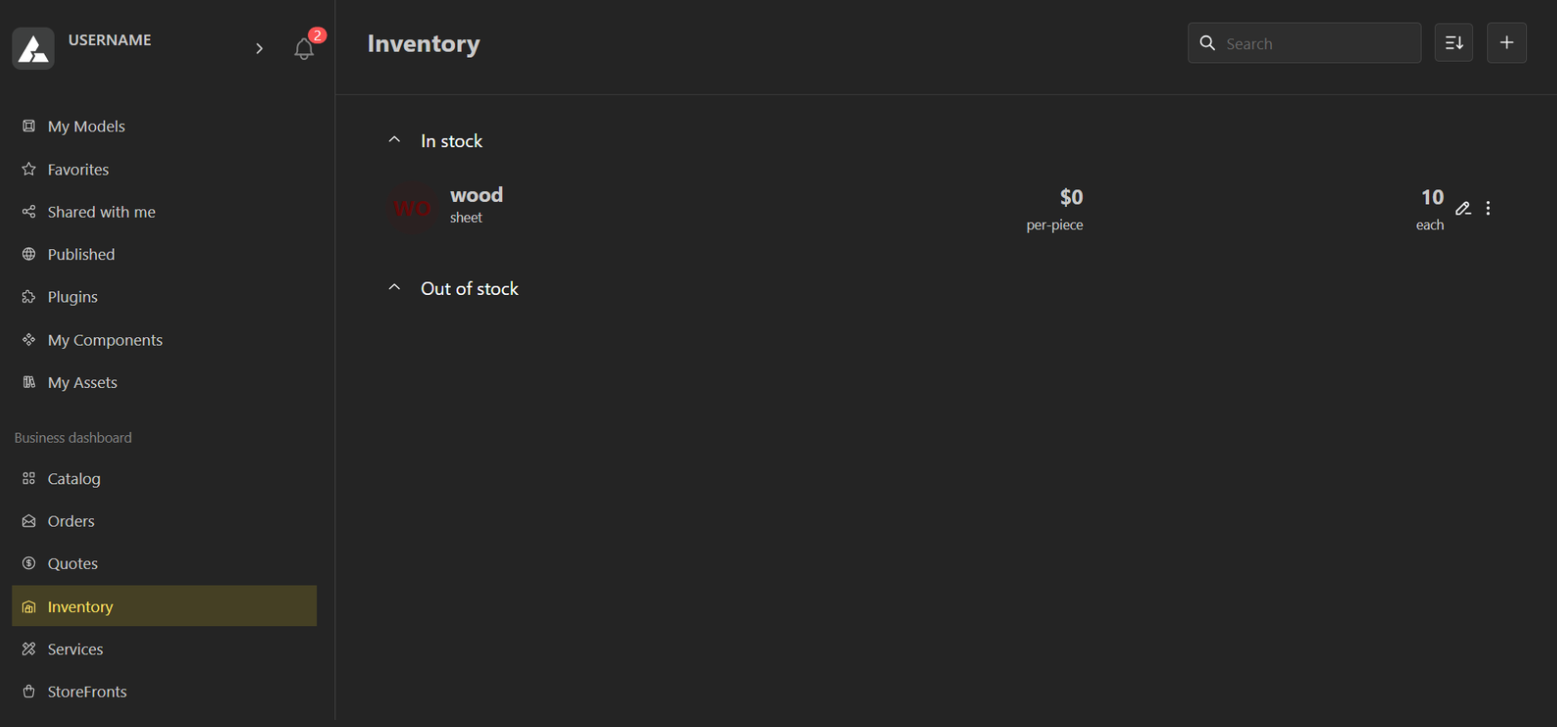
1. Go to the Inventory Panel
Open Inventory from your dashboard.
Click Add to create a new inventory item.
2. Follow the 4-Step Setup Process
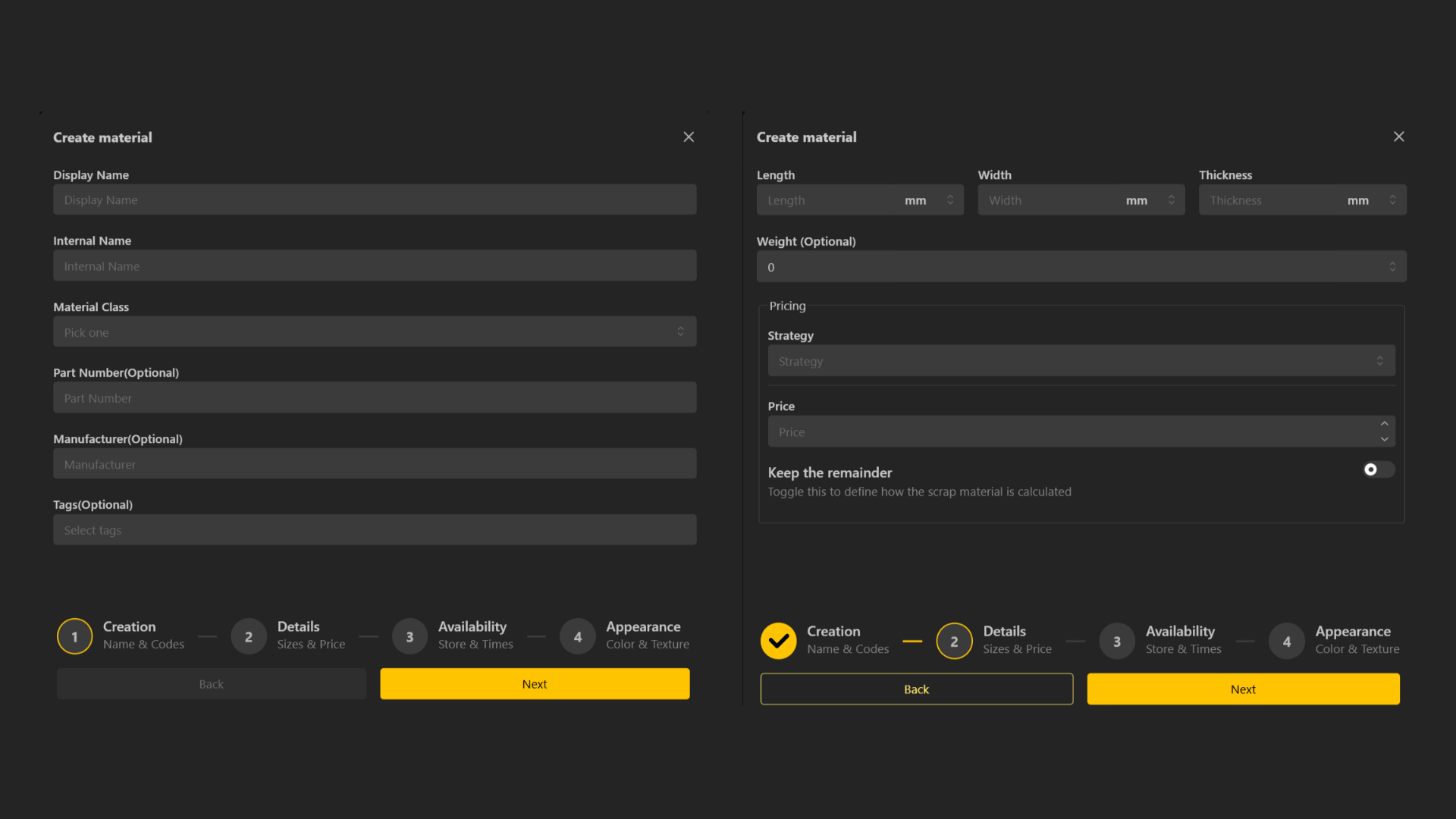
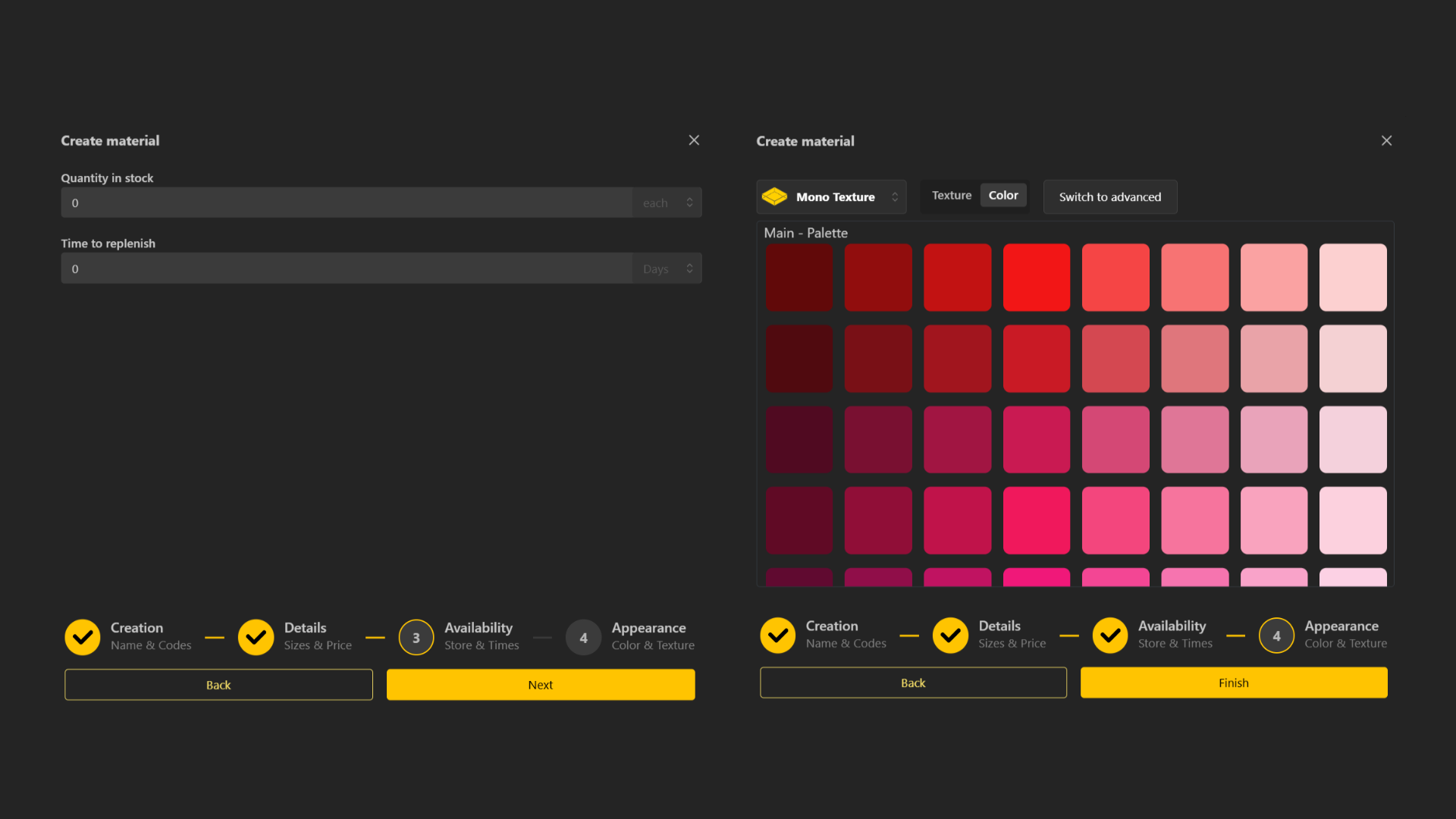
You’ll be guided through four steps where you can define:
Pricing: Set the base price or variable pricing depending on the material or configuration.
Dimensions: Add measurements, size parameters, or any physical attributes relevant to your article.
Variants: Define color options, textures, finishes, or other variations.
Availability: Add stock levels or mark items as made-to-order.
3. Save Your Material Settings
Once all details are filled in, click Save.
Your item will now appear in your Inventory List.
4. Check Out-of-Stock Items
There is a dedicated Out of Stock tab where you can track materials or products that are currently unavailable.