
Finished your model and ready to share it? Here’s how you can publish it on BeeGraphy in just a few steps. For more clarity, we’ve answered additional FAQs below.
How do I publish a model?
Log in to BeeGraphy Workspace.
Click on the three dots (⋮) to open the command menu.
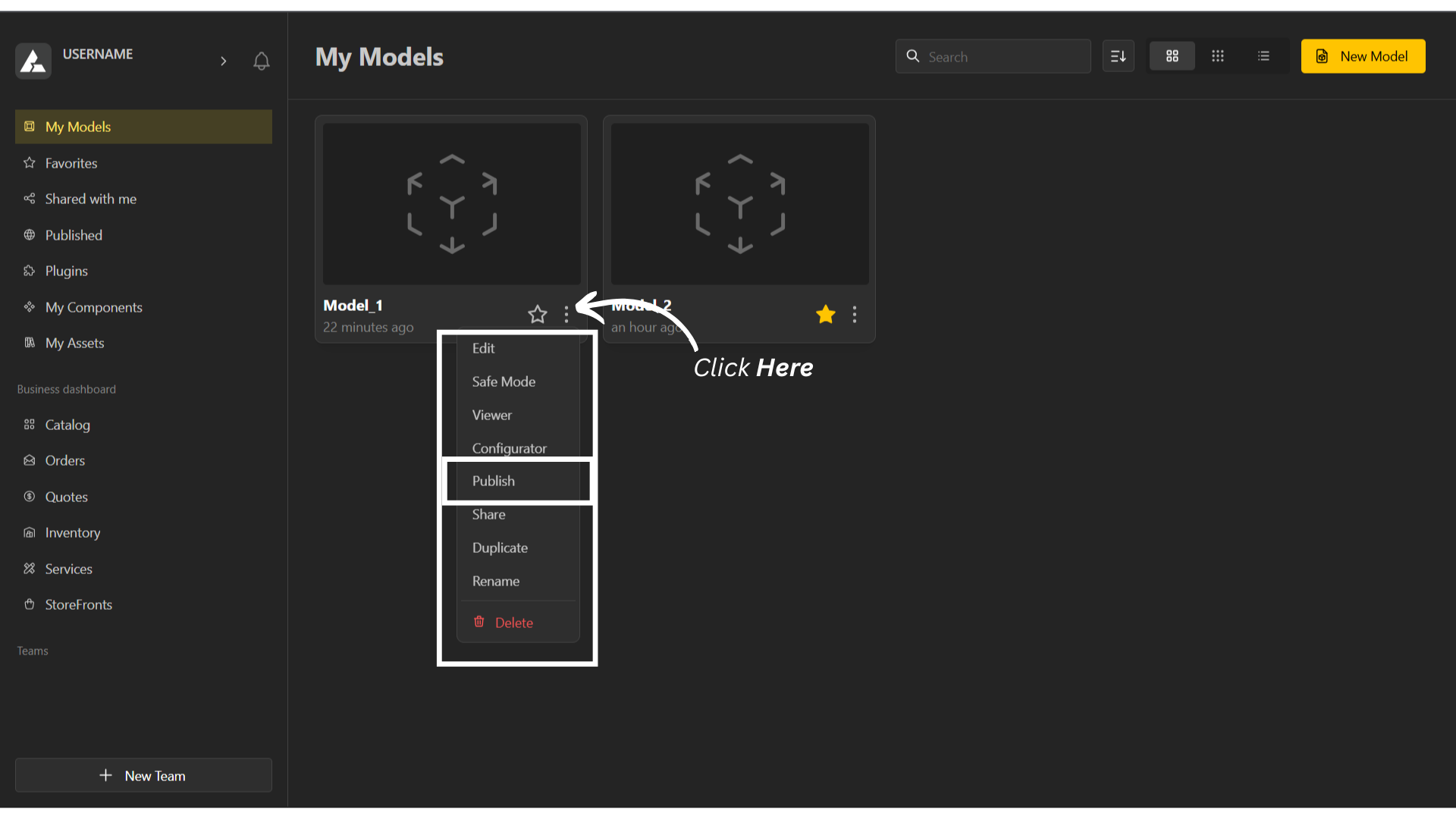
Select Publish.
Fill in the required details: title, category, tags, and description.
(Optional: upload photographs to enhance your model’s presentation.)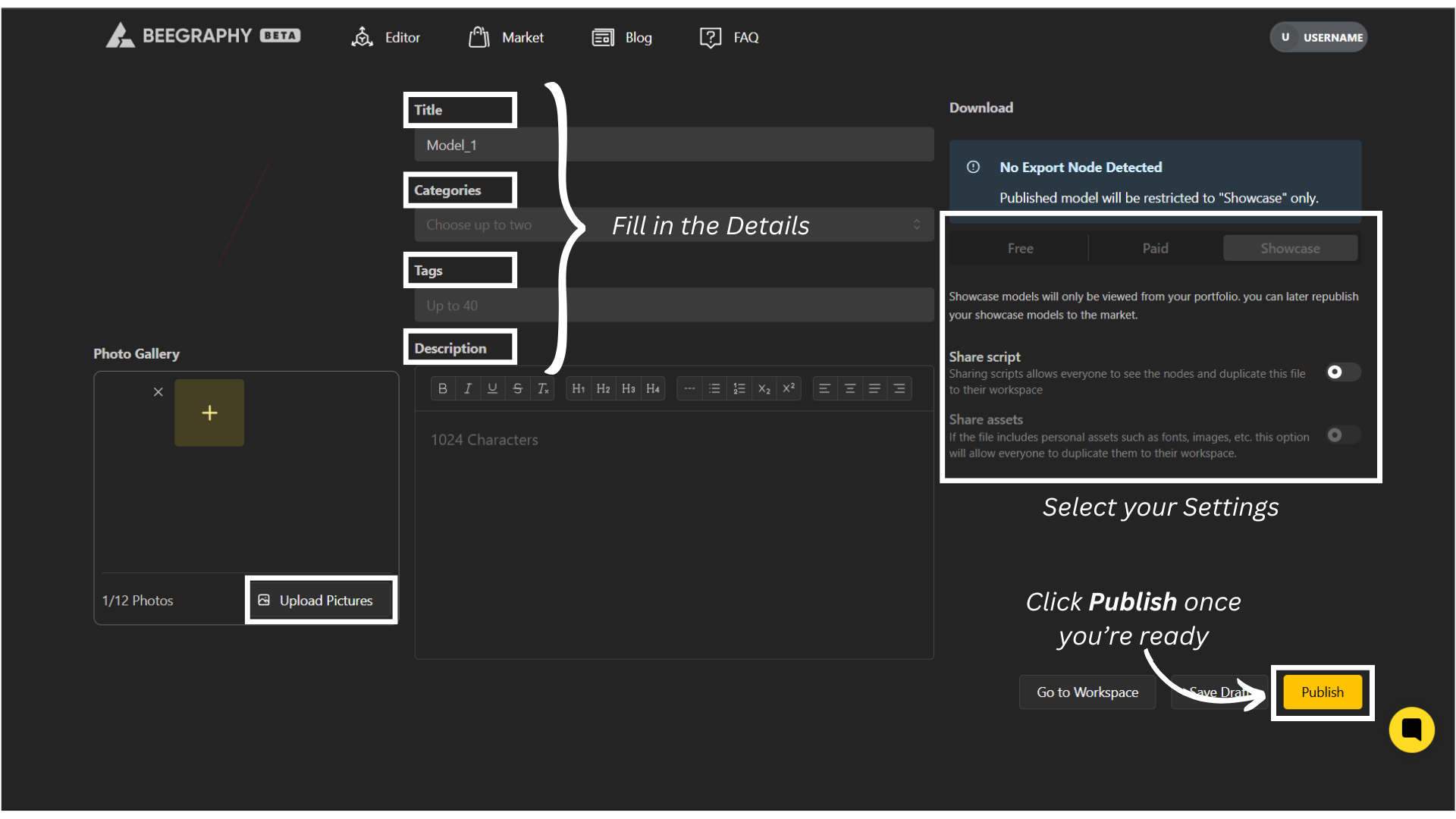
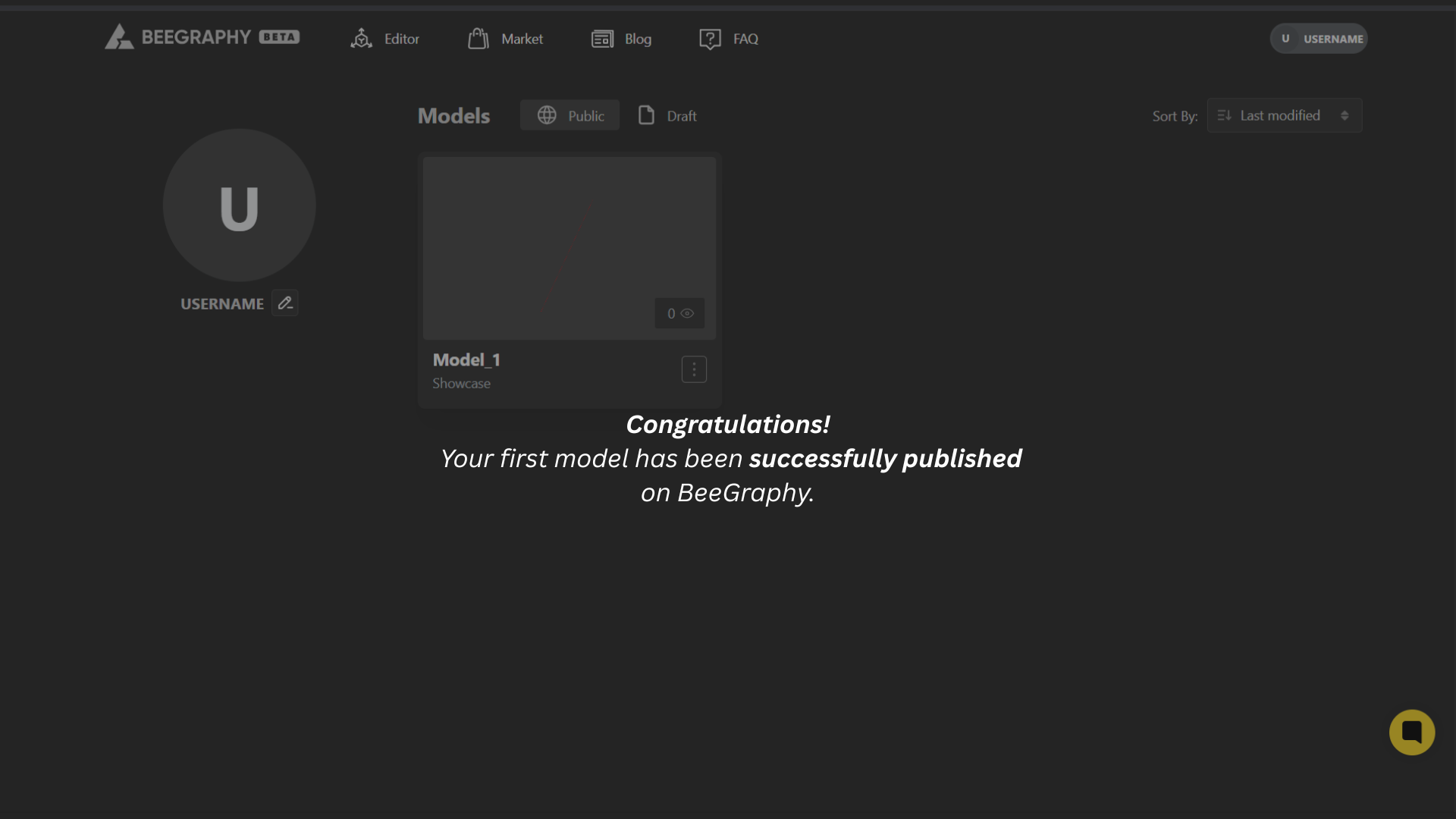
Choose your desired settings, then click Publish to make your model live.
How do I unpublish, edit or delete published model?
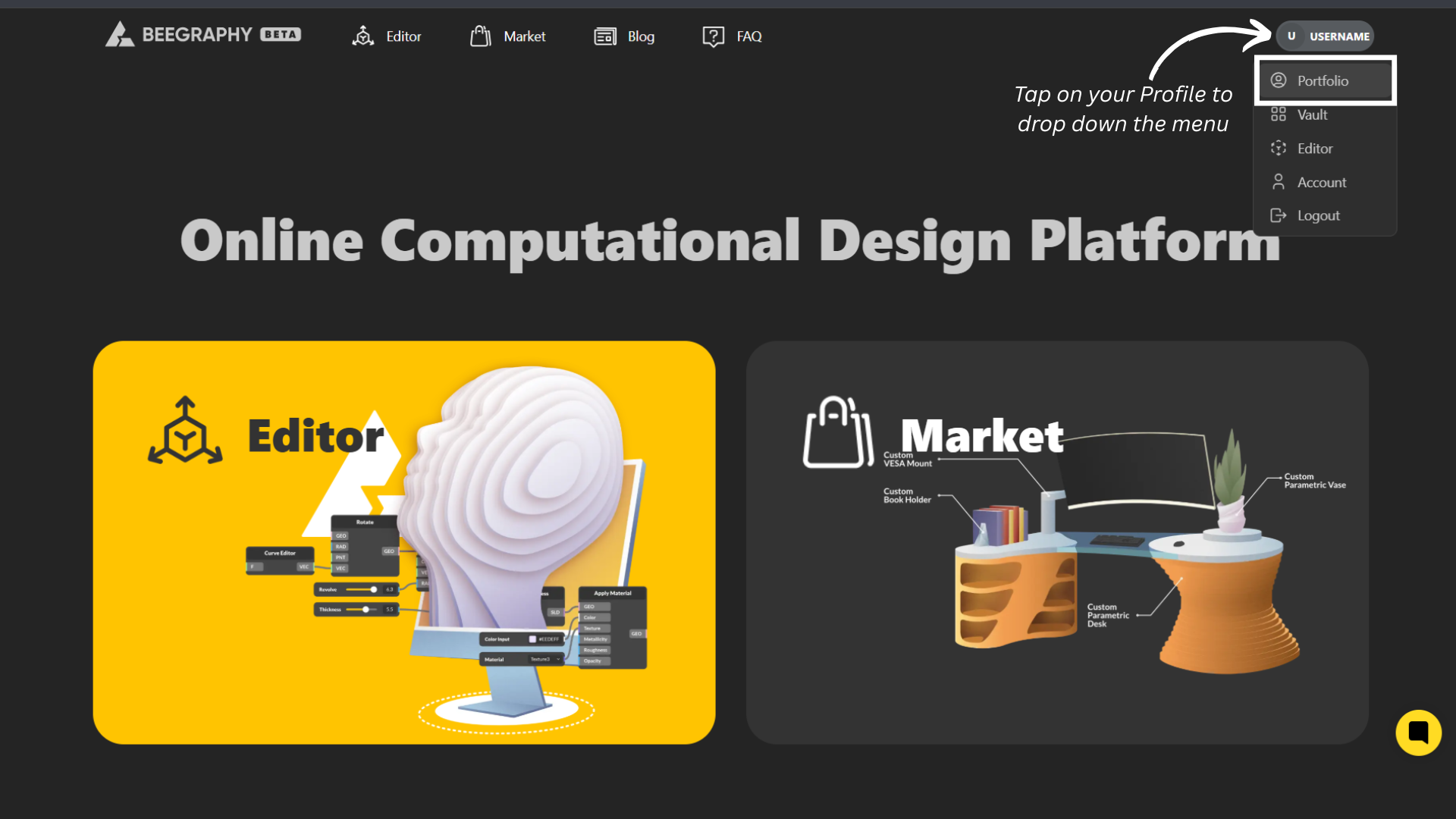
Log in to BeeGraphy.com
In the top-right corner, select your profile to open the dropdown menu, then click Portfolio.
Your Portfolio showcases all your live and published projects.
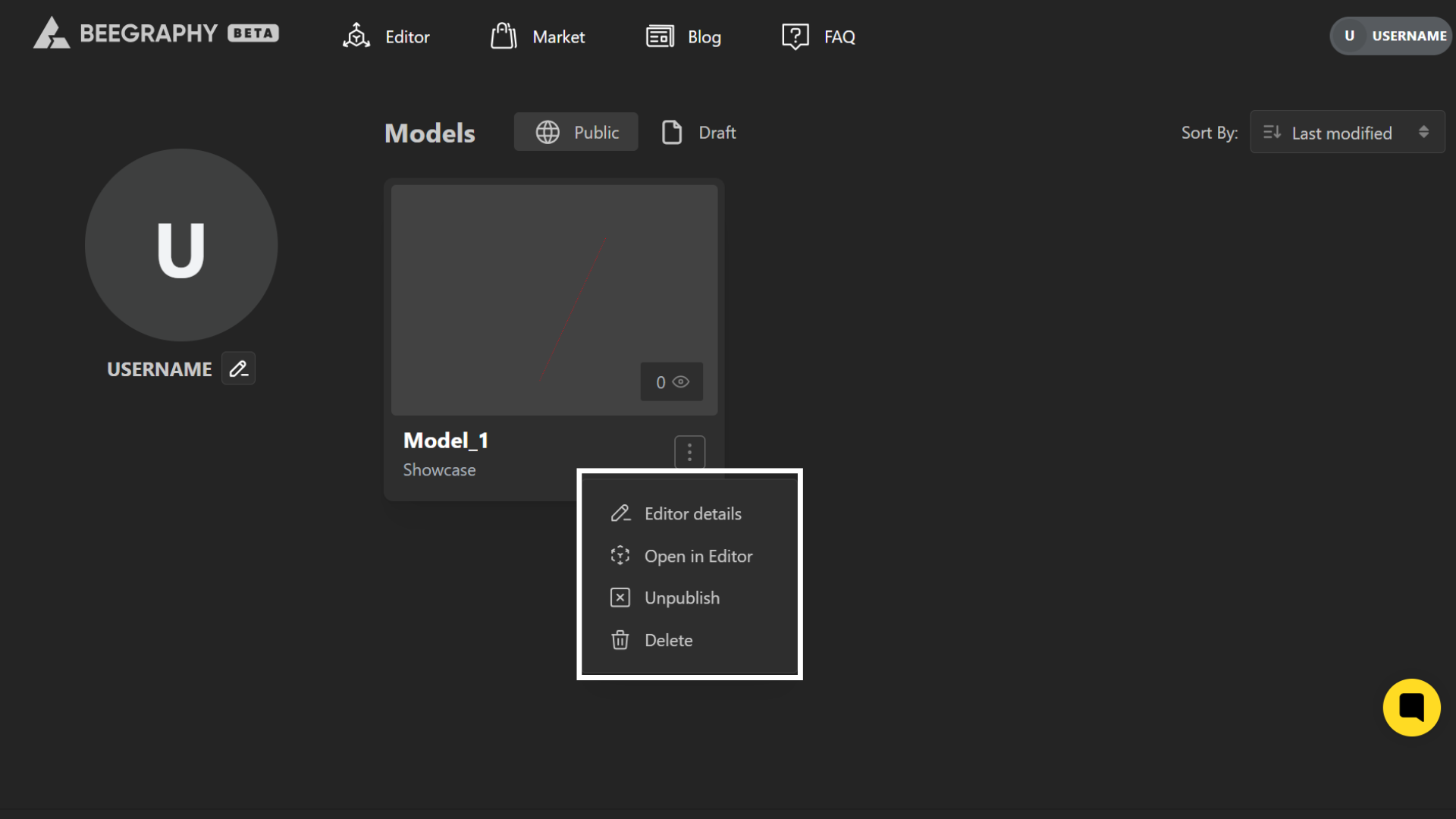
Click on the three dots (⋮) to open the configuration menu. The following options are available:
Edit Details – Edit the details of your model.
Open in Editor – Open your project in editing mode to make changes to the model.
Unpublish – Unpublish your model from the portfolio or marketplace.
Delete – Permanently delete the model from your portfolio.