Primitive curve nodes let you generate basic curve types like lines, arcs, circles, and polylines as starting elements for modeling.
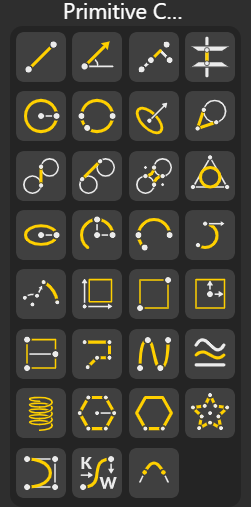
Creates a straight segment between two points, forming the simplest type of curve used as a base for geometry construction and measurements.
Defines a line using four points that lie on the same straight path, ensuring alignment when multiple points need to dictate direction.
Generates the line formed at the intersection of two planes, useful for defining structural axes or reference directions.
Creates a circle using a center point and radius, forming a perfect closed curve commonly used in arcs, revolutions, and constructions.
Constructs a circle passing through three non-collinear points, automatically solving for the best-fitting circular path.
Forms a circle using a center, radius, and an extra reference point to control its orientation or alignment in space.
Creates straight lines that touch curves or circles at exactly one point, maintaining perfect tangency.
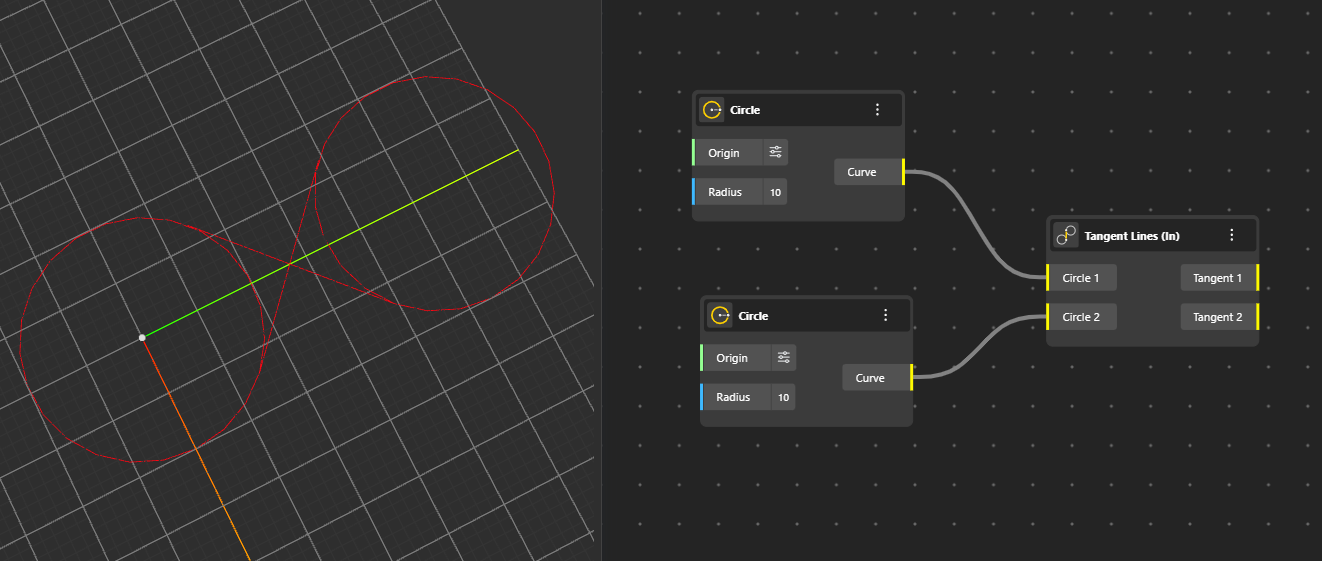
Builds lines that internally touch two curves or circles, forming internal tangent connections within shapes.
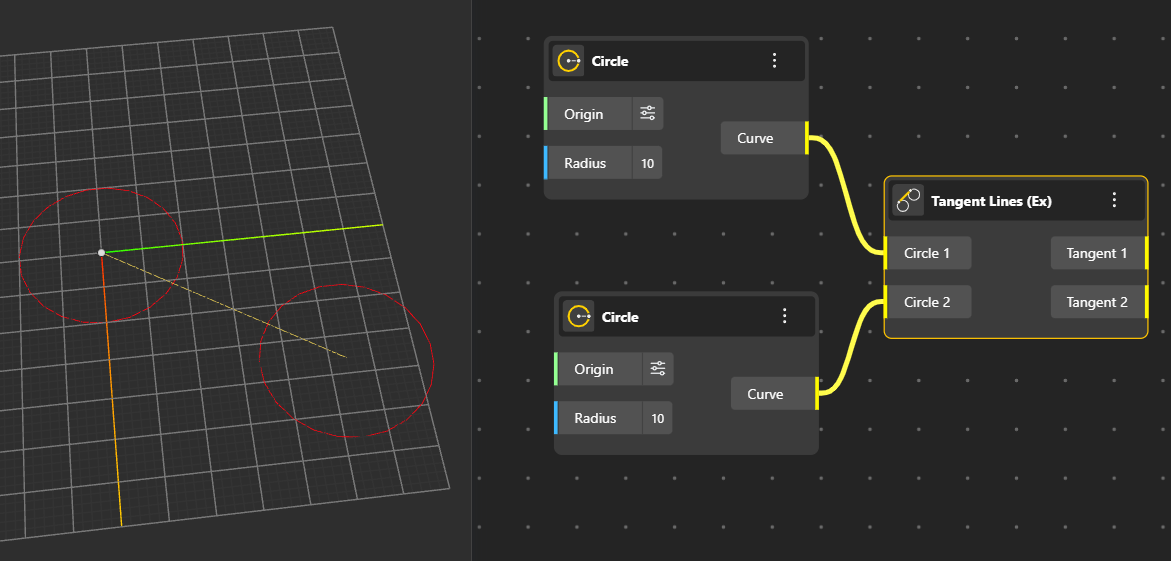
Produces tangent lines that connect curves or circles from outside, ideal for external frames or guiding paths.
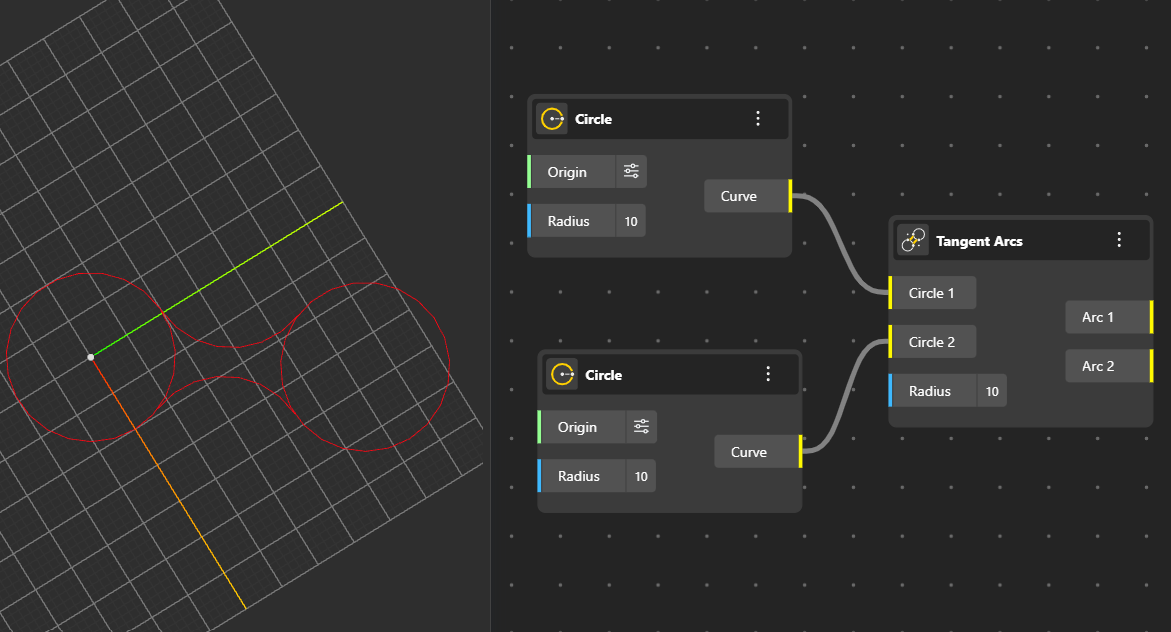
Generates 2 arcs that smoothly touch a curve or a point, ensuring continuity and a soft transition between shapes.
Creates a circle perfectly inscribed inside a triangle or polygon, touching all sides from within. Output Ports: Curve, Plane, Radius.
Builds an ellipse by defining its major and minor axes, creating elongated or compressed circular forms.
Forms a circular arc defined by its start point, end point, and a given radius.
Creates an arc that passes through three specified points, automatically determining curvature and orientation.
Constructs an arc using the start point, end point, and a direction vector that sets the arc’s initial tangent.
Generates an arc with additional control options, allowing refined edits like angle adjustments or curvature tuning.
Creates a rectangle using corner points or values, producing a four-sided closed curve with right angles.
Builds a rectangle based on two diagonal corner points—quick and efficient for basic layouts.
Forms a rectangle from its center point using width and height values to define size.
Defines a rectangle using three points, allowing orientation and shape control on any plane.
Creates a connected chain of straight segments, useful for outlines, paths, and multi-segment shapes.
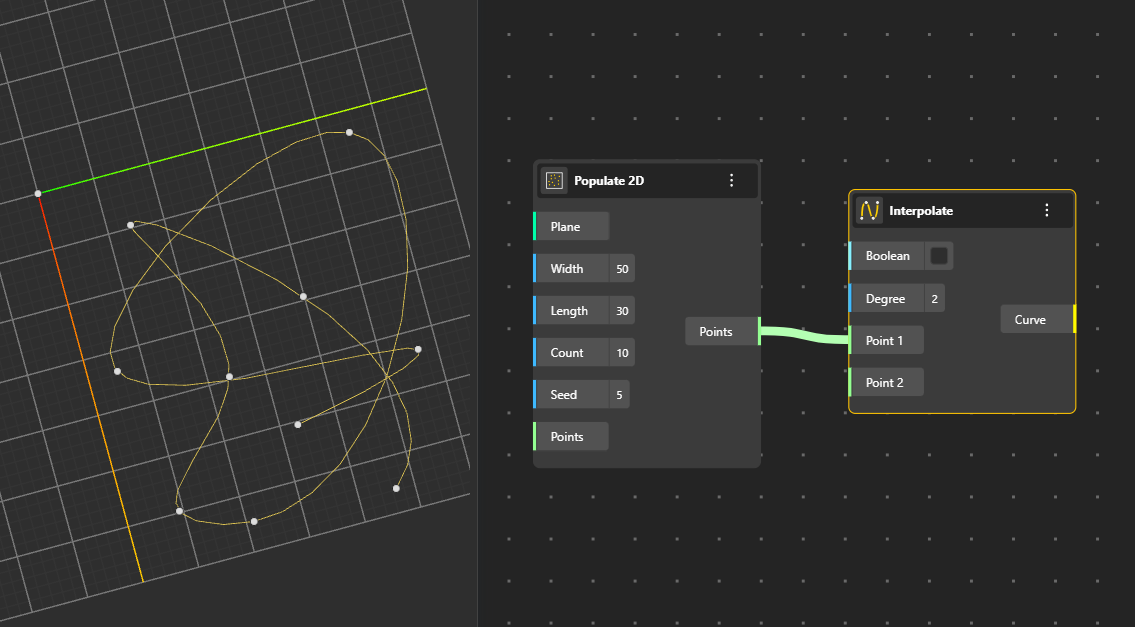
Generates a smooth curve that passes exactly through a series of points, ideal for flowing profiles.
Boolean: ‘True’ indicate closed loop.
Degree: Controls how smooth or flexible the curve is when connecting multiple points.
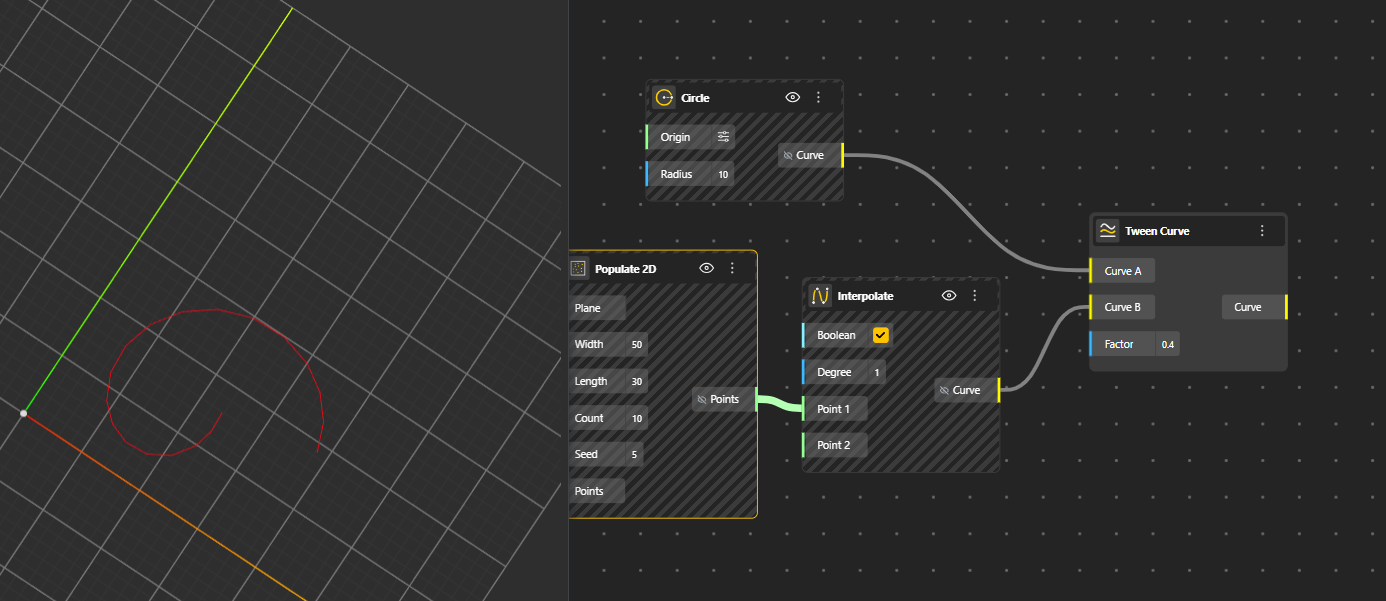
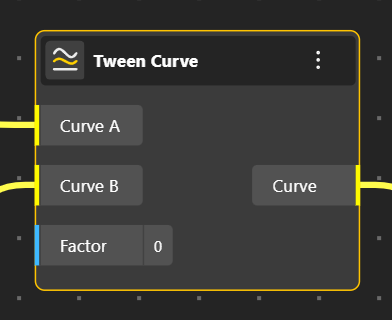
Creates a new curve positioned between two given curves.
Factor: Determines the position of the new curve between the two input curves, where 0 aligns it with the first curve, 1 aligns it with the second, and values in between blend proportionally. (Range is between 0 and 1)
Constructs a three-dimensional helical curve based on radius, pitch, and turns—perfect for springs, threads, and spirals.
Creates a regular polygon with equal sides and angles using a center point, radius, and number of sides.
Origin: The center point of the polygon.
Radius: The distance from the center to the vertices, controlling the size.
Count: The number of sides of the polygon.
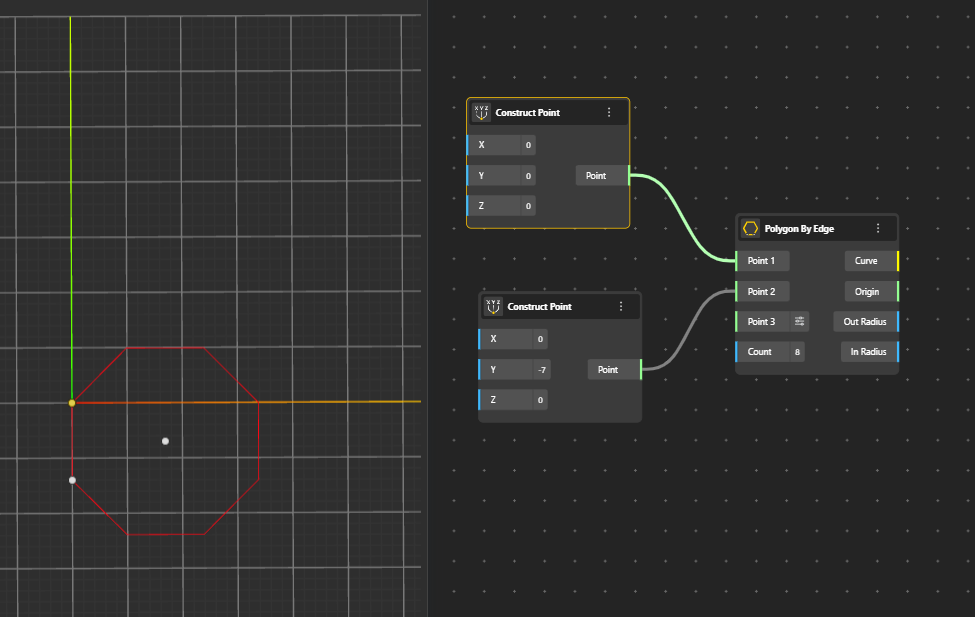
Builds a polygon using one edge length as the defining measurement instead of radius.
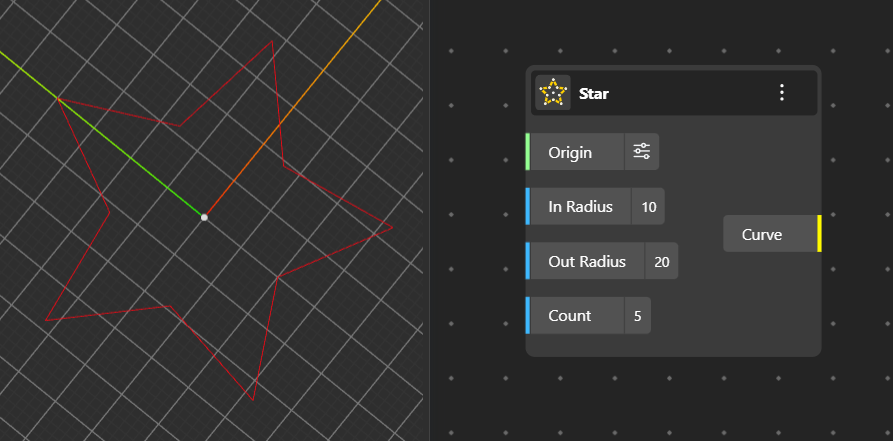
Generates a star-shaped curve with outer and inner radii, forming sharp pointed patterns.
Origin: The center point of the star.
In Radius: The distance from the center to the inner vertices.
Out Radius: The distance from the center to the outer vertices.
Count: The number of points or tips of the star.
Creates a smooth, flexible curve defined by control points and optional weights, offering high precision and adjustability.
Builds a NURBS curve using a piecewise-defined method, allowing segmented control over curvature and smoothness.
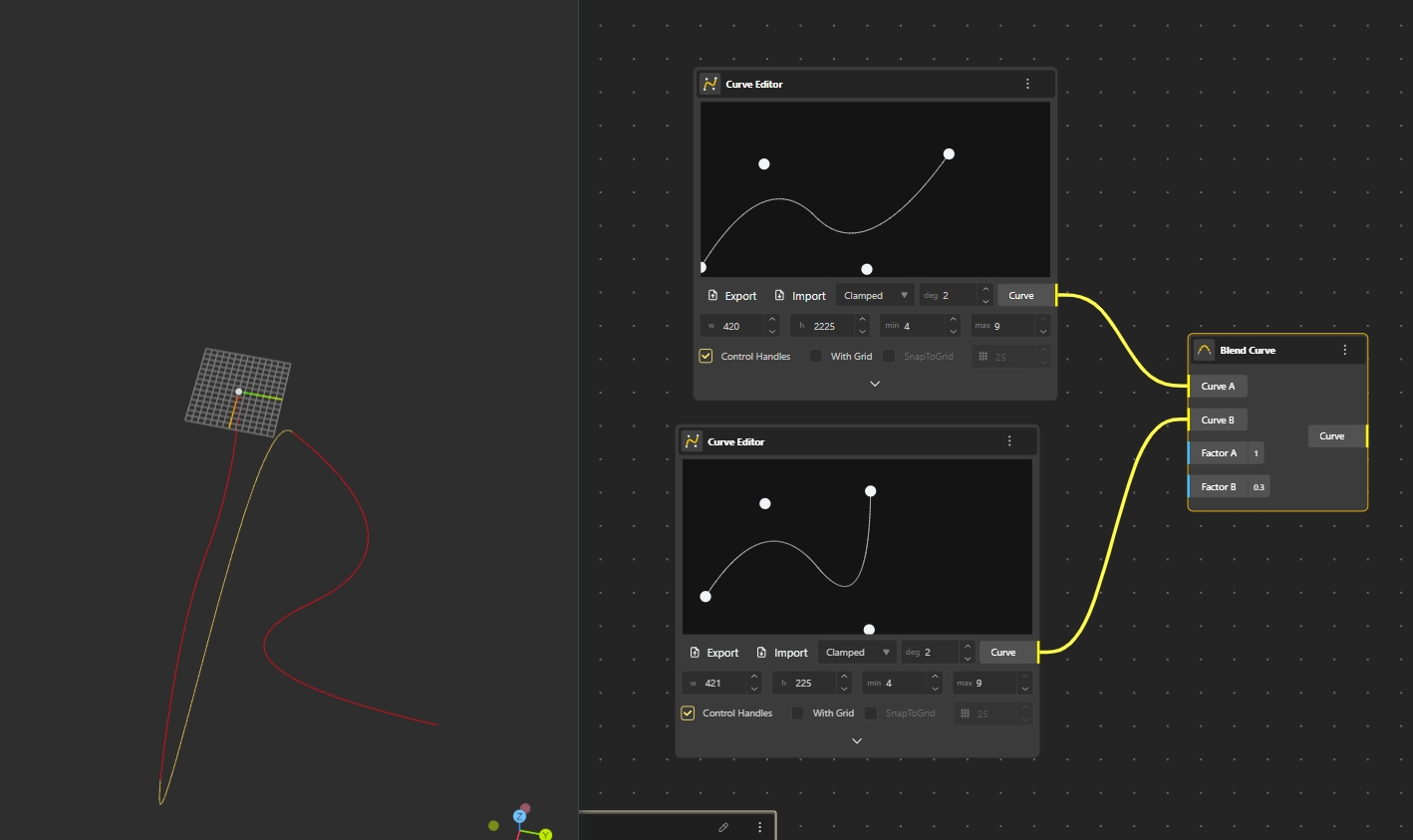
Blend Curve in BeeGraphy is a node that creates a smooth, transitional curve between two input curves, allowing control over shape with "bulge factors" (FA, FB) for each end, essential for complex shape blending in parametric design. It's used to connect curves seamlessly, often controlling influence with manipulators, creating flowing transitions in your geometric designs.
Factor A: Controls how strongly the new curve follows the shape or tangency of the first input curve.
Factor B: Controls how strongly the new curve follows the shape or tangency of the second input curve.