
The Render section is powered by the Render Node, which is responsible for visualizing your geometry in the BeeGraphy Editor.
The Render Node accepts any geometric input, including:
Curves (e.g., lines, arcs, splines — great for wireframe previews)
Surfaces (NURBS surfaces, lofts, extrusions, pipes, etc.)
Solids (Closed polysurfaces, meshes, boxes, spheres, custom parametric solids)
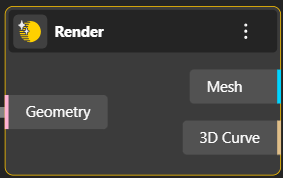
The first output port returns the optimized mesh geometry for rendering, and the second output port returns the stored 3D curve geometry for further use.
Caching prevents repeated triangulation, allowing you to reuse geometry efficiently and improve performance in complex graphs.