CREATE YOUR MODEL
Log in or create an account at beegraphy.com (Having Trouble, Check out the link below)
Getting Started with BeeGraphy
Here is an Easy Step-by-Step Introduction to Your First Online, Cloud-based Platform for Computational Design.
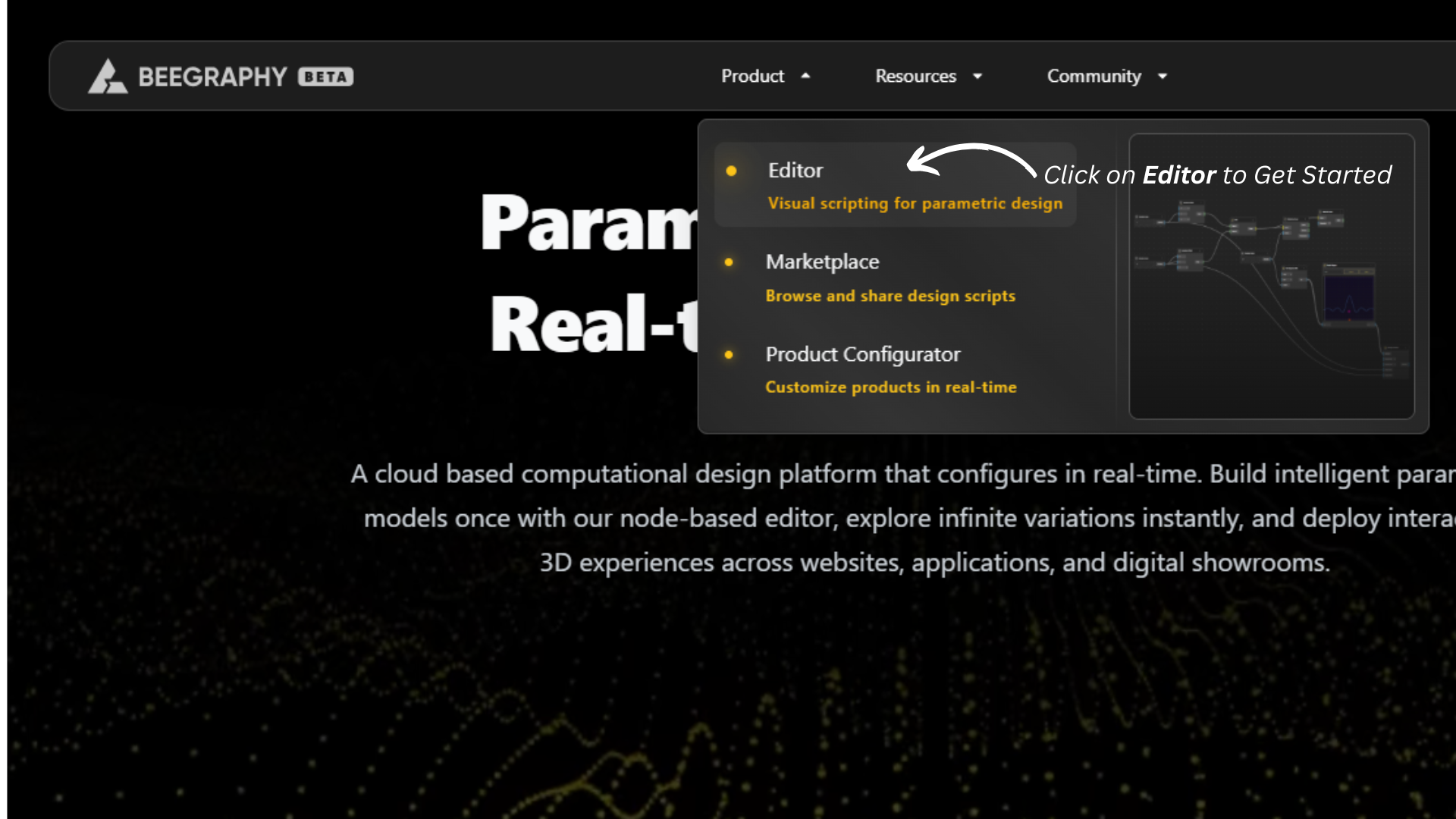
On the top menu bar, Select Product then click Editor to open your workspace.
In the top-right corner, click New Model and enter your model name.
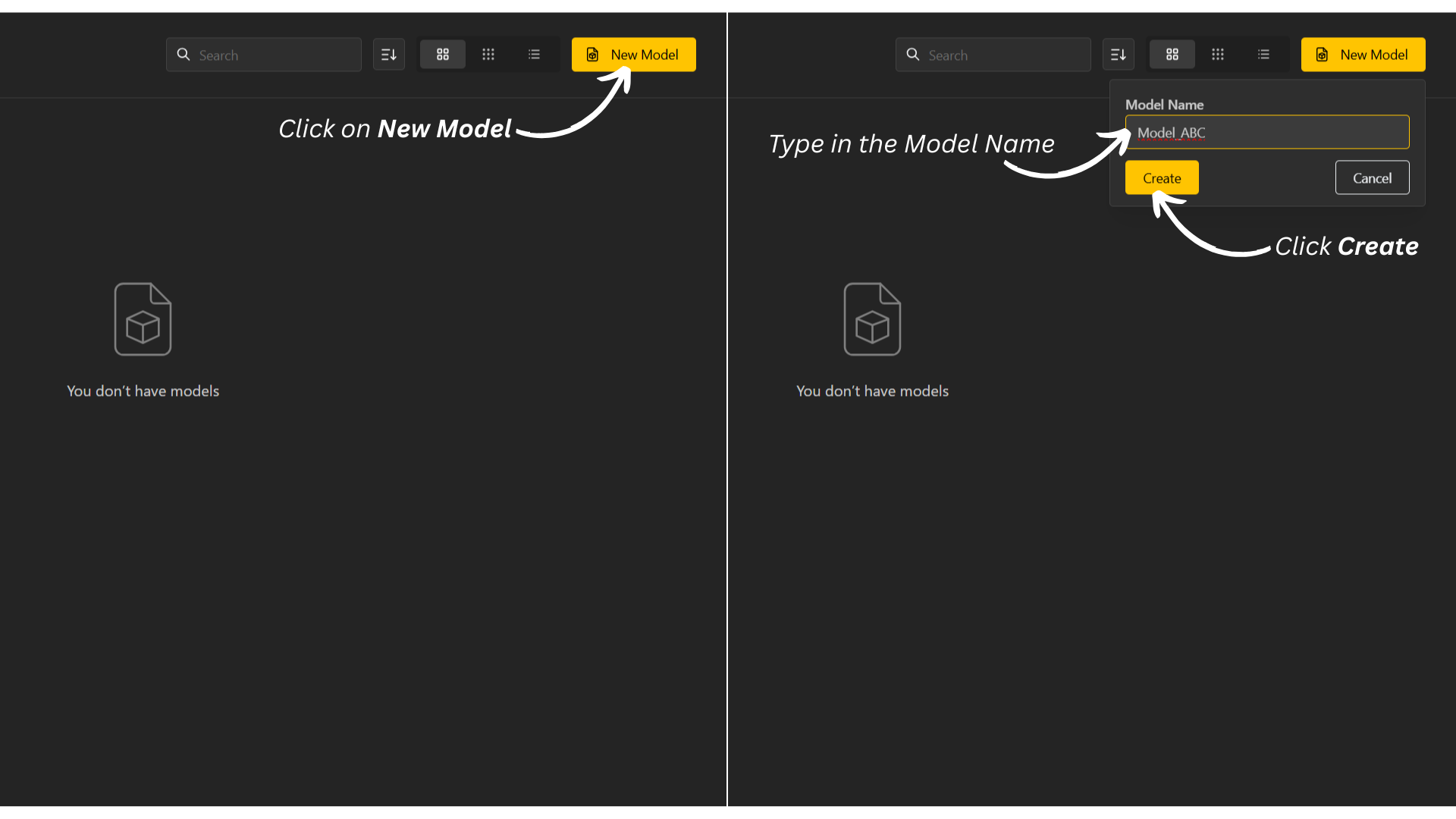
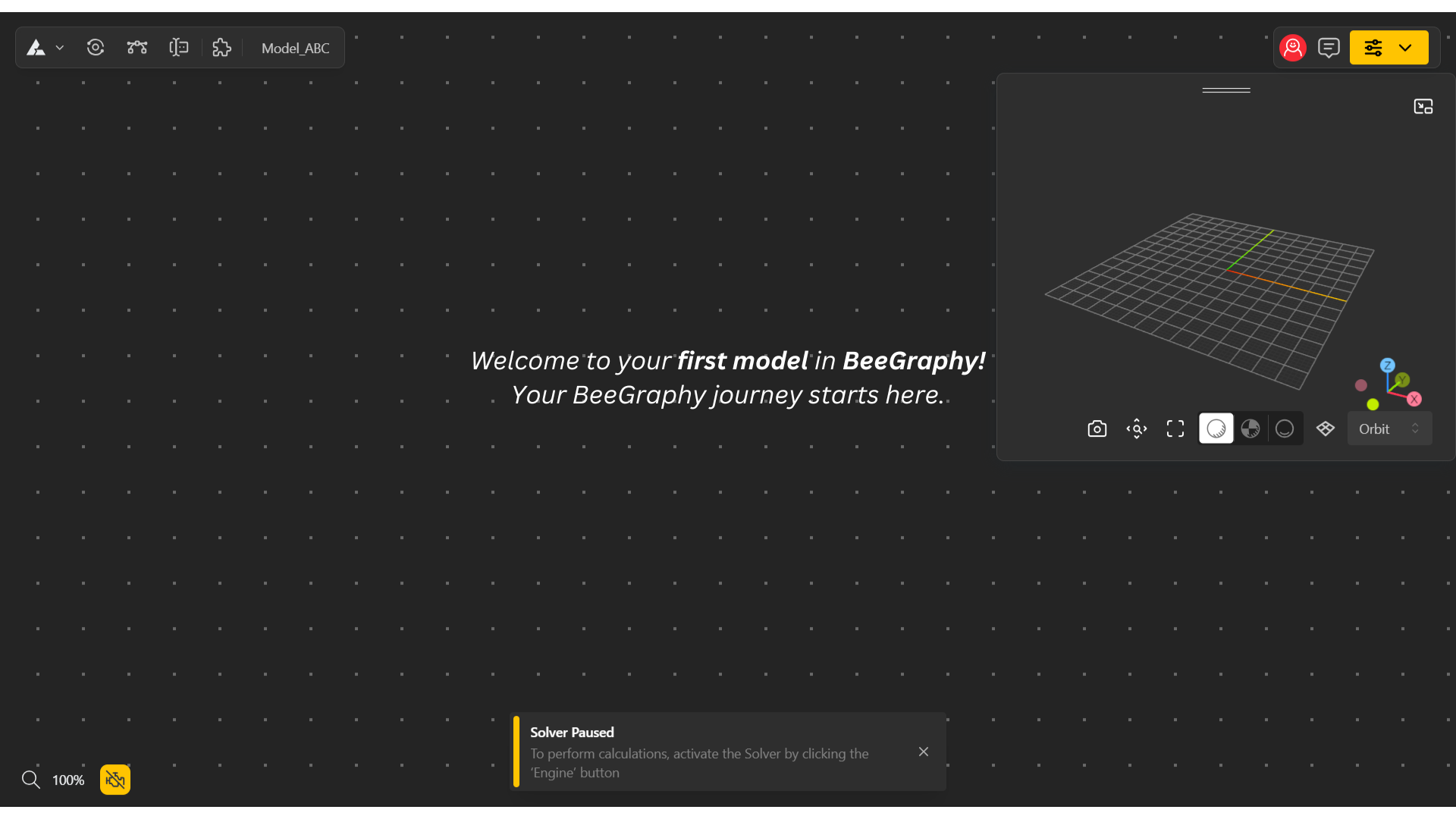
Tap Create to get started.
MANAGE YOUR MODEL
Log in to your account or visit beegraphy.com/workspace.
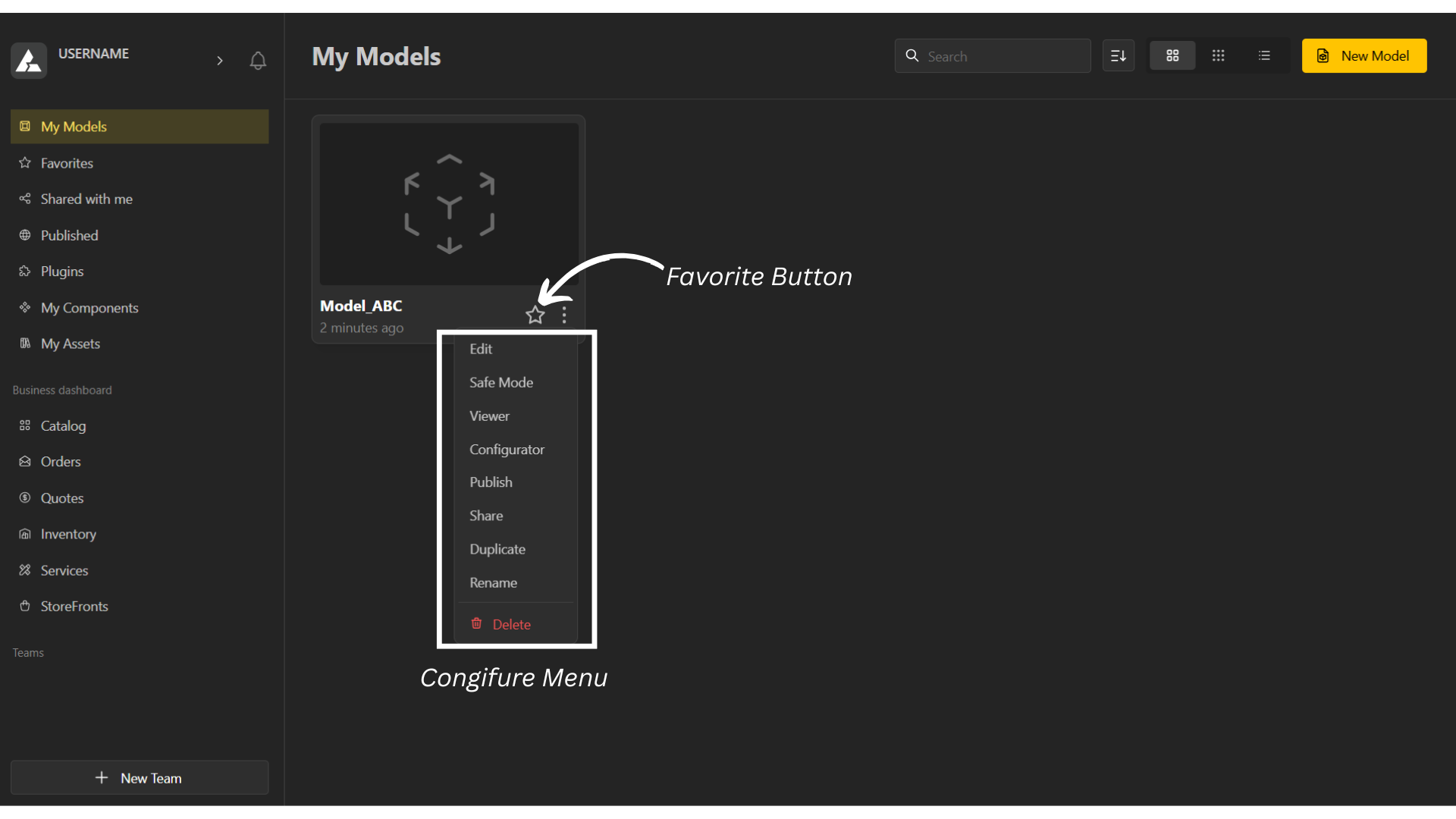
Click on the three dots (⋮) to open the configuration menu. You’ll find the following options:
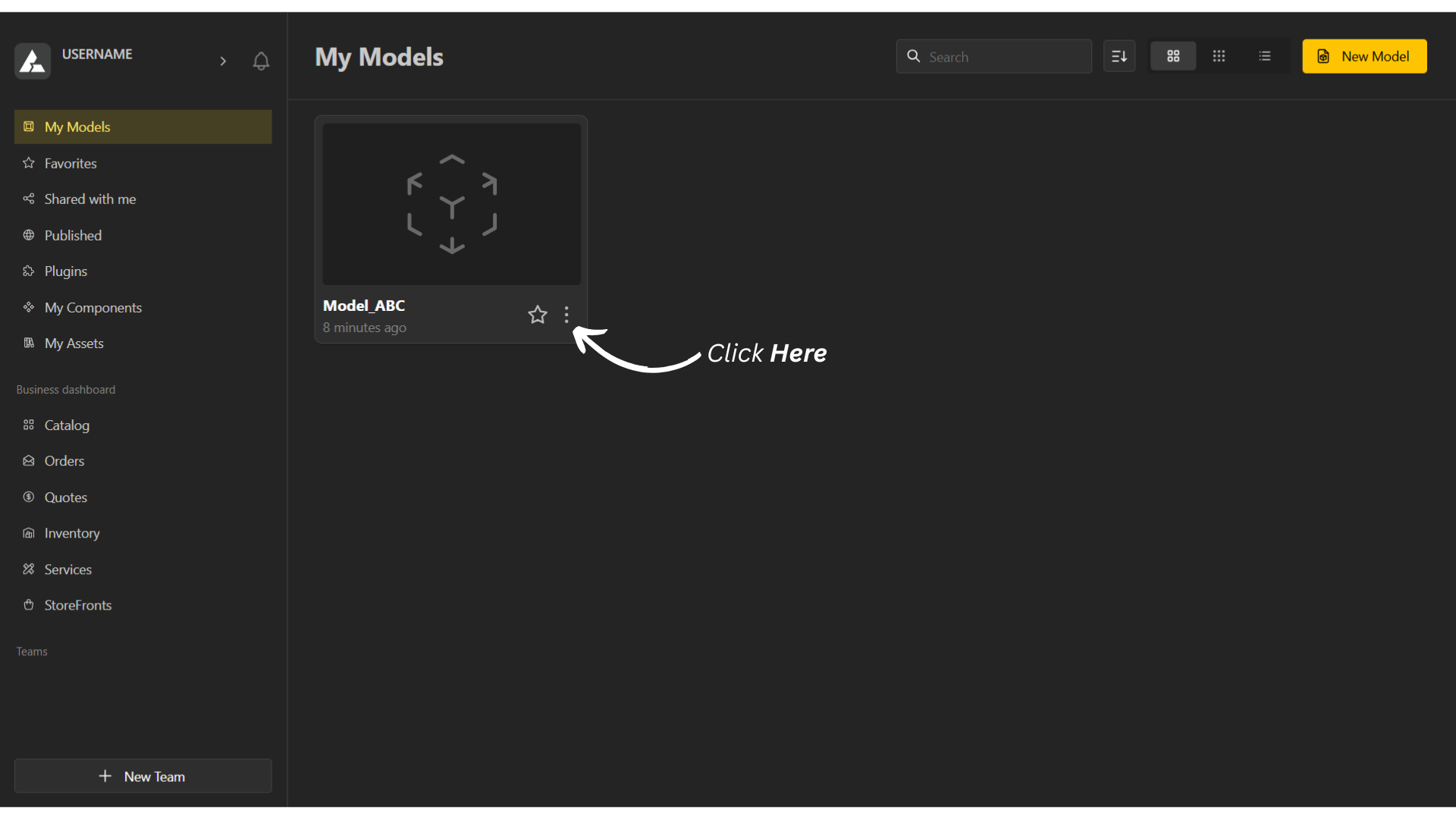
⭐ – Marks the project as a favorite so you can find it easily in your workspace.
Edit – Edits your model.
Safe Mode – Opens the model in a safe environment where configuration and rendering crashes are disabled.
Viewer – Views the output of your model in Read-Only Mode.
Configurator Mode – Helps you Interact with your model dynamically.
Publish – Showcases your model on your portfolio, which you can later publish to the market.
Share – To view / invite other users who have access to the model.
Duplicate – Creates a copy of your model.
Rename – Changes the name of your model.
Delete – Deletes your Project.