Design, cutting-edge technology, and cloud based computing all come together at the BeeGraphy.
BeeGraphy is the first ever cloud-based computation design platform. Empowering creators to design smarter, collaborate seamlessly to bring parametric ideas to life. It is built for both professionals and emerging designers, it offers powerful tools with a user friendly interface for building dynamic models, exploring configurator mode, and working with others in real time - all at the convivence of your browser.
BeeGraphy is powered by two core features: the Editor, a browser-based environment for creating and customizing intelligent parametric models, and the Marketplace, a space for selling, showcasing, and collaborating on those designs.
It’s an all-accessible, intuitive space that unifies creativity, customization, and production, helping you design with structure, flexibility, and true parametric freedom.
Meet Our Product !
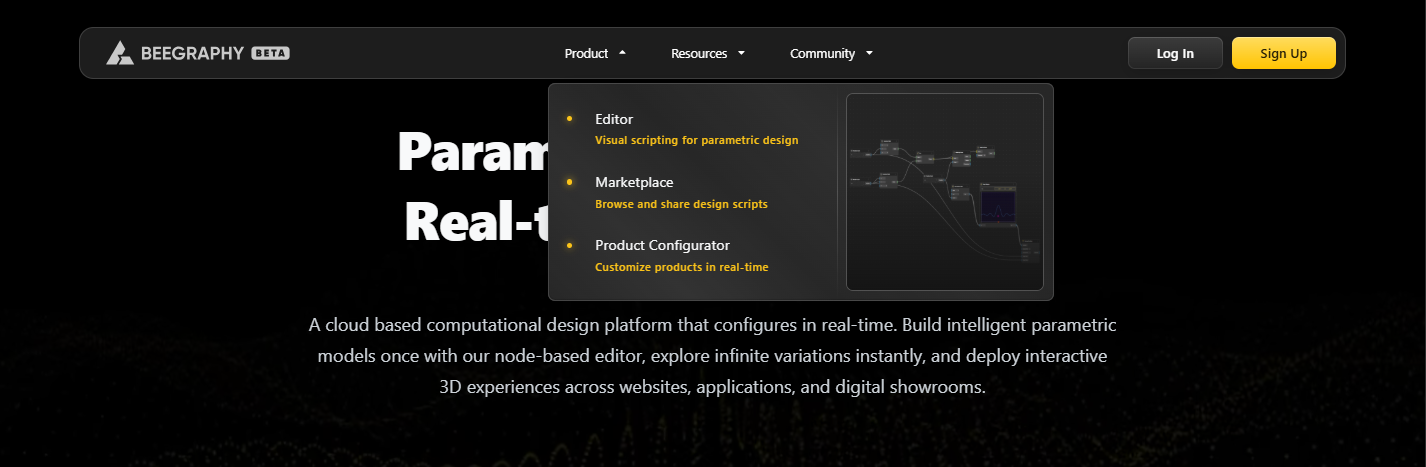
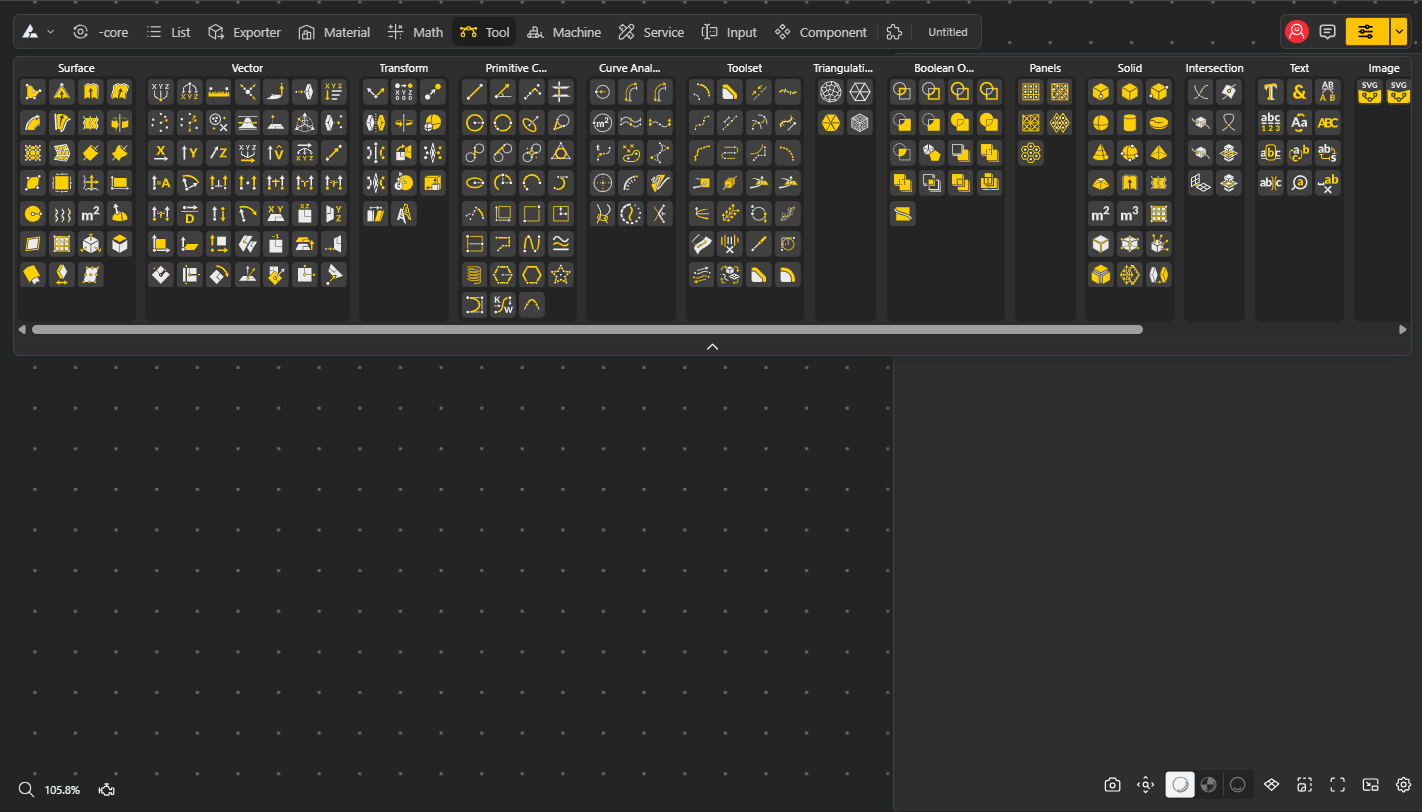
The Editor is the core tool of BeeGraphy - the first-ever fully online, browser-based parametric design space accessible from anywhere with just an internet connection. Say goodbye to traditional limitations, bulky files, and subscription-heavy software. With the Editor, real-time parametric designing is at your fingertips.
It’s a fully integrated environment featuring everything you need to start creating the moment inspiration strikes: basic tools, geometry, mathematical functions, text, Boolean operations, sets, data trees, and list sequences—all designed for seamless modeling.
Built with comfort and usability in mind, the Editor makes understanding nodes and parametric concepts easy, even for beginners. And if you ever need guidance, our step-by-step tutorials provide clear instructions to help you navigate, learn, and master the platform.
What’s there in the Editor's main canvas?
All the essentials you need to begin your parametric-modelling journey with the BeeGraphy Editor. Get familiar with your workspace environment including the key tools, panels, and features you’ll use as you start building your first models.
A buzzing, integrated ecosystem built for the future of computational design.
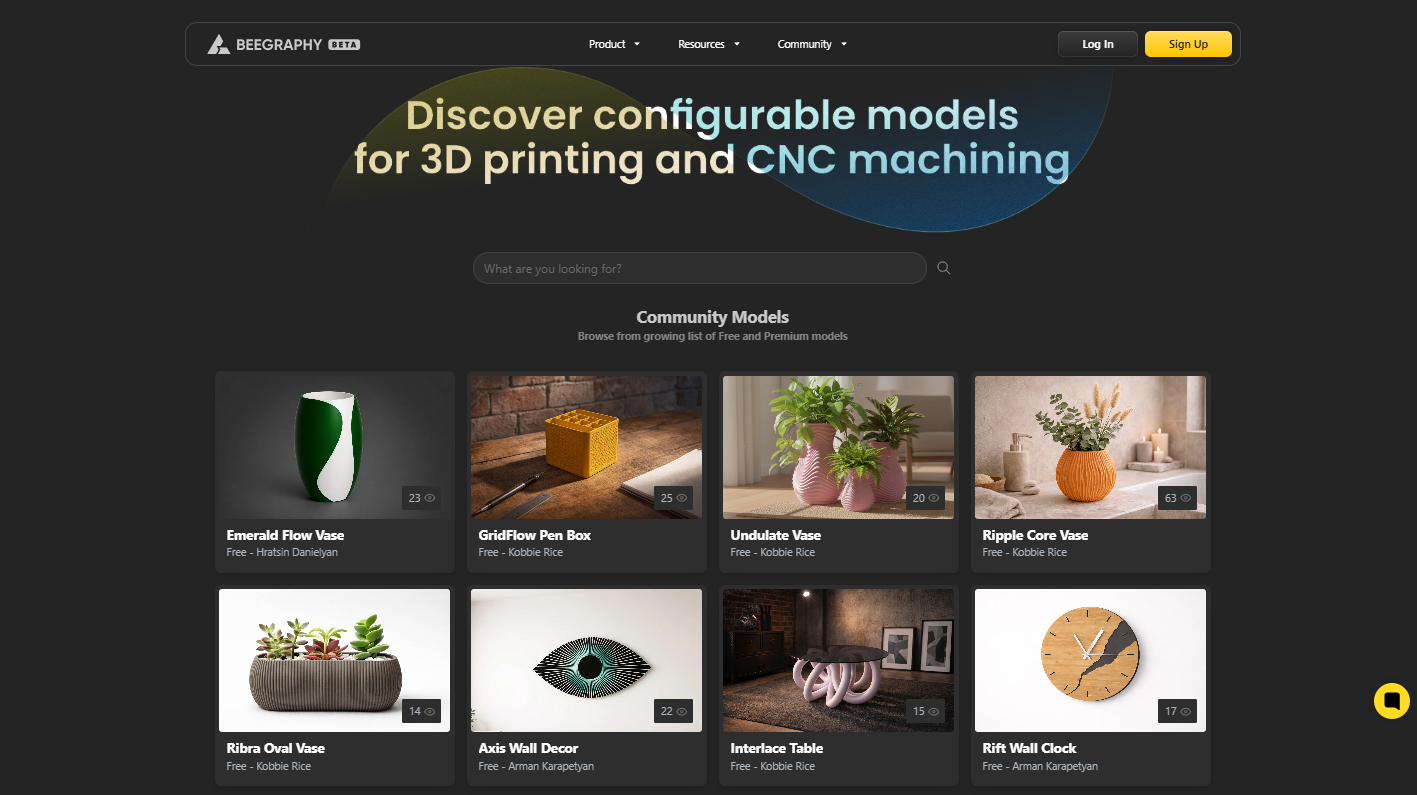
The BeeGraphy Marketplace is the first-ever cloud-based platform where designers, makers, and sellers share the same space, redesigning how design commerce worked. Where traditional workflows limited and separated designers, vendors, and industrial experts across different tools and sites, the BeeGraphy Marketplace unifies them all on one cloud-based platform. Whether you’re a service provider, a printing firm, a material exporter, or an independent designer, the marketplace bridges your entire journey.
Now designers can set up their own storefronts and work directly with customers, in contrast to traditional platforms that are inflexible and constrained. They can choose whether to serve B2B or B2C customers, specify exactly which features of their products are customizable, and have total control over how their portfolio is marketed and sold.
The marketplace facilitates partnerships with other designers or service providers for specialized needs like 3D printing or laser cutting and more, supporting everything from industrial-grade models to independent creative works. Our catalogue spanning from complex engineering-ready designs, architecture to elegant jewelry, home décor pieces, experimental forms, and custom tools all in one place crafted by creators worldwide.
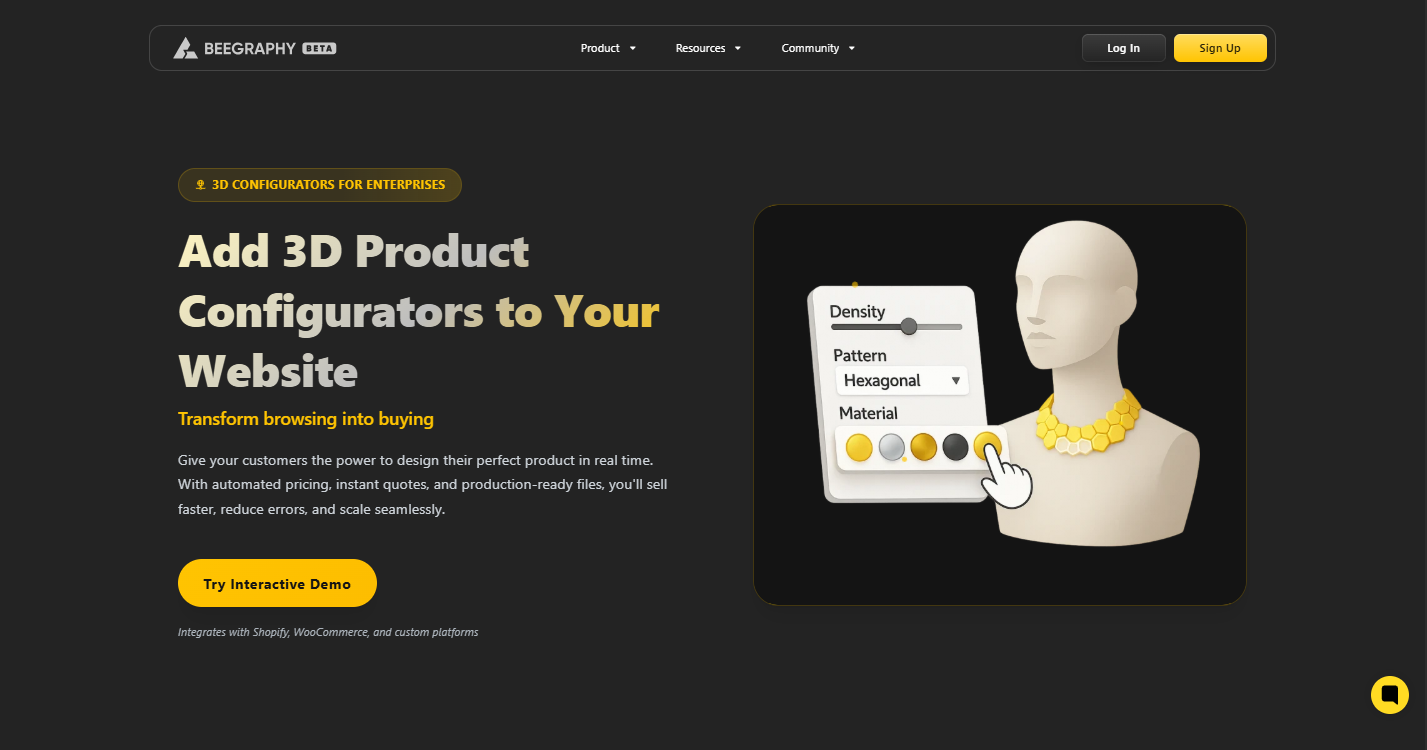
The BeeGraphy Configurator transforms static designs into interactive, customizable experiences, redefining how products are designed, presented, and manufactured in the digital era. Built on BeeGraphy’s cloud-based computational design platform, configurators allow creators, businesses, and manufacturers to turn parametric models into dynamic tools where users can modify products in real time. Instead of relying on fixed models or manual design changes, configurators empower customers to adjust dimensions, materials, colors, and other features instantly while viewing the results directly in a live 3D environment.
Designers and businesses can embed these configurators directly into websites, digital showrooms, or e-commerce platforms, enabling customers to personalize products before purchasing. Each adjustment automatically updates the model visually and technically, often generating manufacturing-ready files such as CAD or CNC outputs, eliminating repetitive manual workflows and reducing production errors.
With BeeGraphy’s configurators, customization becomes seamless, from concept to production. Whether configuring furniture dimensions, jewelry designs, architectural components, or industrial parts, creators can provide interactive tools that bridge design, commerce, and manufacturing. The result is a smarter workflow where creativity, user interaction, and fabrication-ready outputs come together in one connected platform, empowering both designers and customers to shape products exactly as they imagine them.
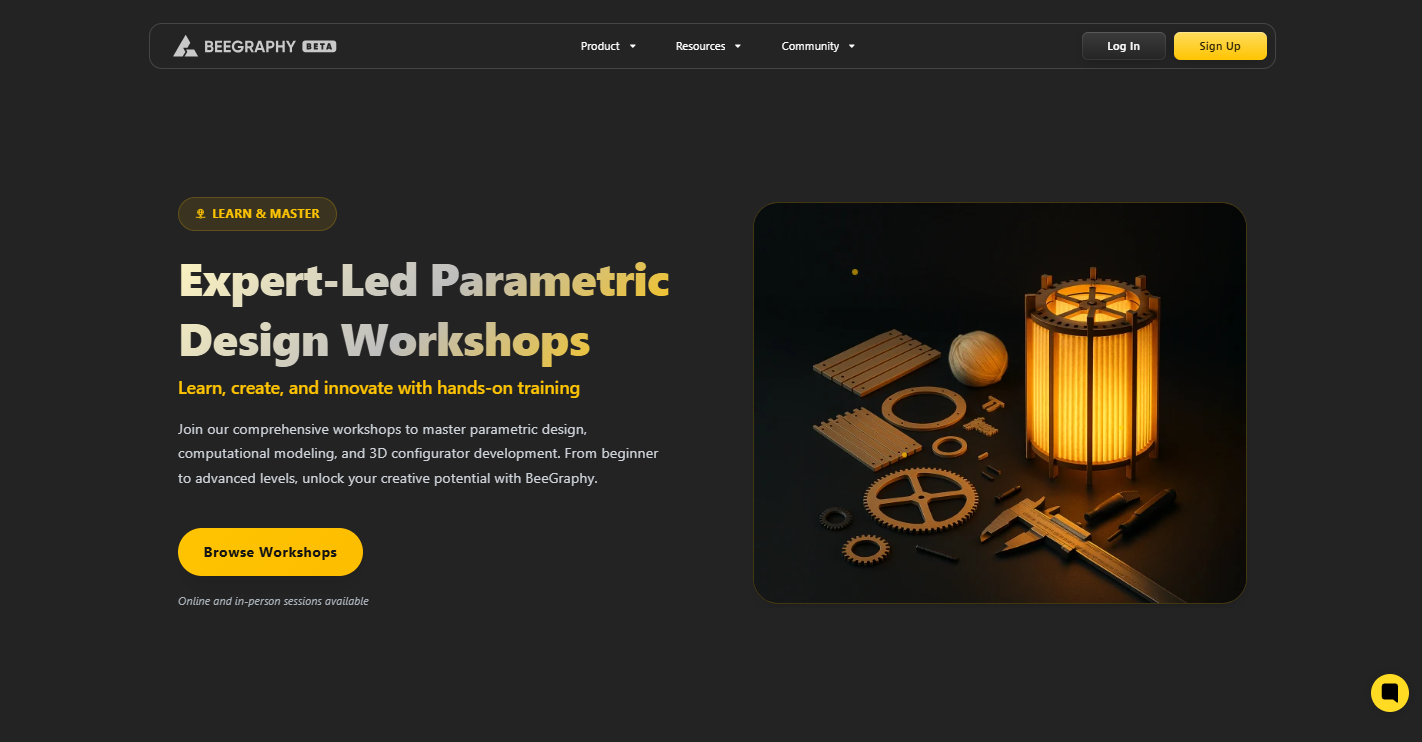
The BeeGraphy Workshops bring designers, innovators, and learners together to explore parametric and computational design through hands-on sessions. Led by experienced professionals, these workshops introduce participants to BeeGraphy’s cloud-based platform while teaching practical skills in parametric modeling and customizable 3D design workflows.
Focused on experimentation and collaboration, the workshops allow participants to learn by building real projects and interacting with mentors and fellow creators. Covering topics from foundational concepts to advanced design techniques, BeeGraphy workshops create a space where creativity, learning, and community come together to support the next generation of computational designers.
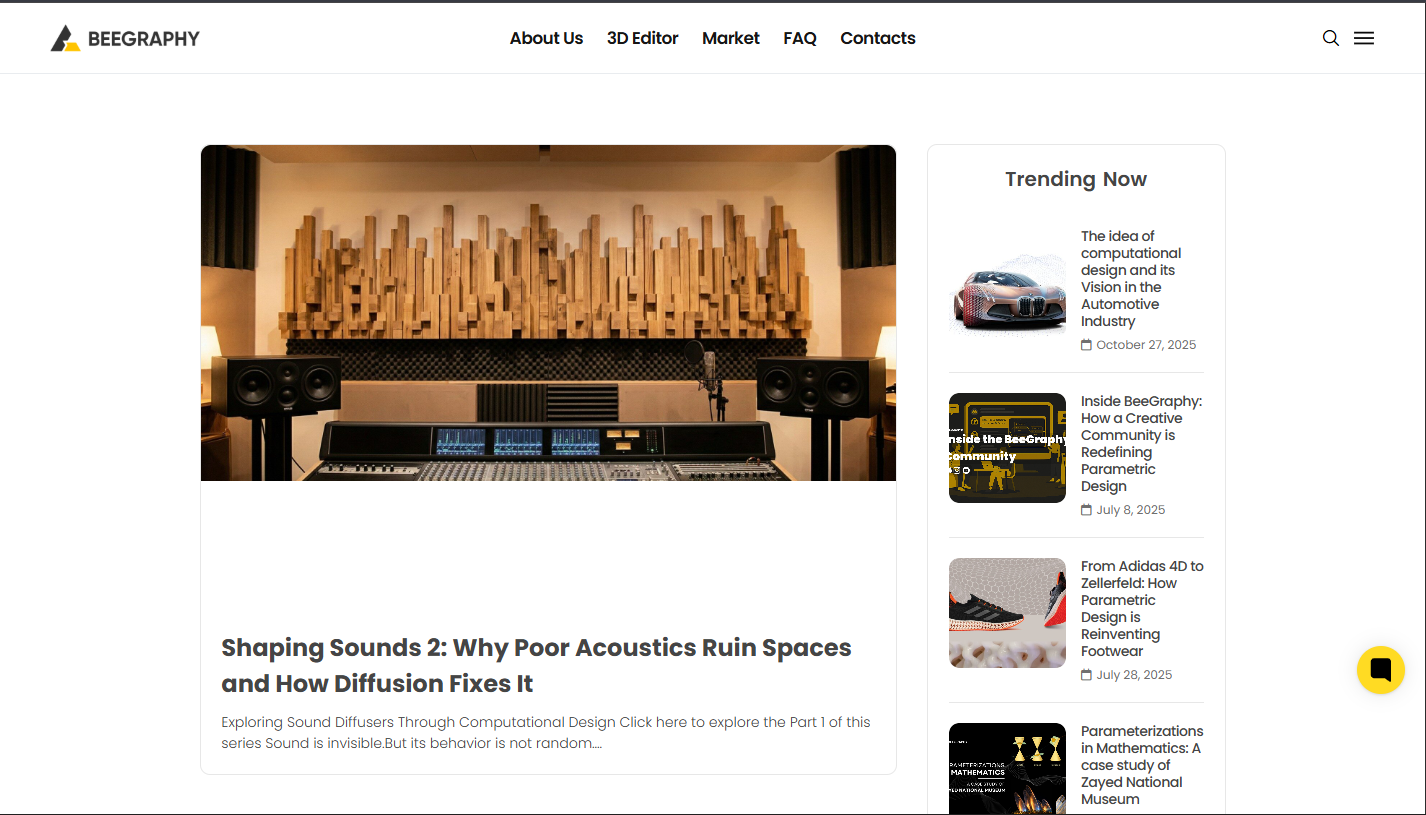
Discover how parametric modeling, computational design, and contemporary manufacturing are influencing the future of creation at the BeeGraphy Blog.
Coming together of a creative community of professionals, engineers, designers, makers, and educators to expand the possibilities of parametric tools transforming everything from large-scale manufacturing to digital craftsmanship. Through the of inspiration, technical clarity, and a perspective on the changing landscape of computational design, whether it's insights into design innovation, in-depth analyses of modeling techniques, or tales from industries implementing next-generation workflows, we have it all here at the BeeGraphy Blog.
One model, one workflow, one breakthrough at a time, you can uncover redefining possibility with insights ranging from design innovation to practical demonstrations.
No installation, no license errors, no heavy GPU needed. You can build parametric models from:
Windows
Mac
Linux
Tablets
Even a phone
Just internet + browser. Its that simple now!
BeeGraphy merges:
Parametric modeling
Real-time rendering
Material editing
3D export
Collaboration
E-commerce configurator
All inside one platform. No switching between 5 tools.
BeeGraphy follows graph-based parametric computation, the same philosophy as Grasshopper, Dynamo, Blender Geometry Nodes. But it fixes their biggest issues:
Cloud-based
Real-time collaboration
Live e-commerce integration
Versioning, team sharing
Automatic web-ready geometry
BeeGraphy can model + publish + sell them as a live configurator. Your model becomes:
an online 3D viewer
price calculator
variant generator
order tracking backend
shop-ready product
Yes, all from the same file!
Don’t wait — jump into our Editor and start creating today!
Follow these quick steps and start your journey with us here:
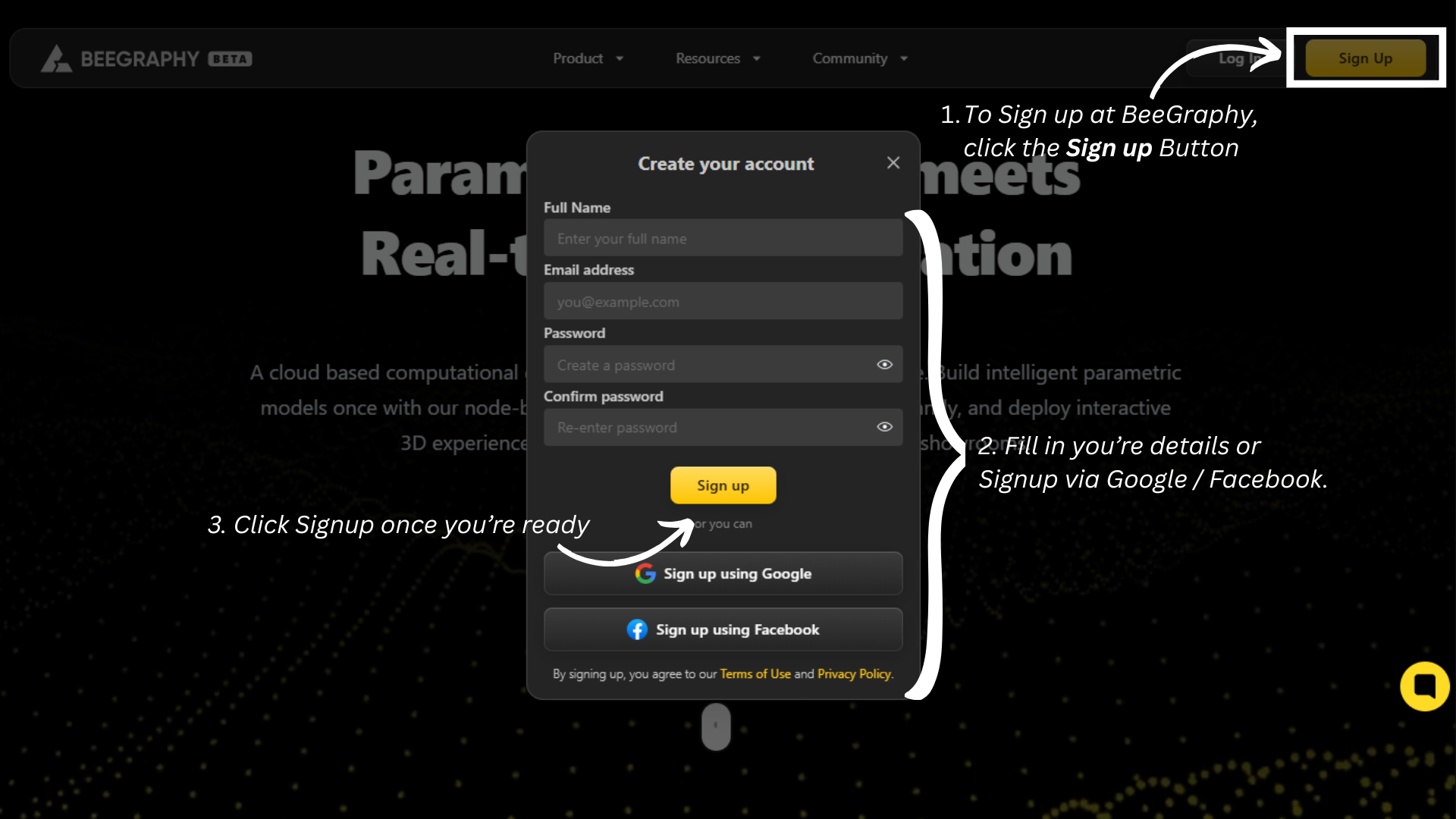
Visit beegraphy.com.
Click Sign up in the top-right corner.
Fill in your details (name, email, password) or choose Sign up with Google or Facebook.
Select Sign up when you’re ready.
Check your email and verify your account.
(OPTIONAL) Complete your profile: add a display name, profile picture, and bio.
You’re all set — create a new project from the dashboard to get started.
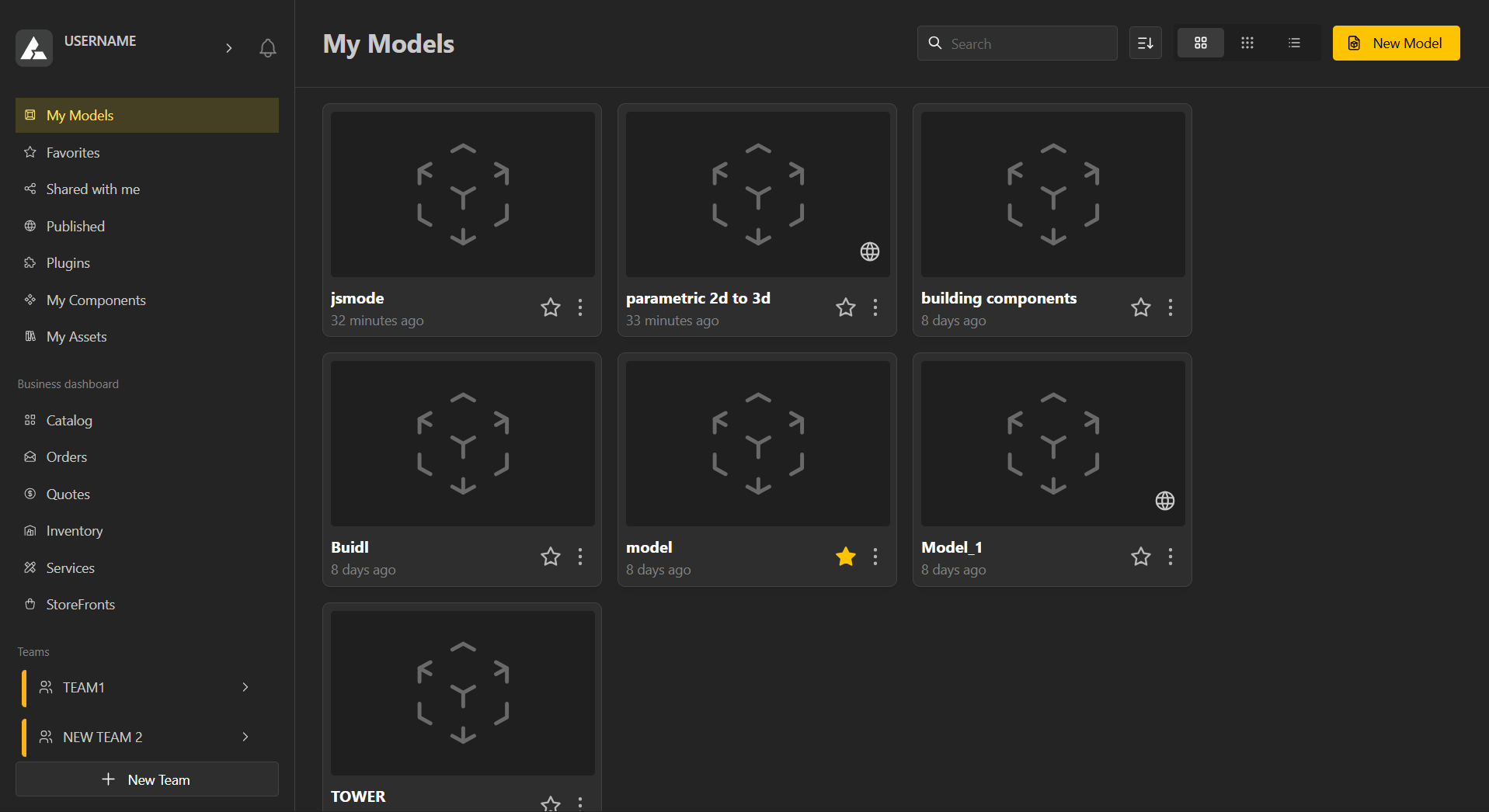
Once you’ve signed in, your workspace provides a central hub to manage all your projects and resources efficiently. The left-hand menu gives you quick access to essential tabs like My Models, Favourites, Shared with Me, Published Models, Plugins, My Components, and My Assets, helping you navigate your content effortlessly.
For business users, the Business Dashboard offers tools to manage Catalogues, Orders, Quotes, Inventory, Services, and Storefronts, streamlining operations and keeping everything organized in one place.
Teams provide a collaborative environment where you can work with others in real time, share models, and edit together seamlessly, making group projects and team workflows smooth and efficient.
The bell icon keeps you updated with all your notifications in one place. From this area, you can also access Profile Settings by clicking your username. The top search bar allows you to quickly find models, components, and other resources, helping you navigate your workspace efficiently.
To explore and get familiar with your Workspace Dashboard, including tips on managing models, business tools, and collaborative features visit, Workspace Guide & FAQs
Getting Started with Your First Model
Learn how to create your first model, manage it, and explore the key settings available
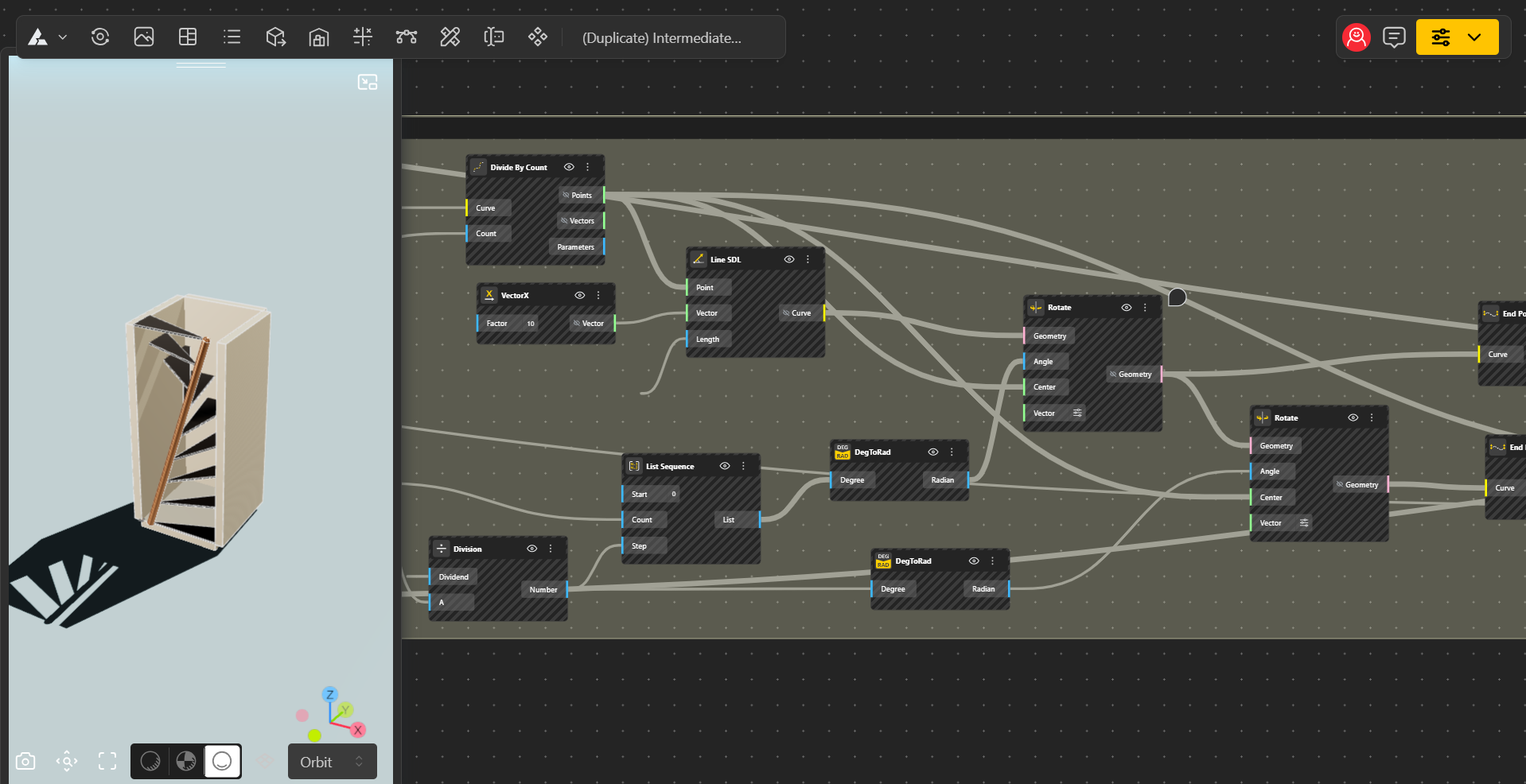
The BeeGraphy Editor is your interactive design space—built to help you create, modify, and explore models with ease.
Inside the editor, you’ll find a wide range of nodes that power your creations. These include mathematical nodes, geometric nodes, input nodes, logic nodes, and more—each helping you build everything from simple shapes to fully dynamic parametric systems. The editor also supports collaboration. You can share your workspace, work alongside others, leave comments, and make updates together in real-time, making teamwork smooth and efficient.
The BeeGraphy Editor is your complete environment for creating smart, flexible, and interactive 3D models.
Learn more about the Editor here
Sign into your BeeGraphy account anytime you want to by visiting beegraphy.com
Easily sign in, keep your account secure, update your profile, manage purchases, link payment accounts, explore Vault storage, and showcase your work. Click the link below for detailed instructions on each topic.
Learn all about Managing your Account & Safe Sign-in
BeeGraphy Market is a space for creators and sellers to showcase their work to a wider audience. Every product comes with a live in-browser configurator, allowing customers to adjust the design to their needs in real time. This makes discovery, customization, and purchasing smooth and effortless, giving creators a powerful platform to share and sell their models.
Learn more about the Interacting with Markets here
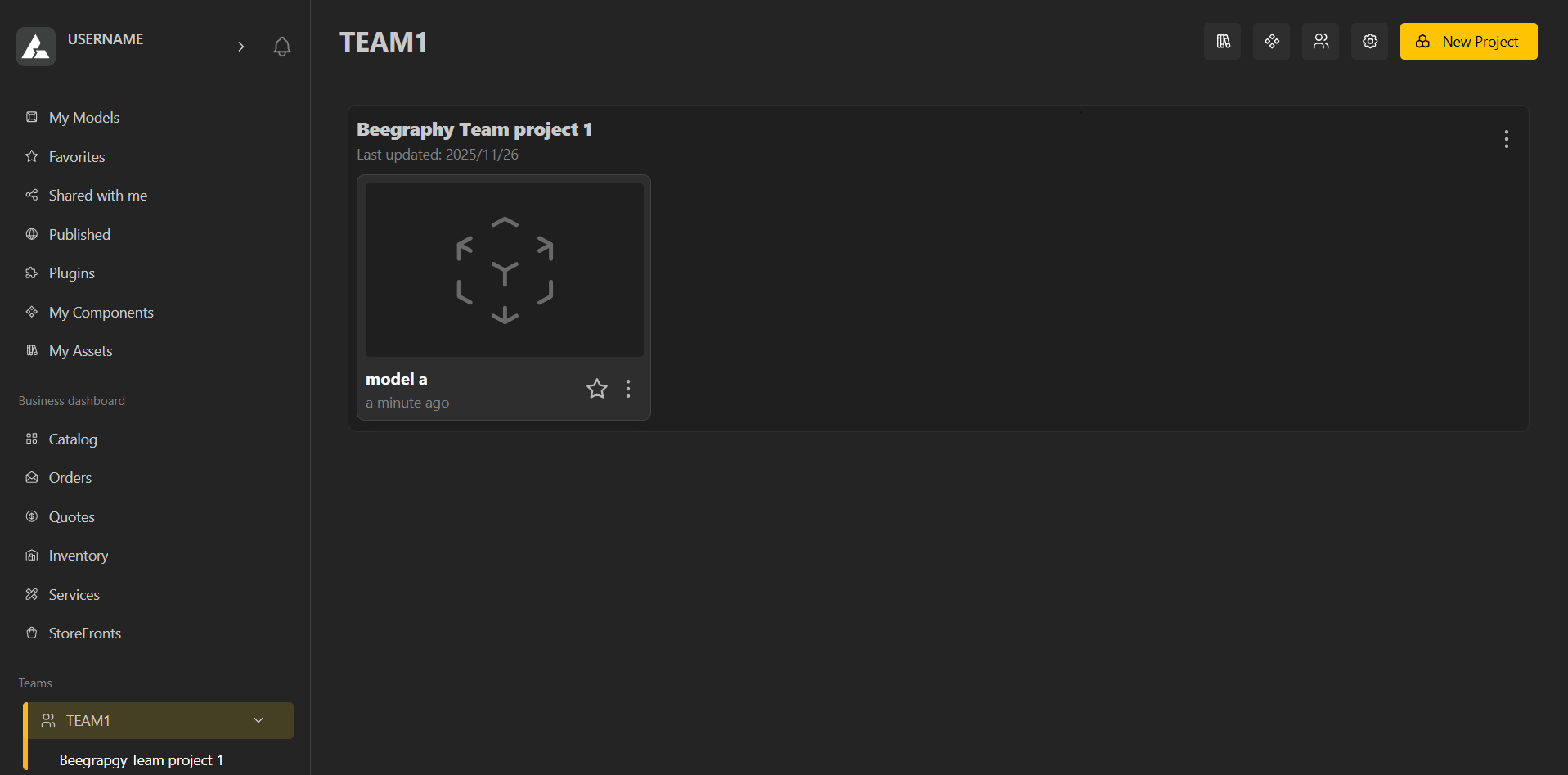
Teams are exclusive, shared workspaces designed to help you keep your projects organized and accessible only to the people you choose. Within a team, you can create multiple projects, and each project can have several models, making it easy to manage complex work structures.
You can view and manage active members, control permissions, and collaborate smoothly in a focused environment. Teams give you a private, structured space where collaboration stays organized, secure, and efficient.
Learn about Teams here
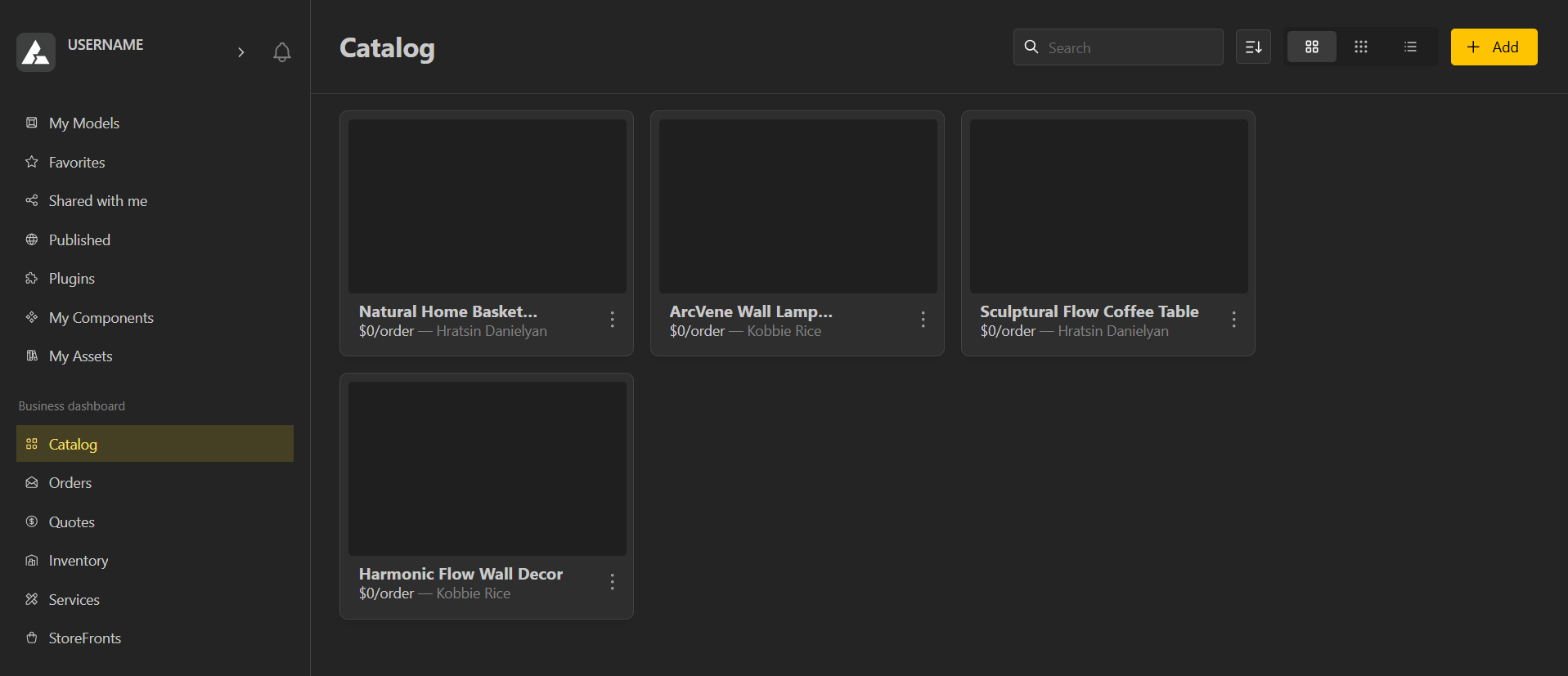
The Business Dashboard is an all-in-one hub designed to support creators, sellers, manufacturers, and service providers. It enables smooth collaboration between model creators and partners such as 3D-printing companies, production units, and other service providers. From managing manufacturing workflows to offering services, cataloging products, tracking orders, and even creating your own storefront. Beegraphy’s business tools give you everything you need to run your operations efficiently and seamlessly.
Start your Business Dashboard now
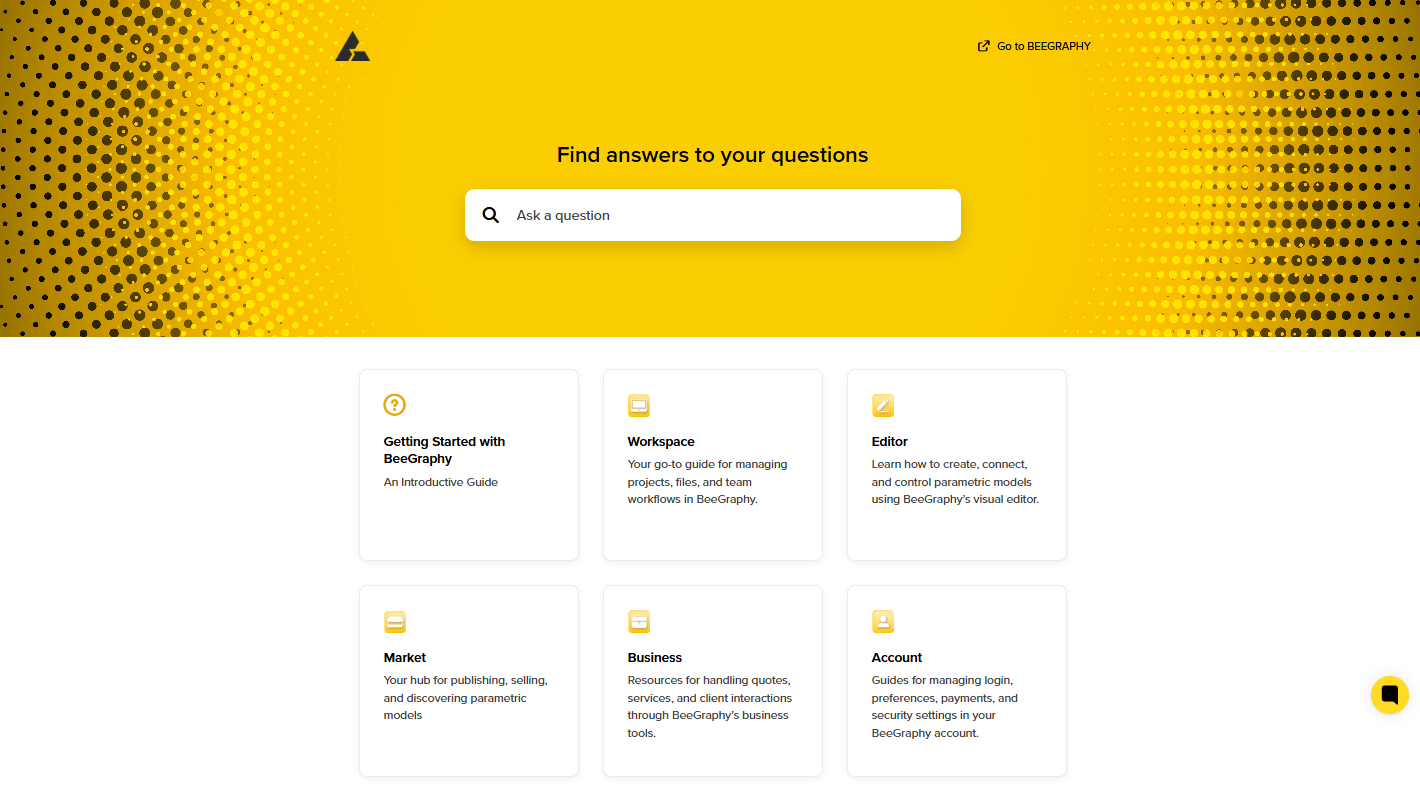
To help you settle into Beegraphy with ease, we’ve created a set of simple, guided tutorials. These will walk you through all the essential tools, features, and workflows.
Checkout our Tutorials on our youtube channel - Tutorials
Learning Resources
A step-by-step tutorial to help you settle into the Beegraphy environment, whether you have prior experience or are a complete novice.
Beginner Friendly Models to Do
A collection of beginner-friendly models to help new users learn and practice parametric modeling.
BeeGraphy’s platform isn’t just about tools it’s about real-time collaboration. Our integrated support connects users directly with experts and team members, offering guidance, workarounds, and insights as you design. Questions are answered quickly, solutions are shared visually when needed, and feedback loops help improve workflows continuously. It’s a seamless blend of technology, community, and expert support that keeps your projects moving forward efficiently.
For troubleshooting and Technical Support Reach out to us Here
